Transcode a File to MP4 With a GStreamer Pipeline
Convert any video file to MP4 with H.264 and AAC using one gst-launch-1.0 pipeline: demux, decode, encode, mux, handle audio, and finish the file with -e.
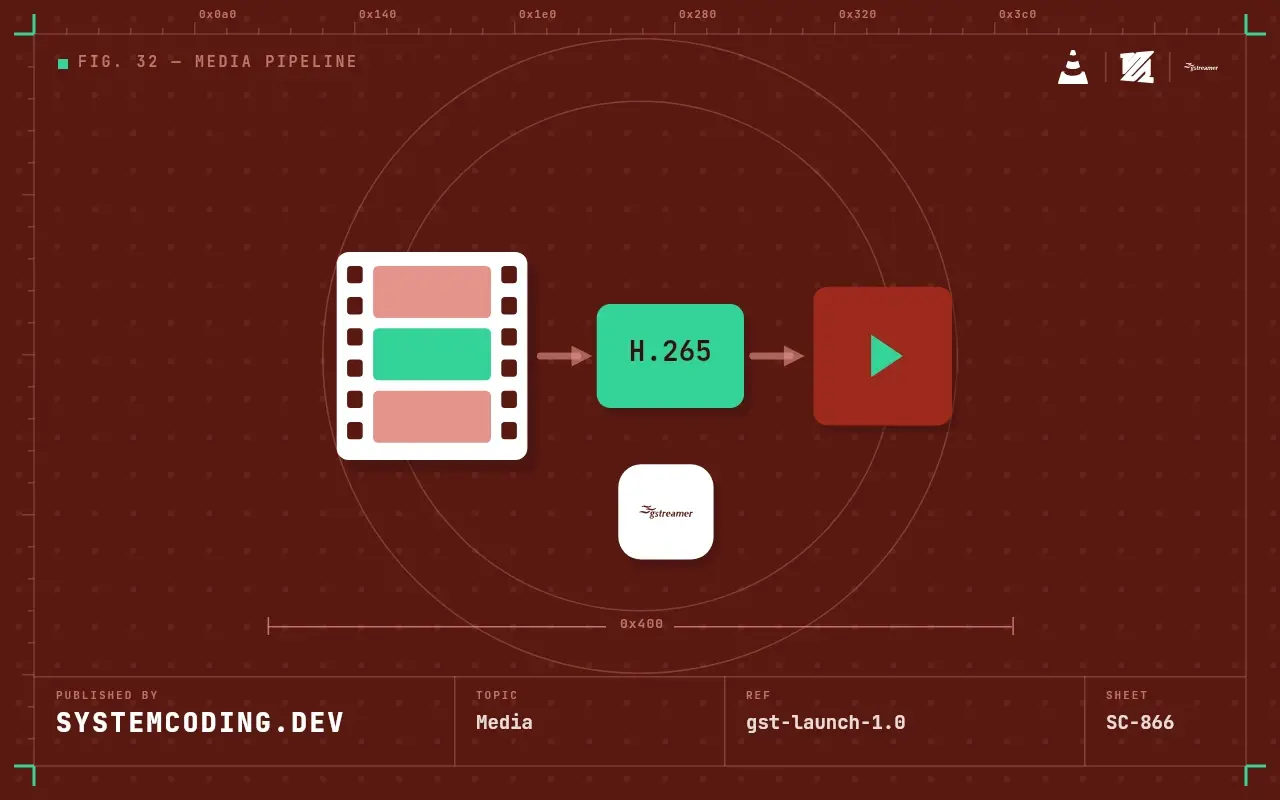
Transcoding means decoding a media file to raw frames and samples and then encoding them again in another format. With GStreamer you describe that as a chain of elements: read, demux, decode, convert, encode, mux, write. This post builds the chain for a common job, turning a file in any container into an MP4 with H.264 video and AAC audio, one step at a time, so that every element in the final command has a reason. It uses GStreamer 1.26 with the x264 plugin from gst-plugins-ugly and the AAC encoder from gst-libav, and the plugin sets are explained in a companion post.
The shape of a transcode
A transcoder has two branches that meet at a muxer: a video branch and an audio branch. Reading the plan left to right:
| Stage | Video branch | Audio branch |
|---|---|---|
| Read and split | filesrc then decodebin | same decodebin |
| Convert | videoconvert | audioconvert, audioresample |
| Encode | x264enc | avenc_aac |
| Parse | h264parse | aacparse |
| Join | mp4mux | mp4mux |
| Write | filesink | same filesink |
decodebin is the element that finds the container and codec by itself and creates one pad for each stream it decodes. Because those pads appear only after the file header has been read, you name the elements and refer to the pads by name in gst-launch-1.0.
Step 1: video only
Start with the video, which is the simplest part, so that you know the muxer and encoder work.
gst-launch-1.0 -e filesrc location=input.mkv ! decodebin ! videoconvert ! x264enc ! h264parse ! mp4mux ! filesink location=video_only.mp4filesrc reads bytes, decodebin decodes whatever is inside, videoconvert turns the decoded format into one x264enc accepts, x264enc produces H.264, h264parse makes sure the stream has the framing mp4mux wants, mp4mux writes the MP4 boxes, and filesink writes the file. The -e flag sends end-of-stream on Ctrl+C so the muxer can finish, but here the pipeline ends by itself at the end of the input, which also sends EOS.
If the input has an audio stream, decodebin also creates an audio pad. Nothing is linked to it, so GStreamer ignores it and the output has no audio. This is the right way to learn: you see the successful video-only file first.
Step 2: name the elements
To add audio you need to link two different pads of decodebin to two different chains. Give it a name and refer to it with a dot:
gst-launch-1.0 -e filesrc location=input.mkv ! decodebin name=dec \
  dec. ! queue ! videoconvert ! x264enc ! h264parse ! mux. \
  dec. ! queue ! audioconvert ! audioresample ! avenc_aac ! aacparse ! mux. \
  mp4mux name=mux ! filesink location=output.mp4
Read the grammar: name=dec names the decoder, and dec. begins a new chain from one of its pads. GStreamer connects each dec. branch to the next compatible pad as it appears: the first chain starts with videoconvert, which only accepts raw video, so it gets the video pad; the second starts with audioconvert, so it gets the audio pad. mux. at the end of a chain means "link into the element named mux", and the muxer is declared afterwards with mp4mux name=mux.
The queue elements are not decoration. A muxer has to wait for data on both inputs, and a decodebin pushes video and audio from one thread; without a queue on each branch, one branch can block waiting for the other and the pipeline deadlocks. Every branch that leaves a demuxer or decoder gets its own queue.
Notice the line continuation: the shell joins the lines, and the command is one description. If you prefer a script, put it in a file with set -e and the same layout.
Step 3: set the quality
The encoder defaults suit a test, not a deliverable. The two properties that matter first are the rate control and the preset:
gst-launch-1.0 -e filesrc location=input.mkv ! decodebin name=dec \
  dec. ! queue ! videoconvert ! x264enc bitrate=3000 speed-preset=medium key-int-max=60 ! "video/x-h264,profile=high" ! h264parse ! mux. \
  dec. ! queue ! audioconvert ! audioresample ! avenc_aac bitrate=128000 ! aacparse ! mux. \
  mp4mux name=mux faststart=true ! filesink location=output.mp4
What each setting does:
bitrate=3000is in kilobits per second forx264enc, so about 3 Mbit/s of video. The default is 2048.speed-preset=mediumtrades encoding time for compression efficiency; the other values are listed bygst-inspect-1.0 x264enc.key-int-max=60forces a keyframe at least every 60 frames, which gives players a place to seek to.The quoted caps
video/x-h264,profile=highask the encoder for the High profile, a widely supported level of features.avenc_aac bitrate=128000is in bits per second, unlikex264enc, which uses kilobits. This unit difference between elements is a classic mistake, so checkgst-inspect-1.0 avenc_aac.faststart=trueonmp4muxmoves the index to the start of the file by rewriting it at the end, so a browser can start playing before the download finishes. It needs a seekable output, which a regular file is.
If you have the faac or fdkaacenc elements, they are alternatives to avenc_aac; gst-inspect-1.0 | grep -i aac lists what is installed.
Step 4: do it from C
The same pipeline in a program uses gst_parse_launch with the string, and waits for EOS. This version takes the input and output paths as arguments.
#include <gst/gst.h>
#include <stdio.h>

int main(int argc, char *argv[])
{
    gst_init(&argc, &argv);
    if (argc != 3) {
        g_printerr("usage: %s in.mkv out.mp4\n", argv[0]);
        return 2;
    }

    gchar *desc = g_strdup_printf(
        "filesrc location=\"%s\" ! decodebin name=dec "
        "dec. ! queue ! videoconvert ! x264enc bitrate=3000 ! h264parse ! mux. "
        "dec. ! queue ! audioconvert ! audioresample ! avenc_aac ! aacparse ! mux. "
        "mp4mux name=mux faststart=true ! filesink location=\"%s\"",
        argv[1], argv[2]);

    GError *err = NULL;
    GstElement *pipe = gst_parse_launch(desc, &err);
    g_free(desc);
    if (!pipe) {
        g_printerr("parse error: %s\n", err->message);
        g_clear_error(&err);
        return 1;
    }

    gst_element_set_state(pipe, GST_STATE_PLAYING);
    GstBus *bus = gst_element_get_bus(pipe);
    GstMessage *msg = gst_bus_timed_pop_filtered(
        bus, GST_CLOCK_TIME_NONE, GST_MESSAGE_ERROR | GST_MESSAGE_EOS);

    int rc = 0;
    if (GST_MESSAGE_TYPE(msg) == GST_MESSAGE_ERROR) {
        GError *e = NULL;
        gst_message_parse_error(msg, &e, NULL);
        g_printerr("transcode failed: %s\n", e->message);
        g_clear_error(&e);
        rc = 1;
    } else {
        g_print("done: %s\n", argv[2]);
    }
    gst_message_unref(msg);
    gst_object_unref(bus);
    gst_element_set_state(pipe, GST_STATE_NULL);
    gst_object_unref(pipe);
    return rc;
}done: output.mp4The wait for EOS is the important part: it is how the program knows the muxer has written the file. Closing the pipeline earlier, for example by setting NULL after a timeout, produces a truncated file with no index.
Verify the result
Inspect the output with the discoverer tool that ships with GStreamer:
gst-discoverer-1.0 output.mp4Analyzing file:///home/maria/output.mp4
Done discovering file:///home/maria/output.mp4
Properties:
Duration: 0:03:12.480000000
Seekable: yes
Container: Quicktime
audio: MPEG-4 AAC audio
video: H.264 (High Profile)The duration and sizes depend on your input. If the audio line is missing, the second dec. branch did not link, and the usual cause is a missing avenc_aac plugin: the pipeline would then have refused to parse.
Common failures
A not-negotiated error between decodebin and videoconvert often means the input has an unusual pixel format or the pad was linked to the wrong chain. A pipeline that hangs at 0 percent usually lacks the queue after dec.. A file that plays no audio but has an audio track usually has a sample rate the encoder rejected, which audioresample plus a caps filter such as audio/x-raw,rate=48000 fixes. Hardware encoders (vaapih264enc, nvh264enc) replace x264enc and are covered in a separate post.
Copying instead of transcoding
Transcoding costs time and quality, so check whether you need it. If the input video is already H.264 and the audio is already AAC, only the container has to change. A remux keeps both streams untouched:
gst-launch-1.0 -e filesrc location=input.mkv ! matroskademux name=demux \
  demux.video_0 ! h264parse ! mux. \
  demux.audio_0 ! aacparse ! mux. \
  mp4mux name=mux faststart=true ! filesink location=remux.mp4
matroskademux exposes pads named video_0 and audio_0, so you can address them directly, which also removes the need for queue elements on a muxer chain fed from one demuxer thread in many files. This finishes in the time it takes to copy the bytes and the output is bit-identical in its streams. Use gst-discoverer-1.0 input.mkv first to confirm the codecs, since remuxing HEVC or Opus into MP4 has container-specific support limits.
Scaling, frame rate and bitrate limits
A transcode often changes the picture too. Put the adjustments between the converter and the encoder, where the data is raw:
gst-launch-1.0 -e filesrc location=input.mkv ! decodebin name=dec \
  dec. ! queue ! videoconvert ! videoscale ! videorate ! "video/x-raw,width=1280,height=720,framerate=30/1" ! x264enc bitrate=2500 ! h264parse ! mux. \
  dec. ! queue ! audioconvert ! audioresample ! "audio/x-raw,rate=48000,channels=2" ! avenc_aac ! aacparse ! mux. \
  mp4mux name=mux ! filesink location=small.mp4
videoscale changes the resolution, videorate drops or duplicates frames to reach the frame rate, and the capsfilter states the target. If the source has a different aspect ratio, videoscale stretches it, so add add-borders=true or crop first with videocrop. The audio caps force 48 kHz stereo, which is the rate most video players expect.
Watching progress
A transcode can run for minutes and print nothing. Add progressreport anywhere in the video branch to print position every few seconds:
gst-launch-1.0 -e filesrc location=input.mkv ! decodebin ! progressreport update-freq=2 ! videoconvert ! x264enc ! h264parse ! mp4mux ! filesink location=out.mp4progressreport0 (00:00:02): 12 / 192 seconds ( 6.2 %)
progressreport0 (00:00:04): 25 / 192 seconds (13.0 %)The percentages come from a duration query on the source, so they work for files and not for live inputs.