The Complete Guide to Socket Programming in C
Learn socket programming in C on Linux from zero: addresses, TCP servers and clients, UDP, getaddrinfo, closing, errors, poll and a working chat server.
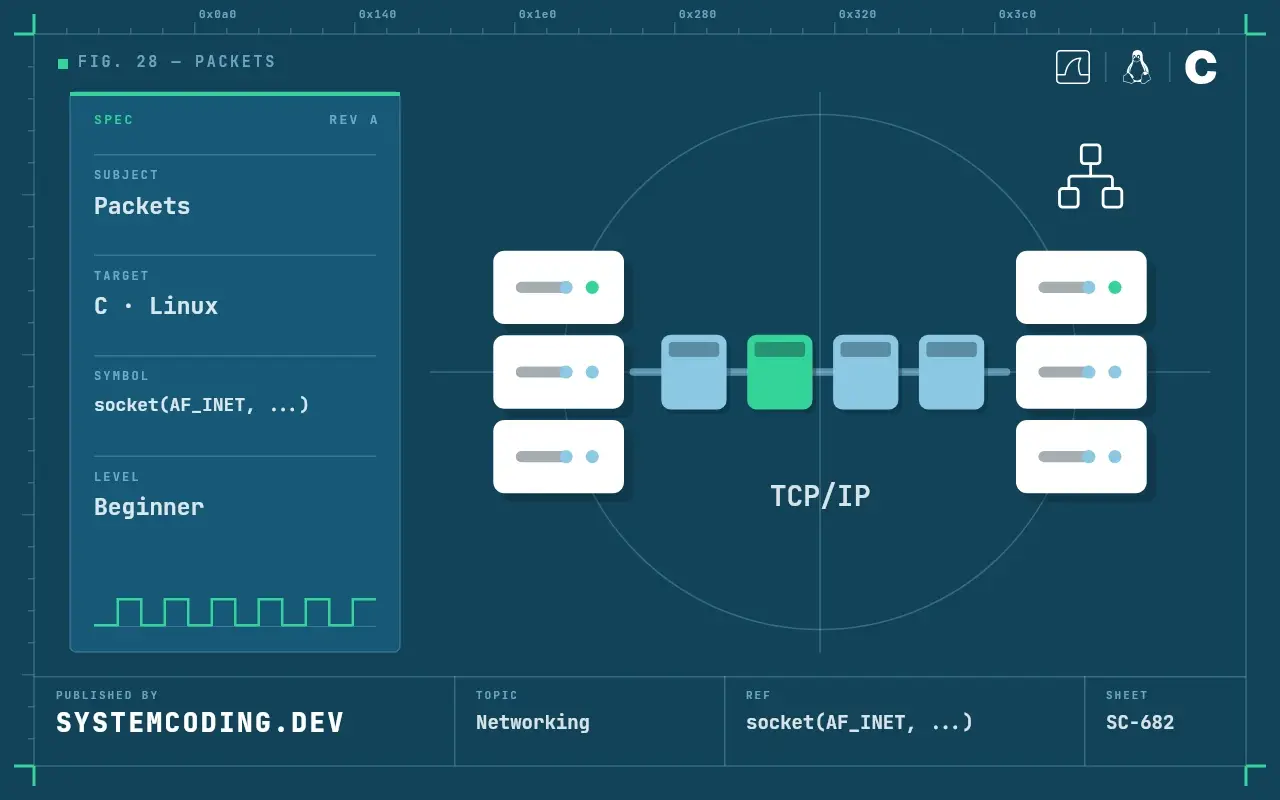
Every network program you have used, from a web browser to a database driver, sits on the same small set of system calls. They were designed in the early 1980s for Berkeley Unix, and they have changed so little since that code written then still compiles now. This guide teaches that set in C on Linux 6.12 with glibc 2.40: how to make a connection, how to send and receive bytes without losing any, how to find a server by name, how to close cleanly, how to handle many clients at once and how to diagnose what went wrong. It starts from nothing, builds up in the order you will need things, and ends with a working chat server that you write yourself.
You need to read C and use a Linux shell. You do not need to know anything about networking beyond having used the internet. The system calls are specified in POSIX.1-2024, and the Linux behaviour is in the man pages, which this guide links where they matter: socket(7), tcp(7), udp(7) and ip(7).
What this guide covers and what it leaves out
You will learn the TCP and UDP sockets API over IPv4 and IPv6, in blocking and event-driven styles, with enough error handling to survive a real network. You will learn the tools that show you what the kernel is doing, since a network program that you cannot observe is a program you cannot debug.
You will not learn TLS, HTTP or any application protocol beyond toy ones, because those sit on top of what is here and each deserves its own treatment. You will not learn Windows sockets, which differ in names and details, or high-performance interfaces such as epoll and io_uring, which come in later parts of this series. The guide on socket options goes deeper on tuning, and the individual posts linked along the way cover single topics in depth.
If you already write TCP servers and want to tune them, skip to the guide on socket options. This guide is for the first working program and the ten bugs that follow it.
The mental model: a socket is a file descriptor
Start with what a socket is. A socket is one end of a communication channel, held by the kernel, which your program names with a small integer called a file descriptor. It is the same kind of integer that open returns for a file. That is the central design idea of the API: once a connection exists, you read it and write it with calls you already know.
A file descriptor is an index into a table the kernel keeps for each process. Descriptors 0, 1 and 2 are standard input, output and error, so the first socket you create usually gets 3. Because the descriptor is a number and the real object lives in the kernel, closing it matters: forgetting to call close leaks an entry from a table of limited size.
Three further terms complete the vocabulary:
An address names a machine's network interface. IPv4 addresses have 32 bits and are written as four numbers, like
192.0.2.10. IPv6 addresses have 128 bits and are written in hexadecimal, like2001:db8::10.A port is a 16-bit number that chooses one program on that machine. Ports below 1024 are privileged on Linux.
A protocol says how bytes travel. TCP gives a reliable ordered stream between two connected endpoints. UDP gives independent messages that may be lost.
A TCP conversation is identified by four values: the local address and port and the remote address and port. A web server can talk to a million clients on port 443 because each client's address or port makes the four values unique.
The post on what a socket is walks through these terms with a small program that creates a socket and asks the kernel what it chose.
Setting up your workbench
The programs in this guide compile with GCC and need only the standard C library and the Linux system headers. Use these flags, which turn on useful warnings and a C standard:
gcc -std=c11 -Wall -Wextra -D_DEFAULT_SOURCE -o prog prog.cThe _DEFAULT_SOURCE definition makes glibc expose the POSIX and BSD declarations that -std=c11 would otherwise hide. Every socket program begins with a similar set of headers:
#include <arpa/inet.h>     /* inet_pton, inet_ntop, htons, ntohs */
#include <errno.h>
#include <netinet/in.h>    /* struct sockaddr_in, sockaddr_in6 */
#include <stdio.h>
#include <stdlib.h>
#include <string.h>
#include <sys/socket.h>    /* socket, bind, listen, accept, connect, send, recv */
#include <unistd.h>        /* close */
Alongside the compiler, install four tools and learn them as you go:
nc, also called netcat, opens a TCP or UDP connection from the shell. It is your test client and your test server.sslists sockets and their states.ss -tanshows every TCP socket, andss -ltnpshows listeners with the process that owns them.tcpdumpcaptures packets, so you can see what really crossed the wire.stracelists the system calls a program makes, with arguments and return values, which shows you what your code asked the kernel to do.
Whenever a program in this guide does something surprising, reach for these before reading more source. They are the reason network debugging is tractable at all.
Addresses and byte order
Before any call, you need to be able to write an address down. The calls that take an address accept a pointer to struct sockaddr and a length, and you pass a more specific structure cast to that type. For IPv4 the structure is struct sockaddr_in:
struct sockaddr_in a;
memset(&a, 0, sizeof a);
a.sin_family = AF_INET;
a.sin_port   = htons(7070);
inet_pton(AF_INET, "127.0.0.1", &a.sin_addr);
Zero the structure first. It contains padding fields, and leftover garbage can make calls fail on some systems. The family tells the kernel which structure it received, sin_port holds the port and sin_addr the address.
The port is stored in network byte order, which is big-endian: the most significant byte first. Most computers are little-endian, so you convert. htons converts a 16-bit value from host order to network order, ntohs converts back, and htonl and ntohl do the same for 32-bit values. inet_pton parses text into network order and inet_ntop formats it back as text, so you rarely convert addresses by hand. On a big-endian machine these functions do nothing, and you call them anyway, so that the same code works everywhere.
IPv6 uses struct sockaddr_in6, which holds a 128-bit address, a port, a flow label and a scope identifier. Its type is larger than struct sockaddr, and passing the wrong size is a classic bug. When you want code that works for both families without caring, use struct sockaddr_storage, which is big enough for any address, and the getaddrinfo function described later, which builds the right structure for you.
Your first TCP server
A TCP server performs a fixed sequence of calls. Each has one job:
socketcreates the endpoint and returns its descriptor.setsockoptwithSO_REUSEADDRallows a quick restart.bindattaches a local address and port.listenturns the socket into a passive one that queues incoming connections.accepttakes one finished connection and returns a new descriptor for it.recvandsendmove bytes on that new descriptor.closereleases it.
Here is the shortest complete server worth running. It accepts one client at a time, reads whatever arrives and sends it straight back, an echo server:
#define _DEFAULT_SOURCE
#include <arpa/inet.h>
#include <errno.h>
#include <netinet/in.h>
#include <stdio.h>
#include <stdlib.h>
#include <sys/socket.h>
#include <unistd.h>

int main(void)
{
    int lfd = socket(AF_INET, SOCK_STREAM, 0);
    if (lfd < 0) { perror("socket"); return EXIT_FAILURE; }

    int yes = 1;
    setsockopt(lfd, SOL_SOCKET, SO_REUSEADDR, &yes, sizeof yes);

    struct sockaddr_in a = {0};
    a.sin_family = AF_INET;
    a.sin_addr.s_addr = htonl(INADDR_ANY);
    a.sin_port = htons(7070);
    if (bind(lfd, (struct sockaddr *)&a, sizeof a) < 0) {
        perror("bind");
        return EXIT_FAILURE;
    }
    if (listen(lfd, 16) < 0) {
        perror("listen");
        return EXIT_FAILURE;
    }
    printf("listening on port 7070\n");

    for (;;) {
        int cfd = accept(lfd, NULL, NULL);
        if (cfd < 0) {
            if (errno == EINTR) continue;
            perror("accept");
            break;
        }
        char buf[512];
        ssize_t n;
        while ((n = recv(cfd, buf, sizeof buf, 0)) > 0)
            send(cfd, buf, (size_t)n, MSG_NOSIGNAL);
        close(cfd);
    }
    close(lfd);
    return EXIT_FAILURE;
}
Compile it, run it, and from a second terminal run nc 127.0.0.1 7070. Type hello and press Enter, and the line comes back. The server prints:
listening on port 7070Several details deserve attention, because each is the cause of a common bug.
Two descriptors, two jobs. The listening descriptor, lfd, never carries data. It only produces connections. Each accept returns a fresh descriptor, cfd, for one client. Reading from lfd is an error, and so is forgetting to close cfd.
The backlog. The second argument to listen sets how many finished connections the kernel will queue until you call accept. Linux also caps it by net.core.somaxconn. A connection waiting in that queue is already open from the client's point of view. The post on the TCP backlog explains the two queues behind it.
**Why SO_REUSEADDR.** Without it, restarting the server soon after stopping it often fails with Address already in use, because old connections linger in a state called TIME_WAIT. The option lets the new process bind anyway. It does not let two programs listen on the same port at once.
**INADDR_ANY** means every local interface. To accept only local connections, bind 127.0.0.1 instead, which is a good habit for a server under development, since it cannot be reached from other machines.
The full walkthrough, with a client, error handling and a view of what the kernel queues, is in the post on writing a TCP echo server from scratch.
Your first TCP client
A client is shorter. It creates a socket and calls connect, and it does not call bind or listen, because the kernel picks a free local port for it:
#define _DEFAULT_SOURCE
#include <arpa/inet.h>
#include <netinet/in.h>
#include <stdio.h>
#include <stdlib.h>
#include <string.h>
#include <sys/socket.h>
#include <unistd.h>

int main(void)
{
    int fd = socket(AF_INET, SOCK_STREAM, 0);
    if (fd < 0) { perror("socket"); return EXIT_FAILURE; }

    struct sockaddr_in a = {0};
    a.sin_family = AF_INET;
    a.sin_port = htons(7070);
    inet_pton(AF_INET, "127.0.0.1", &a.sin_addr);

    if (connect(fd, (struct sockaddr *)&a, sizeof a) < 0) {
        perror("connect");
        return EXIT_FAILURE;
    }

    const char *msg = "hello server\n";
    send(fd, msg, strlen(msg), MSG_NOSIGNAL);

    char buf[128];
    ssize_t n = recv(fd, buf, sizeof buf - 1, 0);
    if (n > 0) {
        buf[n] = '\0';
        printf("server said: %s", buf);
    }
    close(fd);
    return EXIT_SUCCESS;
}
With the echo server running, the client prints:
server said: hello serverWithout a server, connect fails at once on loopback and the program prints connect: Connection refused. That error means the machine answered and nothing was listening. A different failure, Connection timed out, means nobody answered at all, which suggests a firewall or an unreachable host. The post on writing a TCP client explains what connect does on the wire, the three-way handshake, and why the two errors differ.
Reading and writing correctly
Here is the idea that separates working network code from code that works on your laptop: TCP is a byte stream, not a message stream. If one side sends 20 bytes in one call and 30 bytes in another, the other side may receive 50 bytes in one recv, or 49 and then 1, or any other split. Nothing in the API tells it where your messages began. The kernel splits and joins data freely for efficiency.
Two rules follow.
**Rule one: send can write less than you asked, and recv can return less than you hoped.** Both return the number of bytes actually transferred. Always loop. A sending helper looks like this:
static int send_all(int fd, const char *buf, size_t len)
{
    while (len > 0) {
        ssize_t n = send(fd, buf, len, MSG_NOSIGNAL);
        if (n < 0) {
            if (errno == EINTR) continue;
            return -1;
        }
        buf += n;
        len -= (size_t)n;
    }
    return 0;
}
Reading exactly a known number of bytes is the same loop with recv, and it must treat a return of 0 as the peer having closed the stream before all bytes arrived.
Rule two: if your protocol has messages, you must mark where they end. There are two standard ways. A delimiter ends each message with a known byte, such as a newline, and the reader scans for it. A length prefix starts each message with its size, usually a four-byte unsigned integer in network byte order, and the reader reads the size, checks it against a limit, then reads exactly that many bytes. Length prefixes handle binary data and let you allocate the exact buffer in advance. The post on framing messages with length prefixes shows the code, including the check that stops a hostile peer from asking you to allocate four gigabytes.
The return values of recv deserve their own table, because misreading them causes endless loops:
| Return | Meaning |
|---|---|
| greater than 0 | That many bytes arrived |
0 | The peer closed its end: the stream is over |
-1 with EINTR | A signal interrupted the call, so try again |
-1 with EAGAIN or EWOULDBLOCK | Non-blocking socket with no data, or a receive timeout fired |
-1 with ECONNRESET | The peer reset the connection |
A loop that tests only n < 0 for errors and treats everything else as data spins forever when the peer closes, reading zero bytes at full speed. Always test for zero.
Closing a connection properly
close releases the descriptor, and the kernel finishes sending queued data in the background. For most programs that is enough. Two cases need more care.
The first is half-close. A client that has sent a whole request and wants the server to know no more is coming can call shutdown(fd, SHUT_WR). This sends the end-of-stream signal but leaves the read side open, so the client can still read the reply until its own recv returns zero. The post on closing TCP connections gracefully with shutdown explains the sequence and the reset that a plain close can cause when unread data remains in the receive buffer.
The second is detecting that the other side has gone. An orderly close shows up as recv returning zero. A reset shows up as ECONNRESET or, on a write, EPIPE. On Linux a write to a connection that the peer has reset also raises the signal SIGPIPE, whose default action kills your process, which is why the examples pass MSG_NOSIGNAL to send. The unpleasant case is a peer that vanishes without sending anything, because its machine lost power or a firewall dropped the flow. No error reaches you until you try to send and the retransmissions run out, or until keepalive, discussed below, notices. The post on detecting a closed TCP connection reliably covers all three.
Finding a server by name with getaddrinfo
So far the address was a literal. Real programs take a name such as example.com. A name can map to several IPv4 and IPv6 addresses, and the function that turns a name and a service into a list of ready-to-use socket addresses is getaddrinfo. It replaces the obsolete gethostbyname, handles both address families and is safe to call from several threads.
You give it a host, a port as text and a hints structure that narrows the search, and it returns a linked list. The standard client loops over the list, trying each address until one connects:
struct addrinfo hints, *res, *ai;
memset(&hints, 0, sizeof hints);
hints.ai_family   = AF_UNSPEC;      /* IPv4 or IPv6 */
hints.ai_socktype = SOCK_STREAM;    /* TCP */

int rc = getaddrinfo("localhost", "7070", &hints, &res);
if (rc != 0) {
    fprintf(stderr, "getaddrinfo: %s\n", gai_strerror(rc));
    return EXIT_FAILURE;
}

int fd = -1;
for (ai = res; ai != NULL; ai = ai->ai_next) {
    fd = socket(ai->ai_family, ai->ai_socktype, ai->ai_protocol);
    if (fd < 0) continue;
    if (connect(fd, ai->ai_addr, ai->ai_addrlen) == 0) break;
    close(fd);
    fd = -1;
}
freeaddrinfo(res);
Three traps lurk here. Set ai_socktype, or you get one entry per socket type for every address. Free the list exactly once with freeaddrinfo. And remember that the return value is an EAI_ code and not an errno, so print it with gai_strerror. The post on resolving hostnames with getaddrinfo covers the flags, the sort order and the reverse function getnameinfo.
Using getaddrinfo also gives you IPv6 for free. For servers, pass a null host with the AI_PASSIVE flag to get wildcard addresses. A single IPv6 socket with the option IPV6_V6ONLY turned off accepts both IPv6 and IPv4 clients, with IPv4 peers shown as mapped addresses like ::ffff:192.0.2.10, which is the subject of the post on dual-stack servers.
UDP: messages without connections
UDP is the other transport you will use early. It has no connection, no handshake and no retransmission. You hand the kernel one message with sendto, and it tries to deliver it as one datagram. The code differs from TCP in four ways: the socket type is SOCK_DGRAM, a server binds but never calls listen or accept, each sendto names its destination and each recvfrom reports the sender, and one recvfrom returns exactly one datagram, so message boundaries are preserved:
int fd = socket(AF_INET, SOCK_DGRAM, 0);
/* server: bind(fd, ...) to the port */

char buf[1500];
struct sockaddr_in peer;
socklen_t plen = sizeof peer;
ssize_t n = recvfrom(fd, buf, sizeof buf, 0,
                     (struct sockaddr *)&peer, &plen);
sendto(fd, buf, (size_t)n, 0, (struct sockaddr *)&peer, plen);
What UDP does not do is as important as what it does. It does not promise delivery, order or uniqueness. A datagram can vanish, arrive twice or arrive late. On loopback everything looks perfect, which misleads beginners. A client must set a receive timeout and retry, and a request that changes state needs an identifier so the server can recognise a repeat. A buffer smaller than the datagram silently truncates it. The post on writing a UDP server and client in C works through all of this with running code.
Choose between the two transports with a few questions, covered fully in the post on TCP versus UDP. Does losing one message break correctness? Then use TCP. Does a message become worthless once a newer one exists, as with a game position or a live audio frame? Then UDP is a strong candidate. Do you need one send to reach many receivers? Then UDP with multicast is the only choice of the two. If none of these pull you towards UDP, the default is TCP. Do not choose UDP just because it sounds faster, since you will end up rebuilding TCP.
Serving many clients at once
The echo server above handles one client at a time. While it serves the first, a second client completes its handshake in the kernel's queue and then waits, with no reply, until the first disconnects. A client that connects and says nothing blocks everybody. Real servers need one of three designs, and a beginner should know all three.
A process per connection. After each accept, call fork. The child serves the client and exits, and the parent closes its copy of the connected descriptor and returns to accept. Isolation is strong, because a crash in one child cannot hurt the others, and the code stays sequential. It has costs: a process per client is heavy, and you must reap finished children with a SIGCHLD handler or they linger as zombies. The post on handling multiple clients with fork shows the full pattern with the three details that break it.
A thread per connection. Create a thread for each client with pthread_create. Threads are cheaper than processes and share memory, which is convenient and dangerous, since shared state needs locks. The same close-your-own-descriptors discipline applies. Threads scale to a few thousand clients before memory and scheduling costs bite.
One thread and an event loop. Use poll to wait on many descriptors at once and handle whichever is ready. This is the design behind most high-scale servers, and it is the one to learn properly, because it is also how clients that must do several things at once are written. It needs more care, because no call may block, and the next section builds a complete example.
Which should you pick? For a first server, take the process or thread model if you want to see something working today, since the code is straightforward. For anything that has to scale, or for a program that must wait on several sockets and a timer, use an event loop. The disagreement among programmers is real: some say threads are simpler and fast enough, others that event loops avoid whole classes of bugs. The honest summary is that threads trade simplicity of control flow for the difficulty of shared state, and event loops make the reverse trade. Learn the event loop, since it applies in every language, then choose per project.
A complete project: a chat server with poll
The poll call takes an array of struct pollfd, each naming a descriptor and the events you care about, and a timeout. It returns when at least one descriptor is ready, and sets the revents field of each ready entry. The chat server below keeps the listening socket and every client in one array. When a client sends bytes, the server relays them to all the others:
#define _DEFAULT_SOURCE
#include <arpa/inet.h>
#include <errno.h>
#include <netinet/in.h>
#include <poll.h>
#include <stdio.h>
#include <stdlib.h>
#include <sys/socket.h>
#include <unistd.h>

#define MAX_CLIENTS 64

int main(void)
{
    int lfd = socket(AF_INET, SOCK_STREAM, 0);
    if (lfd < 0) { perror("socket"); return EXIT_FAILURE; }

    int yes = 1;
    setsockopt(lfd, SOL_SOCKET, SO_REUSEADDR, &yes, sizeof yes);

    struct sockaddr_in a = {0};
    a.sin_family = AF_INET;
    a.sin_addr.s_addr = htonl(INADDR_ANY);
    a.sin_port = htons(7070);
    if (bind(lfd, (struct sockaddr *)&a, sizeof a) < 0 ||
        listen(lfd, 16) < 0) {
        perror("bind/listen");
        return EXIT_FAILURE;
    }
    printf("chat server on port 7070\n");

    struct pollfd fds[MAX_CLIENTS + 1];
    int nfds = 1;
    fds[0].fd = lfd;
    fds[0].events = POLLIN;

    for (;;) {
        if (poll(fds, (nfds_t)nfds, -1) < 0) {
            if (errno == EINTR) continue;
            perror("poll");
            break;
        }

        if (fds[0].revents & POLLIN) {
            int cfd = accept(lfd, NULL, NULL);
            if (cfd >= 0) {
                if (nfds > MAX_CLIENTS) {
                    close(cfd);                 /* full: refuse politely */
                } else {
                    fds[nfds].fd = cfd;
                    fds[nfds].events = POLLIN;
                    fds[nfds].revents = 0;
                    nfds++;
                    printf("client %d joined\n", cfd);
                }
            }
        }

        for (int i = 1; i < nfds; ) {
            if (!(fds[i].revents & (POLLIN | POLLHUP | POLLERR))) {
                i++;
                continue;
            }
            char buf[512];
            ssize_t n = recv(fds[i].fd, buf, sizeof buf, 0);
            if (n <= 0) {
                printf("client %d left\n", fds[i].fd);
                close(fds[i].fd);
                fds[i] = fds[nfds - 1];          /* fill the gap */
                nfds--;
                continue;                        /* re-check slot i */
            }
            for (int j = 1; j < nfds; j++)
                if (j != i)
                    send(fds[j].fd, buf, (size_t)n, MSG_NOSIGNAL);
            i++;
        }
    }
    close(lfd);
    return EXIT_FAILURE;
}
Compile it as before. In three terminals, start the server and then run nc 127.0.0.1 7070 in two others. Type hi in the first client and it appears in the second. The server log shows the descriptors it assigned, which are 4 and 5 because 3 is the listener:
chat server on port 7070
client 4 joined
client 5 joined
client 4 left
Read the structure, because the same skeleton underlies every event-driven server:
pollblocks with no timeout until something is ready.If the listener is ready,
acceptcannot block, so you take the new client and add it to the array.For each client with an event,
recvcannot block either, sincepollsaid data or a close is waiting.A result of zero or less means the client left, so close it and remove it from the array by moving the last entry into the gap, and re-check that slot.
This program is a teaching tool, and its flaws are instructive. The relay uses plain send and ignores partial writes, so a slow client that does not read can lose part of a message, and a stalled one would block the loop if the socket were in blocking mode and its buffer were full. A production version keeps a per-client output buffer, asks poll for POLLOUT only when that buffer has data, and writes what it can. It also frames messages by line, so a message split across two recv calls is not relayed as two fragments. Add those and you have rebuilt, in miniature, the core of every network server.
Timeouts, failure and the real network
Loopback hides the real network. Packets vanish, peers disappear, connections stall. A program that has never seen such failures hangs the first time it meets one, so build the defences in from the start.
Bound every wait. A blocking recv waits forever by default. For simple programs, set SO_RCVTIMEO and SO_SNDTIMEO with setsockopt and a struct timeval, and a call that waits too long fails with EAGAIN. The timeout is per wait and not per message, so it is an idle timeout, not a deadline. The post on socket timeouts explains the limits. For a hard deadline, use poll with a computed remaining time from a monotonic clock.
Bound the connect. A blocking connect to a silent host waits for the kernel's retransmission schedule, which can exceed two minutes. To choose your own limit, set O_NONBLOCK, call connect, which returns EINPROGRESS, wait for the socket to become writable with poll and your timeout, then read the real result with getsockopt and SO_ERROR. A writable socket does not mean success, since a refused connection also makes it writable. The post on non-blocking connect with a timeout builds the function.
Find dead peers. TCP sends nothing on an idle connection, so a peer that vanishes goes unnoticed. Turn on SO_KEEPALIVE, and tune TCP_KEEPIDLE, TCP_KEEPINTVL and TCP_KEEPCNT, whose defaults take over two hours to act. For data in flight, TCP_USER_TIMEOUT bounds how long it may stay unacknowledged. Keepalive checks the peer's kernel, not its program, so a hung application needs a heartbeat in your protocol.
Reuse the right error handling. Treat setup errors, such as a failed bind, as fatal. Treat per-connection errors as events on that connection, and never let one bad client stop the service. Always retry on EINTR.
The socket options you will need first
A socket works without options, and nine of them cover most early needs. The guide to socket options on Linux gives the full treatment, and this table is the short list to remember:
| Option | Use it when |
|---|---|
SO_REUSEADDR | Every TCP server, so restarts do not fail |
TCP_NODELAY | Request-response protocols where small writes stall |
SO_RCVTIMEO, SO_SNDTIMEO | A blocking client must not hang |
SO_KEEPALIVE | Long-lived connections that may go idle |
SO_BROADCAST | Sending to a broadcast address over UDP |
IPV6_V6ONLY | Choosing dual-stack or IPv6-only listeners |
SO_REUSEPORT | Several processes sharing one listening port |
SO_LINGER | Deliberately aborting with a reset |
SO_RCVBUF, SO_SNDBUF | Rarely, and only with a measured reason |
Set address options before bind, and check every return value, since a silent failure becomes a puzzling bug later.
The debugging toolkit
When something goes wrong, work from the outside in. Ask four questions in order.
Is anything listening? Run ss -ltnp. A line for your port, owned by your process, answers it. If a different process holds the port, that explains Address already in use. If nothing listens, your server did not reach listen, or it exited.
Does a connection exist? Run ss -tan and look at states. ESTAB is a live connection. A pile of CLOSE_WAIT entries means your program saw the peer close and never called close itself. A pile of TIME_WAIT entries is normal for a server that closes first. The post on the TCP state machine explains all eleven states.
What did the program ask the kernel? Run strace -f ./prog and read the calls. A missing SO_REUSEADDR, a bind to the wrong address or an EINVAL from a bad option shows up at once, with the return value. Filter with -e trace=network to see only socket calls.
What crossed the wire? Run tcpdump -n -i lo port 7070 to see packets on loopback. You can watch the handshake, the data segments and the closing sequence. A gap of about 40 milliseconds before an acknowledgement is the fingerprint of a classic stall, described in the post on Nagle's algorithm and delayed ACK.
The errors you meet most often map to causes quickly:
| Error | Usual meaning |
|---|---|
EADDRINUSE on bind | Another listener, or TIME_WAIT leftovers without SO_REUSEADDR |
EACCES on bind | A privileged port below 1024 without permission |
ECONNREFUSED on connect | The host is up and nothing listens on that port |
ETIMEDOUT | No answer, because of a firewall, a dead host or a lost path |
ECONNRESET | The peer reset the connection, often after a close with unread data |
EPIPE | You wrote after the peer had closed |
EMFILE | The process ran out of file descriptors, usually a missing close |
EAGAIN | No data on a non-blocking socket, or a timeout fired |
What the kernel does while your program runs
Network code is easier to write once you can picture the machinery behind the calls. Each socket has two buffers inside the kernel: a send buffer holding bytes you wrote that the network has not yet acknowledged, and a receive buffer holding bytes that arrived and that you have not yet read. send does not put bytes on the wire. It copies them into the send buffer and returns, and the kernel transmits them when the congestion and receive windows allow. If the buffer is full, a blocking send waits, and a non-blocking one fails with EAGAIN. In the same way, recv does not wait for the network when data is already in the receive buffer: it copies it out and returns at once.
This is why a successful send proves very little. It means the kernel accepted the bytes, not that the peer received them, and certainly not that the peer's program read them. If you need to know that a request was processed, the protocol must carry an answer. It is also why a slow reader slows the writer: when the reader's receive buffer fills, the receiver advertises a window of zero, and the sender's buffer fills in turn, until the writer's own send blocks. This feedback, called flow control, is automatic, and it is the reason a fast producer cannot overwhelm a slow consumer in TCP, while with UDP it can.
The handshake is also visible in the program. When a client calls connect, the kernel exchanges three packets with the server's kernel, and that happens without any involvement from the server program. This is why a client's connect can succeed while the server is busy doing something else: the server's kernel completed the handshake and put the connection on the accept queue, and the server program picks it up at its next accept. A successful connect therefore proves that something is listening, not that your server code is ready to serve. If you remember one thing from this section, remember that the kernel does a lot of work on your behalf, and the sockets API is a window onto it, not a direct line to the other machine.
Exercises to cement the ideas
Reading about sockets only goes so far. These exercises take an hour or two and each exposes one of the ideas above. They need only the programs in this guide and nc.
Break the echo server with a slow client. Connect with
ncto the sequential echo server and type nothing. Open a secondnc. Observe that the second client's text is not echoed until the first disconnects, and runss -tanto see both connections as established. This shows the limits of the one-client-at-a-time design, and the kernel queue behind it.Watch the handshake. Run
sudo tcpdump -n -i lo port 7070in one terminal and connect a client in another. Count the packets: three for the handshake, then data, then the closing exchange. Find the flags on each,S,S.,.,P.andF..Cause and cure a restart failure. Remove the
SO_REUSEADDRcall from the echo server, connect a client, stop the server with Ctrl-C while the client is connected, and restart it at once. ObserveAddress already in use, runss -tan state time-wait, then restore the option and repeat.See a reset. Write a server that calls
closestraight afteracceptwhile the client has sent data, and watch the client'srecvfail withECONNRESETin a capture, where theRflag appears.Lose a UDP datagram. Run the UDP client with no server and watch it wait for its timeout. Then start the server and watch it succeed. Notice that
sendtosucceeded in both runs.Add line framing to the chat server. Buffer partial lines for each client and relay only complete ones. This is the exercise that teaches why every protocol needs a framing rule.
Do the third and fifth in particular. They turn two common support questions into things you have seen with your own eyes.
Organising a growing program
A single file is fine for the examples here, and it stops being fine as soon as you add a second protocol. A few habits keep network code manageable. Put the byte-moving helpers, send_all and a matching read helper, in one small module, so every part of the program shares one correct implementation. Keep setup separate from serving: one function builds the listening socket and returns its descriptor or an error, and another handles one connection. This lets you test the handler against a pair of connected sockets made with socketpair, which needs no network at all.
Keep the protocol parsing apart from the socket calls. A function that turns a buffer of bytes into a message should take bytes in and return a result, without touching a descriptor, so you can test it with ordinary unit tests, and so a hostile input cannot reach parts of your code that also hold privileges. Log connection events with the peer address and the reason for the end of the connection: closed by peer, reset, timeout or protocol error. The first time something strange happens in production, that log line is what you will read.
Finally, decide early who owns each descriptor. Every descriptor should be closed exactly once, on every path, including error paths. A common style is to close in one place at the end of the function, using goto to jump there from failures, so that no path forgets. Whichever style you pick, apply it everywhere.
Raw sockets API or a library?
A fair question for a beginner is whether to learn this raw interface at all, or to use a networking library from the start. There is a real disagreement. Some argue that no one should write socket code by hand in 2026, because libraries and runtimes handle framing, timeouts, TLS and event loops correctly, and hand-written code is where the bugs and the security holes come from. Others argue that you cannot use a library well, or debug it, without understanding what it does underneath.
This guide takes the second side for learning and the first for production. Learn the raw calls once, with small programs, because every library is built on them, every performance problem and every strange failure ends in a system call you can see with strace, and the mental model of descriptors, queues and byte streams transfers to every language. Then, for software other people depend on, prefer a well-maintained library or runtime for the protocol you need, especially for TLS and HTTP, where hand-rolled code is dangerous. The raw API remains the right choice for small tools, for programs with unusual needs and for systems code where a dependency is not acceptable.
Common mistakes, in one checklist
Before you ship any network code, check it against this list. Each item has caused real outages.
**Assuming one
sendequals onerecv.** TCP has no message boundaries. Frame your messages.Ignoring partial sends. Loop until all bytes are written.
**Treating
recvreturning zero as "no data yet".** It means the peer closed, and the loop must end.**Forgetting to
closedescriptors** on error paths, which leaks them untilEMFILE.Trusting a length from the network. Check it against a limit before allocating.
Storing ports and addresses in host byte order. Use
htons,htonlandinet_pton.Not checking return values, especially of
bind,listen,setsockoptandconnect.**Letting
SIGPIPEkill the process.** UseMSG_NOSIGNALor ignore the signal.Blocking forever. Set timeouts, and use keepalive on long-lived connections.
Testing only on loopback. Test with a firewall rule that drops packets, a slow reader and a client that vanishes.
Where to go next
This guide is the first rung of a ladder. The posts it links go deeper on each topic, and the ladder continues in a rough order. After the basics comes the guide on socket options, which covers timeouts, keepalive, buffers, TCP_NODELAY, SO_REUSEPORT and the options that matter at scale. After that come I/O multiplexing with select, poll and epoll, then io_uring, and then the kernel's own view: how a packet travels from the network card to your recv, and how to tune a machine to hold a hundred thousand connections. If you prefer other languages, the series has the same TCP server in Rust with std::net::TcpListener and in Go with net.Listen and goroutines, which show how much of what you learned here a runtime hides.