The Complete Guide to GStreamer Pipelines and the C API
Learn GStreamer from first pipeline to C code: elements, pads, caps, states, the bus, threads, clocks, dynamic pads, appsrc, appsink, tee, seeking, debugging.
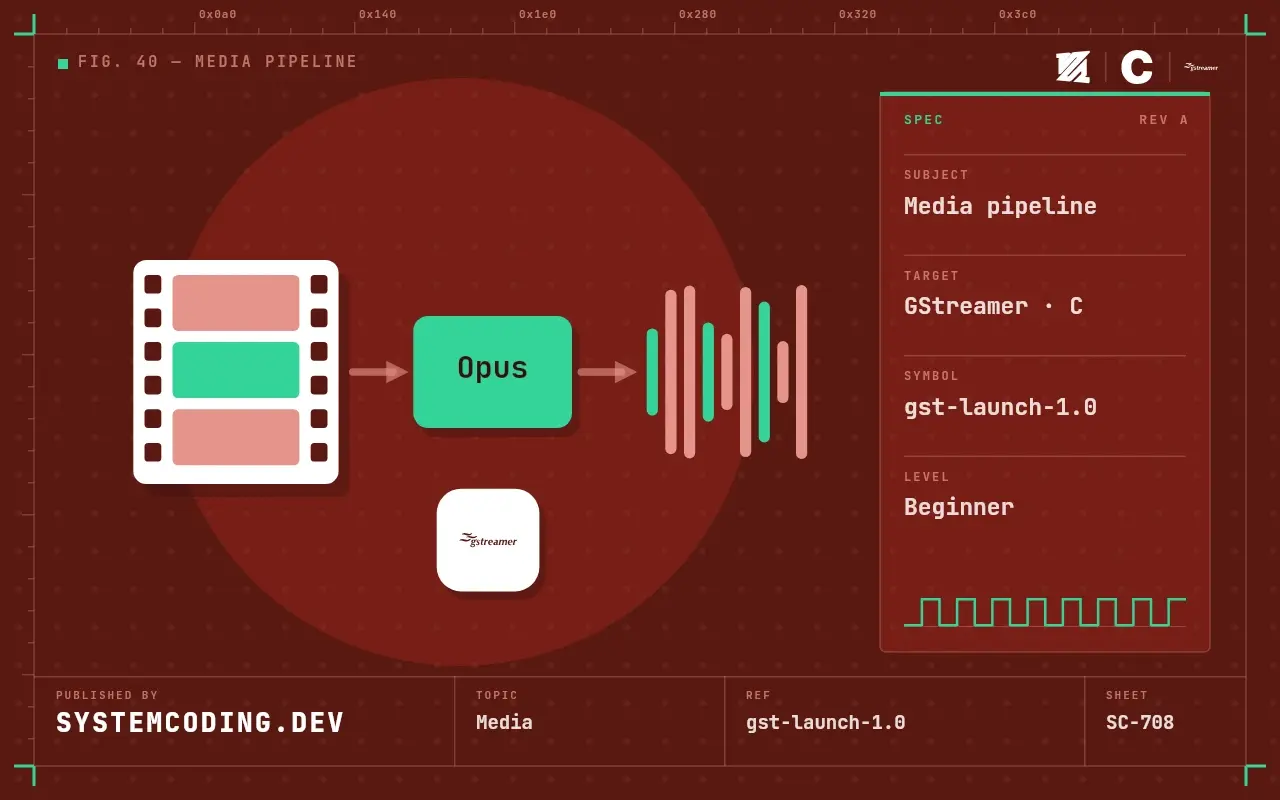
GStreamer is a framework for building programs that move media. You describe a graph of small processing elements, a source that reads a file or a camera, a demuxer that splits a container, a decoder, a converter, a sink that shows or plays the result, and the framework runs it: it creates the threads, moves the buffers, negotiates the formats, keeps audio and video in step and tells your program when something happens. This guide teaches the whole subject in the order you need it. It starts with the mental model and the command-line tools, and then moves to the C API: building pipelines, handling the bus, linking pads that appear at run time, controlling caps, feeding and draining pipelines from your own code, branching a stream, seeking, understanding latency and debugging. Along the way each idea is shown in a command or a program, and at the end you will know what to read next. It targets GStreamer 1.26, GLib 2.80 and C11, and every function named here is in the core API documentation.
What GStreamer is, and what it is not
GStreamer is a pipeline framework. The core library is small, and almost everything useful is a plugin: file readers, demuxers for each container, decoders and encoders for each codec, converters, network sources and sinks, audio and video outputs, filters. The plugins are grouped into packages called base, good, bad and ugly, plus gst-libav for the FFmpeg codecs. You assemble the plugins you need into a pipeline, and the framework supplies everything between them.
That makes it different from two things it is often compared with. It is not a player: playbin is a player built from it, and gst-play-1.0 is a command-line player built on playbin, but the framework is the layer below. And it is not a codec library like FFmpeg's libavcodec, although it can use one: the framework gives you scheduling, buffering, clocking, dynamic reconfiguration and messages, which a library of codecs leaves to you. If your program is a loop that reads a file and writes a file, a codec library may be simpler. If your program must run several consumers from a live source, change the graph while it runs, synchronise audio and video, or use a hardware encoder from a vendor, a framework pays for itself.
The design has four consequences that run through the rest of this guide. Everything is an element, and elements are connected by pads. Data flows as buffers that carry a timestamp. Formats are described by caps, and two elements can be linked only if their caps agree. And an application controls a pipeline by changing its state and by reading messages from a bus. If you keep those five words in mind, the API is predictable.
Install and check
On Debian and Ubuntu, install the runtime, the plugin sets and the tools, then the development headers if you will write C:
sudo apt install gstreamer1.0-tools gstreamer1.0-plugins-base gstreamer1.0-plugins-good \
  gstreamer1.0-plugins-bad gstreamer1.0-plugins-ugly gstreamer1.0-libav \
  libgstreamer1.0-dev libgstreamer-plugins-base1.0-dev
On macOS, brew install gstreamer installs the framework and the plugin sets, and on Windows the project provides MSVC installers. Check the version:
gst-launch-1.0 --versiongst-launch-1.0 version 1.26.2
GStreamer 1.26.2The patch version will differ. Three tools come with the framework and you will use them daily. gst-launch-1.0 builds and runs a pipeline from a text description. gst-inspect-1.0 lists plugins and elements and prints the pads, caps and properties of any element. gst-discoverer-1.0 reports what a file contains. For the plugin packages, the key rule is that a missing element almost always means a missing package, and gst-inspect-1.0 names the source module of each element it knows so you can tell which package to install.
Your first pipelines
A pipeline description is a list of elements separated by !. Data flows from left to right. Properties follow an element's name as name=value pairs, and a quoted caps string between two elements restricts the format.
gst-launch-1.0 videotestsrc ! videoconvert ! autovideosinkThat line opens a window with colour bars. videotestsrc is the source, videoconvert converts between raw pixel formats when the next element needs a different one, and autovideosink selects a sink suitable for your desktop. Add a property and a caps filter and the picture changes:
gst-launch-1.0 videotestsrc pattern=ball num-buffers=300 ! "video/x-raw,width=640,height=360,framerate=30/1" ! videoconvert ! autovideosinkpattern=ball selects a moving ball, num-buffers=300 stops the source after ten seconds, and the caps filter fixes the format. When the source stops, it sends an end-of-stream marker down the pipeline, and gst-launch-1.0 exits.
Playing a real file is one element:
gst-launch-1.0 playbin uri=file:///home/maria/Videos/demo.mp4playbin builds the whole chain itself: a source for the URI, a decoder bin that detects the format and creates demuxers and decoders, converters and sinks. For anything that plays media and nothing else, playbin is the right start, and the rest of this guide explains what it builds so that you can build your own variants. For the cases where you do want the pieces, the same pipeline written by hand looks like this:
gst-launch-1.0 filesrc location=demo.mp4 ! qtdemux name=d d.video_0 ! queue ! h264parse ! avdec_h264 ! videoconvert ! autovideosinkqtdemux splits the MP4 container, d.video_0 selects its video output pad by name, h264parse prepares the stream for the decoder, and avdec_h264 decodes it. The queue gives the branch its own thread, a point that matters later in this guide.
Two flags are worth knowing from the first day. -v prints the negotiated caps of every pad, which shows what format actually flows between two elements. -e sends an end-of-stream signal when you press Ctrl+C, which lets muxers finish their files. Without -e, a recording stopped with Ctrl+C is a truncated, unplayable file.
The mental model: elements, pads, caps, bins
An element is one object that does one job. Elements come in three roles. A source has only outputs: filesrc, v4l2src, videotestsrc, audiotestsrc, appsrc. A filter has inputs and outputs: videoconvert, x264enc, avdec_h264, queue. A sink has only inputs: autovideosink, filesink, fakesink, appsink.
Elements connect through pads. A pad that receives data is a sink pad and a pad that sends data is a source pad. The names are about direction, not about the kind of element: a filter has both a sink pad and a source pad. Pads can be always present, sometimes present, or request pads. Always pads exist from the creation of the element. Sometimes pads are created when the element learns something from the data, as a demuxer does after it reads the header and finds how many streams there are. Request pads are created on demand, as a tee does for each output branch. This distinction is the root of most beginner problems in C, and a section below covers it.
A pad carries data of a described kind, and the description is called caps, short for capabilities. A caps value is a media type plus fields:
video/x-raw, format=I420, width=1280, height=720, framerate=30/1
audio/x-raw, format=S16LE, rate=48000, channels=2
video/x-h264, stream-format=byte-stream, alignment=au
When you link two pads, GStreamer intersects their caps, and if the intersection is empty the link fails. Before data flows, the elements negotiate until every field has one concrete value. A failure to do so is the error not-negotiated, the most common error a new user meets. It is solved by putting the right converter between the elements and, where needed, a capsfilter to state what you want.
A bin is an element that contains other elements. It forwards their messages and manages their state changes. A pipeline is the top-level bin: it also provides the clock and the bus, and it is the object you set to PLAYING. When you call gst_parse_launch, you get a pipeline. When you use playbin, you get a bin that contains a whole subgraph, and from outside it behaves like one element.
Use gst-inspect-1.0 to read any element. For a converter:
gst-inspect-1.0 videoconvert | sed -n '/Pad Templates/,/Element Properties/p'Pad Templates:
SRC template: 'src'
Availability: Always
Capabilities:
video/x-raw
format: { I420, YV12, YUY2, ... }
SINK template: 'sink'
Availability: Always
Capabilities:
video/x-raw
format: { I420, YV12, YUY2, ... }The pad templates are the contract: the formats the element accepts and produces and when its pads exist. When you wonder why two elements will not link, compare their templates.
States: the life cycle of a pipeline
Every element is in one of four states, and a pipeline moves through them in order.
| State | Meaning |
|---|---|
NULL | the initial state; no resources are allocated |
READY | resources are allocated, such as devices and files; no data flows |
PAUSED | the pipeline is prepared; sinks hold their first buffer (the preroll); the clock is stopped |
PLAYING | the clock runs and data flows in real time |
Going from NULL to PLAYING passes through READY and PAUSED, and the framework does the intermediate steps for you. The reverse transitions release resources, and you must set the pipeline back to NULL before you free it, so that devices close and threads join.
The PAUSED state has one behaviour that surprises people. Sinks do not accept data until they have a buffer to show, and they report when they have one. This is called prerolling, and it is why a window can display the first frame of a video before you press play. A pipeline whose sink never receives its first buffer stays in PAUSED forever, and this is how the most common deadlocks show up, as the section on threading explains.
State changes can be asynchronous. gst_element_set_state returns one of four values: GST_STATE_CHANGE_SUCCESS, GST_STATE_CHANGE_ASYNC (the change is under way), GST_STATE_CHANGE_NO_PREROLL (it succeeded, but this is a live source that does not preroll) and GST_STATE_CHANGE_FAILURE. Setting PLAYING on a file pipeline usually returns ASYNC and completes when the preroll finishes. If you need to wait, gst_element_get_state blocks up to a timeout, but an application with a main loop reacts to the GST_MESSAGE_STATE_CHANGED and GST_MESSAGE_ASYNC_DONE messages instead.
A state diagram you can run and watch with the verbose tool:
gst-launch-1.0 videotestsrc num-buffers=30 ! fakesinkSetting pipeline to PAUSED ...
Pipeline is PREROLLING ...
Pipeline is PREROLLED ...
Setting pipeline to PLAYING ...
New clock: GstSystemClock
Got EOS from element "pipeline0".
Execution ended after 0:00:01.017504211
Setting pipeline to NULL ...
Freeing pipeline ...The messages from the tool map one to one onto the states. The elapsed time varies per run.
Buffers, events, queries and messages
Four kinds of object travel through or around a pipeline, and the API is organised around them.
Buffers carry data downstream. A GstBuffer holds one or more memory blocks (GstMemory) and metadata: a presentation timestamp (PTS), a decode timestamp (DTS), a duration and flags. To read or write the bytes, you map the buffer with gst_buffer_map, use the pointer and unmap it. The timestamps are in nanoseconds in GstClockTime, and the macro GST_SECOND is one billion. A video buffer holds one frame, and an audio buffer holds a run of samples.
Events carry control information alongside the data: a stream starting, the caps changing, a segment definition, a flush, a seek and the end of the stream. Downstream events travel with the buffers, and upstream events such as seeks and quality-of-service travel back toward the source. An application sends a seek by creating an event or by calling a helper such as gst_element_seek_simple.
Queries ask a question of an element synchronously: the position, the duration, whether it can seek, which caps a pad accepts, the latency. gst_element_query_position and gst_element_query_duration are the helpers you will use most.
Messages report events from elements to the application through the pipeline's bus. They are asynchronous: elements post them from their streaming threads, and the application reads them. The important message types are GST_MESSAGE_ERROR, WARNING and INFO, EOS, STATE_CHANGED, BUFFERING, TAG, DURATION_CHANGED, ASYNC_DONE, LATENCY and ELEMENT for element-specific data. The bus is the application's window into the pipeline, and no program should run a pipeline without reading it.
Your first C program
The smallest C program creates a pipeline from a description, plays it, waits on the bus for an error or the end, and cleans up.
#include <gst/gst.h>

int main(int argc, char *argv[])
{
    gst_init(&argc, &argv);

    GError *err = NULL;
    GstElement *pipeline = gst_parse_launch(
        "videotestsrc num-buffers=120 ! videoconvert ! autovideosink", &err);
    if (!pipeline) {
        g_printerr("parse failed: %s\n", err->message);
        g_clear_error(&err);
        return 1;
    }

    gst_element_set_state(pipeline, GST_STATE_PLAYING);

    GstBus *bus = gst_element_get_bus(pipeline);
    GstMessage *msg = gst_bus_timed_pop_filtered(
        bus, GST_CLOCK_TIME_NONE, GST_MESSAGE_ERROR | GST_MESSAGE_EOS);

    if (GST_MESSAGE_TYPE(msg) == GST_MESSAGE_ERROR) {
        GError *e = NULL;
        gchar *dbg = NULL;
        gst_message_parse_error(msg, &e, &dbg);
        g_printerr("error from %s: %s\n", GST_OBJECT_NAME(msg->src), e->message);
        g_clear_error(&e);
        g_free(dbg);
    } else {
        g_print("end of stream\n");
    }

    gst_message_unref(msg);
    gst_object_unref(bus);
    gst_element_set_state(pipeline, GST_STATE_NULL);
    gst_object_unref(pipeline);
    return 0;
}
Compile with gcc firstpipe.c -o firstpipe $(pkg-config --cflags --libs gstreamer-1.0). After four seconds of colour bars it prints:
end of streamWalk through the program because it shows the whole shape. gst_init initialises the library and parses GStreamer's own command-line options, such as --gst-debug. gst_parse_launch takes the same text as gst-launch-1.0 and returns a pipeline, or NULL with a GError on a syntax error or a missing element. Setting PLAYING starts everything. gst_bus_timed_pop_filtered blocks until a message of the requested types arrives, which is the shortest way to wait without a main loop. Cleanup goes in reverse: free the message and the bus reference, set the pipeline to NULL, then unref the pipeline, which frees every element it contains.
The reference rules are worth stating once, because they apply everywhere. GStreamer objects are reference counted. Functions named _new or _make return a reference you own. Functions named _get_ that return an object, such as gst_element_get_bus and gst_bin_get_by_name, also return a reference you own and must unref. gst_bin_add takes ownership of the element you give it, so you do not unref an element you have added to a bin. Strings returned by a function marked (transfer full) in the documentation are freed with g_free.
A main loop and a bus watch
The blocking wait suits a tool. An application with a window, timers or network input uses the GLib main loop and a watch on the bus, which calls your function for each message on the main thread.
#include <gst/gst.h>
#include <glib-unix.h>
#include <signal.h>

typedef struct { GMainLoop *loop; GstElement *pipeline; } App;

static gboolean on_bus(GstBus *bus, GstMessage *msg, gpointer data)
{
    App *app = data;
    (void)bus;
    switch (GST_MESSAGE_TYPE(msg)) {
    case GST_MESSAGE_ERROR: {
        GError *e = NULL; gchar *dbg = NULL;
        gst_message_parse_error(msg, &e, &dbg);
        g_printerr("error: %s\n", e->message);
        g_clear_error(&e); g_free(dbg);
        g_main_loop_quit(app->loop);
        break;
    }
    case GST_MESSAGE_EOS:
        g_print("end of stream\n");
        g_main_loop_quit(app->loop);
        break;
    default:
        break;
    }
    return G_SOURCE_CONTINUE;
}

static gboolean on_sigint(gpointer data)
{
    App *app = data;
    gst_element_send_event(app->pipeline, gst_event_new_eos());
    return G_SOURCE_REMOVE;
}

int main(int argc, char *argv[])
{
    gst_init(&argc, &argv);
    if (argc < 2) { g_printerr("usage: %s \"description\"\n", argv[0]); return 2; }

    GError *err = NULL;
    GstElement *pipeline = gst_parse_launch(argv[1], &err);
    if (!pipeline) { g_printerr("%s\n", err->message); return 1; }

    App app = { g_main_loop_new(NULL, FALSE), pipeline };
    GstBus *bus = gst_element_get_bus(pipeline);
    guint watch = gst_bus_add_watch(bus, on_bus, &app);
    gst_object_unref(bus);
    g_unix_signal_add(SIGINT, on_sigint, &app);

    gst_element_set_state(pipeline, GST_STATE_PLAYING);
    g_main_loop_run(app.loop);

    gst_element_set_state(pipeline, GST_STATE_NULL);
    g_source_remove(watch);
    gst_object_unref(pipeline);
    g_main_loop_unref(app.loop);
    return 0;
}
This program is a reusable runner: ./loop "videotestsrc num-buffers=60 ! fakesink" plays any description, prints errors, and on Ctrl+C sends an EOS into the pipeline so a muxer can finish its file. It prints end of stream when the source finishes. Everything the previous tool did with -e is the three lines around on_sigint. The watch runs on the default main context, so your callback runs on the main thread and may touch application state without locking.
Building a pipeline by hand
gst_parse_launch is convenient, and most programs eventually need to build elements themselves: to change properties, to link pads conditionally or to avoid putting data into a string. The steps are always the same: make the elements, set their properties, add them to a bin, link them.
#include <gst/gst.h>

int main(int argc, char *argv[])
{
    gst_init(&argc, &argv);

    GstElement *pipe = gst_pipeline_new("handmade");
    GstElement *src  = gst_element_factory_make("videotestsrc", "src");
    GstElement *conv = gst_element_factory_make("videoconvert", "conv");
    GstElement *enc  = gst_element_factory_make("x264enc", "enc");
    GstElement *parse = gst_element_factory_make("h264parse", "parse");
    GstElement *mux  = gst_element_factory_make("mp4mux", "mux");
    GstElement *sink = gst_element_factory_make("filesink", "sink");

    if (!pipe || !src || !conv || !enc || !parse || !mux || !sink) {
        g_printerr("an element could not be created; check the plugin packages\n");
        return 1;
    }

    g_object_set(src, "num-buffers", 150, "pattern", 18, NULL);   /* 18 = ball */
    g_object_set(enc, "bitrate", 1500, "tune", 4, NULL);          /* 4 = zerolatency */
    g_object_set(sink, "location", "ball.mp4", NULL);

    gst_bin_add_many(GST_BIN(pipe), src, conv, enc, parse, mux, sink, NULL);
    if (!gst_element_link_many(src, conv, enc, parse, mux, sink, NULL)) {
        g_printerr("linking failed\n");
        return 1;
    }

    gst_element_set_state(pipe, GST_STATE_PLAYING);
    GstBus *bus = gst_element_get_bus(pipe);
    GstMessage *m = gst_bus_timed_pop_filtered(
        bus, GST_CLOCK_TIME_NONE, GST_MESSAGE_EOS | GST_MESSAGE_ERROR);
    g_print("%s\n", GST_MESSAGE_TYPE(m) == GST_MESSAGE_EOS ? "wrote ball.mp4" : "failed");
    gst_message_unref(m);
    gst_object_unref(bus);
    gst_element_set_state(pipe, GST_STATE_NULL);
    gst_object_unref(pipe);
    return 0;
}wrote ball.mp4Several habits in this program are worth copying. Every gst_element_factory_make is checked, because a missing plugin returns NULL and a later call on a NULL element crashes. Element names are given for readability in logs and for lookups with gst_bin_get_by_name. Properties are set with g_object_set, a variadic function that takes name and value pairs ending with NULL, and the value types must match the property type: an integer property needs an integer, not a double, or the call reads the wrong bytes from the argument list. Enumerations and flags are passed as integers here for brevity, but the nick strings are clearer, and gst_util_set_object_arg(G_OBJECT(src), "pattern", "ball") accepts them. gst_element_link_many returns FALSE if any adjacent pair has no compatible caps, and the failure is reported only as a boolean, so debugging a failed link means running gst-launch-1.0 -v with the same chain to see the caps.
Sometimes pads: linking at run time
The single largest obstacle in moving from gst-launch-1.0 to C is the sometimes pad. In the command line, filesrc ! decodebin ! videoconvert ! autovideosink just works. In C, gst_element_link(decodebin, videoconvert) returns FALSE or does nothing, because decodebin has no output pad when you create it. It must read the file, detect the format and create a pad for each stream it decodes. The element tells you through the pad-added signal.
The pattern: link the always pads in main, connect a handler to pad-added, and link the new pad inside the handler according to its media type.
#include <gst/gst.h>

typedef struct { GstElement *video_in; GstElement *audio_in; } Chains;

static void on_pad_added(GstElement *dec, GstPad *pad, gpointer data)
{
    Chains *c = data;
    (void)dec;

    GstCaps *caps = gst_pad_get_current_caps(pad);
    if (!caps)
        caps = gst_pad_query_caps(pad, NULL);
    const gchar *type = gst_structure_get_name(gst_caps_get_structure(caps, 0));

    GstElement *target = NULL;
    if (g_str_has_prefix(type, "video/"))
        target = c->video_in;
    else if (g_str_has_prefix(type, "audio/"))
        target = c->audio_in;

    if (target) {
        GstPad *sink = gst_element_get_static_pad(target, "sink");
        if (!gst_pad_is_linked(sink) && gst_pad_link(pad, sink) == GST_PAD_LINK_OK)
            g_print("linked %s to %s\n", GST_PAD_NAME(pad), GST_ELEMENT_NAME(target));
        gst_object_unref(sink);
    }
    gst_caps_unref(caps);
}

int main(int argc, char *argv[])
{
    gst_init(&argc, &argv);
    if (argc < 2) return 2;

    GstElement *pipe = gst_pipeline_new("dyn");
    GstElement *src  = gst_element_factory_make("filesrc", NULL);
    GstElement *dec  = gst_element_factory_make("decodebin", NULL);
    GstElement *vq   = gst_element_factory_make("queue", NULL);
    GstElement *vconv = gst_element_factory_make("videoconvert", NULL);
    GstElement *vsink = gst_element_factory_make("autovideosink", NULL);
    GstElement *aq   = gst_element_factory_make("queue", NULL);
    GstElement *aconv = gst_element_factory_make("audioconvert", NULL);
    GstElement *ares = gst_element_factory_make("audioresample", NULL);
    GstElement *asink = gst_element_factory_make("autoaudiosink", NULL);

    g_object_set(src, "location", argv[1], NULL);
    gst_bin_add_many(GST_BIN(pipe), src, dec, vq, vconv, vsink, aq, aconv, ares, asink, NULL);
    gst_element_link(src, dec);
    gst_element_link_many(vq, vconv, vsink, NULL);
    gst_element_link_many(aq, aconv, ares, asink, NULL);

    Chains chains = { vq, aq };
    g_signal_connect(dec, "pad-added", G_CALLBACK(on_pad_added), &chains);

    gst_element_set_state(pipe, GST_STATE_PLAYING);
    GstBus *bus = gst_element_get_bus(pipe);
    GstMessage *m = gst_bus_timed_pop_filtered(bus, GST_CLOCK_TIME_NONE,
                                               GST_MESSAGE_EOS | GST_MESSAGE_ERROR);
    gst_message_unref(m);
    gst_object_unref(bus);
    gst_element_set_state(pipe, GST_STATE_NULL);
    gst_object_unref(pipe);
    return 0;
}
For a file with one video and one audio stream, the program prints:
linked src_0 to queue0
linked src_1 to queue1
Pad names and order depend on the file. The logic is what matters. The handler decides by media type read from the caps, never by pad name, since names and order are not stable. It checks that the destination pad is not already linked. It unrefs everything it took a reference on. And each branch starts with a queue, so audio and video run on separate threads, which the threading section explains. Request pads work the other way round: you ask the element for a pad with gst_element_request_pad_simple, link it, and release it with gst_element_release_request_pad when you are done.
Caps and converters
Most not-negotiated errors are solved by one of four converter elements, each of which changes one property of the data.
| Element | Changes | Does not change |
|---|---|---|
videoconvert | pixel format and colour matrix | size and frame rate |
videoscale | width and height | format and frame rate |
videorate | frame rate, by dropping or duplicating frames | format and size |
audioconvert and audioresample | sample format and channel layout; sample rate | each other |
A capsfilter restricts what may flow between two elements; it never converts. If you ask for 640x360 and the source can only produce 1920x1080, the filter produces an empty intersection and the pipeline fails. The fix is to put videoscale in front of the filter, which can bridge the difference. The safe default order for video is videoconvert ! videoscale ! videorate ! capsfilter, and for audio audioconvert ! audioresample ! capsfilter.
In C you build caps with gst_caps_from_string or gst_caps_new_simple, and either insert a capsfilter element or link with gst_element_link_filtered(a, b, caps):
GstCaps *caps = gst_caps_from_string("video/x-raw,format=I420,width=1280,height=720,framerate=30/1");
if (!gst_element_link_filtered(scale, enc, caps))
    g_printerr("caps do not fit between scale and enc\n");
gst_caps_unref(caps);
gst_element_link_filtered creates the capsfilter for you and returns FALSE if no common format exists. For diagnosing, gst-launch-1.0 -v prints the negotiated caps of every pad, and GST_DEBUG=GST_CAPS:5 prints the intersections that failed. Caps may also carry a feature, such as video/x-raw(memory:DMABuf), which says the buffers live in a particular kind of memory. Two elements that agree on the format but not on the memory feature cannot be linked directly, and a converter that copies to system memory resolves it.
Threads, queues and why pipelines freeze
A GStreamer pipeline is multithreaded by design, and understanding where the threads are explains most mysterious hangs. By default, each source element runs a streaming thread, and buffers are pushed through the whole chain of elements on that one thread: the source calls the next element's chain function, which calls the next, down to the sink. There is no scheduler and no copy between elements, which is why GStreamer is efficient. It also means that a branch that blocks blocks everything on the same thread.
The element that creates a new thread is queue. It accepts buffers on its sink pad, stores them in a list, and a second thread takes them out and pushes them downstream. Wherever two parts of a pipeline must run independently, you place a queue. The rule has three standard applications.
After a demuxer or decodebin that has several outputs, put a queue on each branch. Otherwise, one thread pushes video into a branch that is waiting for its sink to preroll, and the audio buffer that would let the other sink preroll is never pushed, because that thread is stuck. Both sinks wait forever, and the pipeline sits in PAUSED without an error.
After a tee, put a queue at the head of every branch, for the same reason. A tee copies references to the same buffer to several branches in turn on one thread, so one slow or blocked branch stalls the others.
Between a live source and a slow consumer, put a queue with a limit and a drop policy, so that a slow encoder does not block the camera driver. The queue element has max-size-buffers, max-size-bytes and max-size-time limits, and a leaky property whose values are no, upstream (drop new data) and downstream (drop old data). A full non-leaky queue blocks the pusher, which is what you want for a recorder and wrong for a preview.
Two other elements are related: queue2 adds buffering to disk or memory for network sources, and multiqueue is used inside decodebin to buffer several streams together.
Branching with tee
A tee turns a line into a tree. The syntax for a recorder with a preview:
gst-launch-1.0 -e v4l2src ! videoconvert ! tee name=t \
  t. ! queue leaky=downstream max-size-buffers=2 ! autovideosink sync=false \
  t. ! queue ! x264enc tune=zerolatency ! h264parse ! mp4mux ! filesink location=cam.mp4
tee name=t names the element, and each t. creates a request pad and starts a new branch. The preview branch has a small leaky queue, so a late frame is dropped rather than delaying the camera, and the recording branch has a default queue, so it does not lose frames unless it falls far behind. In C, you request the tee pad with gst_element_request_pad_simple(tee, "src_%u") and link it to the queue's sink pad with gst_pad_link, then release the pad on removal.
Properties and signals
Elements are GObjects, so they have properties and signals. Properties are read and written with g_object_get and g_object_set. Which ones exist, their types, ranges and defaults are in gst-inspect-1.0, along with flags: a property marked as changeable in the PLAYING state can be set while the pipeline runs, and one that is not must be set before. Signals are events the element emits, such as pad-added on a decoder, new-sample on an appsink and need-data on an appsrc. Connect a handler with g_signal_connect(element, "signal-name", G_CALLBACK(handler), user_data). There are also action signals, which are functions you call on the element by name with g_signal_emit_by_name, such as pull-sample on appsink.
Signal handlers run on the thread that emitted the signal, which is often a streaming thread. Keep them short, do not call gst_element_set_state on the pipeline from inside them, and protect shared data with a mutex or hand the work to the main loop with g_idle_add.
Seeking, position and duration
A player needs to jump and to report where it is. Both are one call, but each has a precondition: the pipeline must have prerolled, because only then do the elements know the duration and whether the source can seek.
#include <gst/gst.h>

gboolean jump_to_seconds(GstElement *pipeline, gint seconds)
{
    return gst_element_seek_simple(
        pipeline, GST_FORMAT_TIME,
        GST_SEEK_FLAG_FLUSH | GST_SEEK_FLAG_KEY_UNIT,
        (gint64)seconds * GST_SECOND);
}

void print_position(GstElement *pipeline)
{
    gint64 pos = 0, dur = 0;
    if (gst_element_query_position(pipeline, GST_FORMAT_TIME, &pos) &&
        gst_element_query_duration(pipeline, GST_FORMAT_TIME, &dur))
        g_print("%" GST_TIME_FORMAT " / %" GST_TIME_FORMAT "\n",
                GST_TIME_ARGS(pos), GST_TIME_ARGS(dur));
}0:01:12.000000000 / 0:03:12.480000000GST_SEEK_FLAG_FLUSH discards data already in the pipeline so the picture changes at once, and GST_SEEK_FLAG_KEY_UNIT lands on a nearby keyframe, which is much faster than decoding forward from the previous keyframe to an exact frame. Use GST_SEEK_FLAG_ACCURATE instead when precision matters more than speed. A live source such as a camera or an RTSP stream is not seekable, and the call returns FALSE. Query the duration only on non-live sources; for live ones it is unknown.
Time, clocks and synchronisation
Audio and video stay in step because the pipeline has a clock, and sinks present each buffer at the right clock time. Each buffer carries a PTS, the presentation timestamp in the stream's own time. When a pipeline goes to PLAYING, it records a base time, and the running time of the pipeline is the clock time minus the base time. A sink shows a buffer when the running time reaches the buffer's PTS adjusted by the segment. The clock is chosen from the elements: an audio sink usually provides it, since the sound card's sample clock is the most stable reference, and video sinks follow it.
Three terms appear in tuning. Latency is the time from when a live source captures a buffer to when a sink can show it: every element can add some, and the pipeline sums them in a LATENCY query and sets the total on the clock, so that sinks wait that long before presenting. Sinks have a sync property: sync=false makes a sink present buffers immediately, ignoring the clock, which suits offline processing and the lowest-latency live display. And is-live on a source declares that it produces data in real time, which changes how the pipeline prerolls.
For low-latency live pipelines, the standard measures are small queues with leaky policy, no B-frames in the encoder (tune=zerolatency in x264enc), sync=false on the display sink, and avoiding elements that buffer many frames, such as some deinterlacers and software scalers. The latency tracer, described in the debugging section, measures where the time goes.
Feeding and draining pipelines: appsrc and appsink
Sometimes the media does not come from a file or device, or the result must be consumed by your code. Two elements, appsrc and appsink, are the bridge. appsrc lets your program push buffers into a pipeline, and appsink lets it pull buffers out.
For appsrc, you set the caps, tell it that timestamps are in nanoseconds with format=GST_FORMAT_TIME, create GstBuffer objects, fill them, set the PTS and duration, and push them with gst_app_src_push_buffer, which takes ownership. You respect backpressure through the need-data and enough-data signals, or by setting block=TRUE with a max-bytes limit, and you finish with gst_app_src_end_of_stream. Compute the PTS from the frame index with gst_util_uint64_scale(frame, GST_SECOND, fps) and never add a rounded per-frame duration repeatedly, because the rounding error accumulates into drift.
For appsink, you put a capsfilter before it to fix the format, so your code handles one layout, and either connect to new-sample with emit-signals=TRUE or call gst_app_sink_pull_sample in a loop. The sample holds the buffer and its caps. Map the buffer with gst_buffer_map and read the pixels, using GstVideoInfo from gst_video_info_from_caps to find the width, height and, importantly, the stride of each plane, since rows can be padded. Unmap, then unref the sample promptly, because a hardware decoder has a limited pool of buffers and holding samples starves it.
#include <gst/gst.h>
#include <gst/app/gstappsink.h>
#include <gst/video/video.h>

int main(int argc, char *argv[])
{
    gst_init(&argc, &argv);
    GstElement *pipe = gst_parse_launch(
        "videotestsrc num-buffers=90 ! video/x-raw,format=GRAY8,width=320,height=240 ! "
        "appsink name=sink sync=false", NULL);
    GstElement *sink = gst_bin_get_by_name(GST_BIN(pipe), "sink");
    gst_element_set_state(pipe, GST_STATE_PLAYING);

    int frames = 0;
    guint64 sum0 = 0;
    GstSample *s;
    while ((s = gst_app_sink_pull_sample(GST_APP_SINK(sink)))) {
        GstVideoInfo info;
        gst_video_info_from_caps(&info, gst_sample_get_caps(s));
        GstBuffer *b = gst_sample_get_buffer(s);
        GstMapInfo map;
        if (gst_buffer_map(b, &map, GST_MAP_READ)) {
            sum0 += map.data[0];               /* first pixel of each frame */
            gst_buffer_unmap(b, &map);
        }
        gst_sample_unref(s);
        frames++;
    }
    g_print("frames: %d, stride check: %d\n", frames, 320);
    (void)sum0;

    gst_element_set_state(pipe, GST_STATE_NULL);
    gst_object_unref(sink);
    gst_object_unref(pipe);
    return 0;
}frames: 90, stride check: 320The pull loop ends when the pipeline reaches end of stream, because gst_app_sink_pull_sample then returns NULL. This is the skeleton of every frame-analysis program: decode, convert to a known format, pull, process, unref.
Inspecting a running pipeline with pad probes
A pad probe is a callback attached to a pad, called for every buffer, event or query that passes. It is the tool for measuring, logging, modifying or blocking data without writing an element. Counting buffers on the output of an element:
#include <gst/gst.h>

static GstPadProbeReturn on_buffer(GstPad *pad, GstPadProbeInfo *info, gpointer data)
{
    guint *count = data;
    GstBuffer *buf = GST_PAD_PROBE_INFO_BUFFER(info);
    (*count)++;
    if (*count % 30 == 0)
        g_print("buffer %u pts=%" GST_TIME_FORMAT "\n", *count, GST_TIME_ARGS(GST_BUFFER_PTS(buf)));
    (void)pad;
    return GST_PAD_PROBE_OK;
}

void watch_element(GstElement *e)
{
    static guint count = 0;
    GstPad *pad = gst_element_get_static_pad(e, "src");
    gst_pad_add_probe(pad, GST_PAD_PROBE_TYPE_BUFFER, on_buffer, &count, NULL);
    gst_object_unref(pad);
}buffer 30 pts=0:00:00.966666666
buffer 60 pts=0:00:01.966666666
buffer 90 pts=0:00:02.966666666The probe type is a bit mask: GST_PAD_PROBE_TYPE_BUFFER for buffers, ..._EVENT_DOWNSTREAM for events and ..._BLOCK to block the pad, which is how you safely modify a running pipeline. The callback runs on the streaming thread, so it must be fast, and returning GST_PAD_PROBE_DROP discards the buffer.
Changing a pipeline while it runs
Adding and removing elements in a live pipeline is possible and has a standard order. To add a branch: create the elements, add them to the pipeline, bring each to the pipeline's state with gst_element_sync_state_with_parent, then link, usually by requesting a tee pad. To remove one: block the pad that feeds the branch with a blocking probe, so that no buffer is in flight; unlink; send EOS to the branch so a muxer finishes its file; set the removed elements to NULL; remove them from the pipeline; release the request pad. Doing these steps out of order produces the rare, timing-dependent crashes that make people distrust dynamic pipelines. If you can design the pipeline with all branches present and enable or disable them with valve or output-selector elements, that is simpler than adding and removing.
Recording, transcoding and streaming recipes
Three jobs cover a large share of real use. Transcoding a file to MP4 with H.264 and AAC uses a named decodebin, a branch for each stream and mp4mux:
gst-launch-1.0 -e filesrc location=input.mkv ! decodebin name=dec \
  dec. ! queue ! videoconvert ! x264enc bitrate=3000 ! h264parse ! mux. \
  dec. ! queue ! audioconvert ! audioresample ! avenc_aac ! aacparse ! mux. \
  mp4mux name=mux ! filesink location=output.mp4
The parsers (h264parse, aacparse) put the streams in the framing the muxer expects, and the two queues keep the branches independent. Capturing a camera on Linux starts with v4l2src, a caps filter that names a mode the camera really supports (listed by v4l2-ctl --list-formats-ext), and the encoder. Streaming over RTP packetises the encoded stream and sends it over UDP:
gst-launch-1.0 videotestsrc ! videoconvert ! x264enc tune=zerolatency ! h264parse config-interval=1 ! rtph264pay pt=96 ! udpsink host=127.0.0.1 port=5000
gst-launch-1.0 udpsrc port=5000 caps="application/x-rtp,media=video,encoding-name=H264,payload=96,clock-rate=90000" ! rtph264depay ! avdec_h264 ! videoconvert ! autovideosink
config-interval=1 repeats the parameter sets every second so that a receiver can start in the middle of a stream. For RTSP serving, the gst-rtsp-server library wraps a pipeline description and handles the session protocol, and for browsers the webrtcbin element provides WebRTC.
Hardware acceleration
On machines with a GPU or a media block, replace software elements with hardware ones. The va plugin provides vah264dec, vah264enc and vapostproc for Intel and AMD, the nvcodec plugin provides nvh264enc and nvh264dec for NVIDIA, and embedded SoCs expose V4L2 memory-to-memory elements such as v4l2h264enc or vendor plugins. Hardware pipelines are fastest when frames stay in GPU or DMA memory between elements: the caps then show a memory feature such as (memory:VAMemory) or (memory:DMABuf), and one software converter in the middle forces a copy and removes the benefit. Always test that the element exists with a factory lookup and a successful transition to READY, and fall back to a software element if it does not.
Debugging
Debugging a pipeline uses a fixed set of tools, from cheapest to most detailed. First read the error message from the bus, which names the failing element and, in the debug string, the source line. Second, run the same chain with gst-launch-1.0 -v to see the negotiated caps on each link. Third, set GST_DEBUG to a level, optionally per category:
GST_DEBUG=2,GST_CAPS:5 gst-launch-1.0 videotestsrc ! videoconvert ! fakesinkLevels run from 1 (error) to 9 (memdump). GST_STATES shows state changes, GST_CAPS shows negotiation, and an element's own category shows what it is doing. GST_DEBUG_NO_COLOR=1 and GST_DEBUG_FILE make logs fit for files. Fourth, set GST_DEBUG_DUMP_DOT_DIR to a directory, and gst-launch-1.0 writes a Graphviz file at each state change that you render with dot -Tpng; in your own program, call GST_DEBUG_BIN_TO_DOT_FILE(GST_BIN(pipeline), GST_DEBUG_GRAPH_SHOW_ALL, "name"). The picture shows every element, pad and negotiated caps, and makes unlinked pads and stuck states obvious. Fifth, use tracers: GST_TRACERS=latency reports per-element latency, and GST_TRACERS=leaks lists objects that were not freed.
A short list of the failures you will meet and what they mean. not-negotiated means the formats on a link do not intersect: add a converter or fix the caps. no element "x" means a missing plugin package: use gst-inspect-1.0 and install it. A pipeline stuck in PAUSED with no error usually means a missing queue after a tee or demuxer, or a sink that never gets its first buffer. not-linked means a pad nobody linked, often a dynamic pad that the handler ignored. A truncated output file means the pipeline was not ended with EOS. Memory growth means a source pushing faster than it is consumed with no limit on the queue, or leaked samples and buffers.
Beyond C
The C API is the reference, and the other bindings follow it. Python uses GObject Introspection through PyGObject, with Gst.init, Gst.parse_launch and the same elements and signals. Rust uses the gstreamer crates, which turn reference counting into ownership and GError into Result. JavaScript, C# and others exist. Writing your own element in C means subclassing a base class such as GstBaseTransform, declaring pad templates and registering the element in a plugin, while gst-plugins-rs is the home of new plugins written in Rust. All of these share the same concepts from this guide.
When GStreamer is the wrong tool
Be honest about the fit. For a batch job that converts files, FFmpeg's command-line tool is shorter and more widely documented. For a library that must read nearly any format and give you frames on your own schedule, the libav libraries are a lighter dependency. For playing media inside a native window with minimal code, libVLC or a platform player is quicker. GStreamer earns its place where a live pipeline with several consumers, run-time reconfiguration, hardware encoders, clock synchronisation or deep integration into an application is the point.
A learning path
If you are new, work through the ideas in this order, writing a small program for each. Build and run pipelines with gst-launch-1.0 until the element, pad and caps vocabulary is natural. Read element pages with gst-inspect-1.0 for every element you use. Write the main-loop runner from this guide and use it as your test harness. Build a pipeline by hand, then link a decoder's dynamic pads. Add a tee with queues. Use appsrc and appsink to bring your own data in and out. Add seeking and position display. Learn the debugging tools by deliberately breaking a pipeline: remove a queue, remove a videoconvert, misspell a property. Then read the plugin writer's guide if you need a custom element. Each step is a small program that you can finish in an hour, and together they cover the framework.