Write Your First Makefile for a C Program
Write a working Makefile for a small C program with a compiler variable, flags, object files and a clean target, and see how make decides what to rebuild.
Typing gcc -o app main.c util.c is fine for two files. By the tenth file you are recompiling everything for a one-line change and forgetting which flags you used last time. make solves both problems: you describe how each file is built from its inputs, and it rebuilds only what is out of date. This post writes a Makefile for a small C program from nothing, explains each line, runs it, and shows what make does on the second and third run. Every example uses GNU Make 4.4.1 and GCC 14.2 on Linux, and the syntax is documented in the GNU Make manual.
The program
Three files: a header, a small library-like source file and a main program.
#ifndef UTIL_H
#define UTIL_H

int square(int x);

#endif#include "util.h"
int square(int x)
{
return x * x;
}#include <stdio.h>
#include "util.h"
int main(void)
{
printf("7 squared is %d\n", square(7));
return 0;
}The smallest Makefile that works
A Makefile is a list of rules. A rule has a target (the file to produce), its prerequisites (the files it is built from), and a recipe (the shell commands that build it). The recipe lines must start with a tab character, not spaces. This is the most common beginner error, and it produces the message missing separator.
app: main.o util.o
	gcc -o app main.o util.o

main.o: main.c util.h
	gcc -c main.c

util.o: util.c util.h
	gcc -c util.c

clean:
	rm -f app main.o util.o
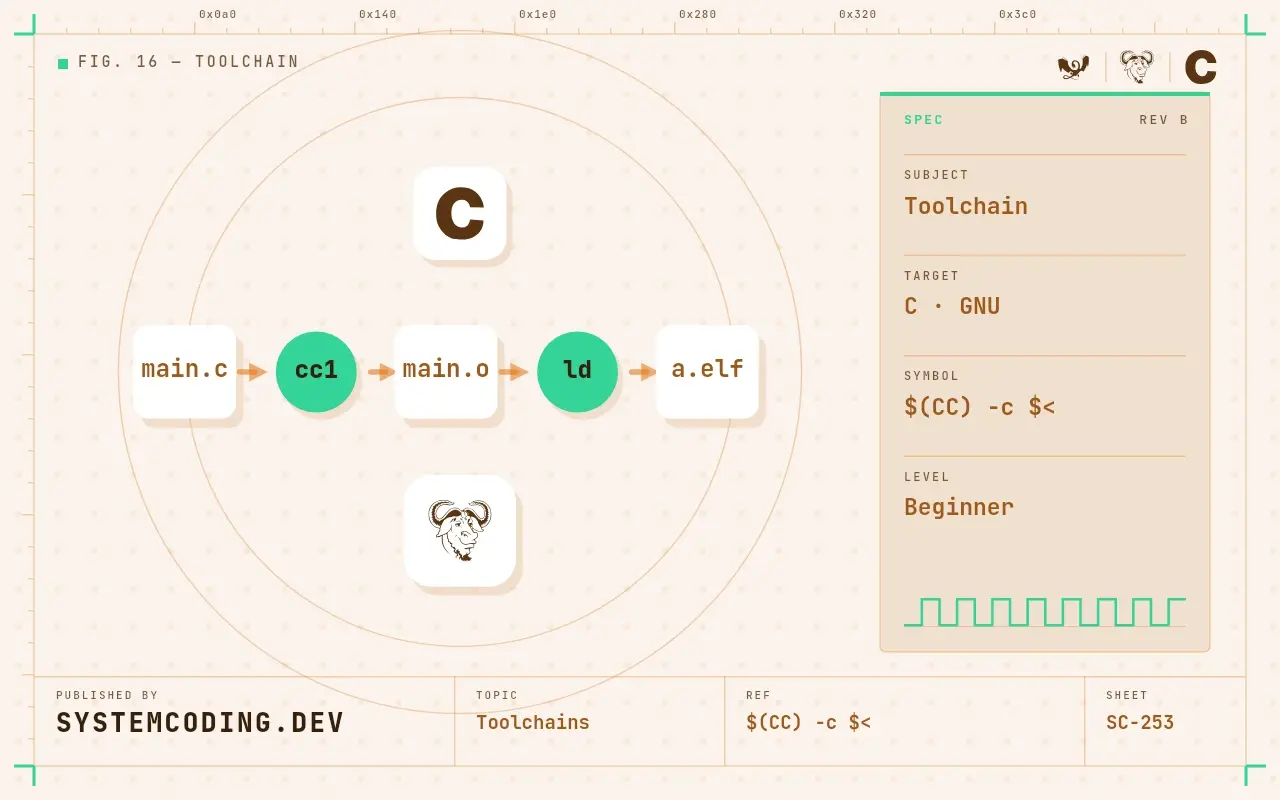
Read it from the top. To build app, make needs main.o and util.o. To build main.o, it needs main.c and util.h. It follows those links down to files that exist, then runs the recipes on the way back up. Run it.
makegcc -c main.c
gcc -c util.c
gcc -o app main.o util.omake prints each command before it runs it. The order is dependency order, not the order in the file: the objects first, then the link, even though app is the first rule.
./app7 squared is 49How make decides what to do
make compares modification times. A target is out of date if it does not exist or if any prerequisite is newer than it. Run make again with nothing changed.
makemake: 'app' is up to date.Nothing is rebuilt. Now touch only util.c, as an editor save would.
touch util.c
makegcc -c util.c
gcc -o app main.o util.oOnly util.o is recompiled, and then app is relinked, because util.o is now newer than app. main.o is left alone. In a project with hundreds of files this is the difference between a second and a minute. Notice also the header: because main.o lists util.h as a prerequisite, editing the header would recompile both objects. If you forget to list a header, make does not know the object depends on it, and you get stale builds.
Use variables for what repeats
The compiler name and flags appear in several places. A variable defines them once. By convention the C compiler is CC and its flags are CFLAGS, and make's built in rules read those names.
CC     := gcc
CFLAGS := -Wall -Wextra -O2 -g

app: main.o util.o
	$(CC) -o app main.o util.o

main.o: main.c util.h
	$(CC) $(CFLAGS) -c main.c

util.o: util.c util.h
	$(CC) $(CFLAGS) -c util.c

clean:
	rm -f app main.o util.o
:= means expand now and store the result, which is the assignment to use unless you have a reason not to; the post on assignment operators covers the others. Variables can be overridden from the command line without editing the file.
make clean
make CFLAGS="-O0 -g"rm -f app main.o util.o
gcc -O0 -g -c main.c
gcc -O0 -g -c util.c
gcc -o app main.o util.oA value given on the command line wins over the Makefile's own assignment. That is how people switch between a debug and a release build without two Makefiles.
Let make do the repetitive part
Writing a rule for every .c file does not scale. make has built in knowledge of how to turn x.c into x.o using $(CC) $(CFLAGS) -c. If you drop the object rules and list only the header dependencies, the implicit rule does the work.
CC     := gcc
CFLAGS := -Wall -Wextra -O2 -g

app: main.o util.o
	$(CC) -o $@ $^

main.o util.o: util.h

clean:
	rm -f app main.o util.o
Two new symbols appear. $@ is the name of the target, and $^ is the list of all prerequisites, so the recipe reads as gcc -o app main.o util.o. The line main.o util.o: util.h has no recipe, it only adds a prerequisite to the targets, and the implicit rule supplies how to build them. The next posts in this series explain automatic variables and pattern rules in full. For now the point is that the Makefile got shorter and still tracks the header.
The default goal and the clean target
When you run make with no arguments, it builds the first target in the file, called the default goal. That is why app goes first. Put clean below it or someone running make will delete the build.
clean is a target that is not a file. make would look for a file named clean, and if one existed it would say the target is up to date. Declare it phony so make always runs it.
.PHONY: clean
clean:
	rm -f app main.o util.o
The -f on rm stops it from complaining when the files are already gone, so running make clean twice is harmless.
Reading error messages
Three messages cover most beginner trouble.
Makefile:5: *** missing separator. Stop.A recipe line starts with spaces instead of a tab.make: *** No rule to make target 'util.o', needed by 'app'. Stop.A prerequisite does not exist andmakeknows no way to build it. Check the spelling of the file name.make: Nothing to be done for 'all'.The target is up to date, or the target is a file that exists. It is not an error.
When a plain Makefile stops being enough
A hand-written Makefile like this is the right tool for a small project: it needs no installation beyond make and a compiler, and everyone can read it. It starts to hurt when you need automatic header dependency tracking, out-of-tree builds, many platforms or generated files. Those are solved with a few more Make features, covered in the later posts, or by moving to a build generator such as CMake or Meson.
Adding a second program and a test target
A Makefile grows by adding rules, not by changing the ones that work. Suppose the project gains a small test program that links against the same util.o. The new target needs only its own object and a link line.
test_util: test_util.o util.o
	$(CC) -o $@ $^

check: test_util
	./test_util

.PHONY: check
Running make check builds the test binary, which reuses the already compiled util.o, and then runs it. The shared object is compiled once because both programs name the same file, and make sees that it is up to date for the second link. This is the payoff of describing relationships instead of commands: adding a program does not change how existing ones build.
When a build step prints too much, resist the urge to silence everything with @. The echoed command is the quickest way to see which flags the rule actually used, and it is the first thing a maintainer needs when a build fails on someone else's machine.