The Complete Guide to GNU Make for C Projects
A complete guide to GNU Make for C: rules, variables, pattern rules, header dependencies, build directories, parallel builds, libraries and debugging.
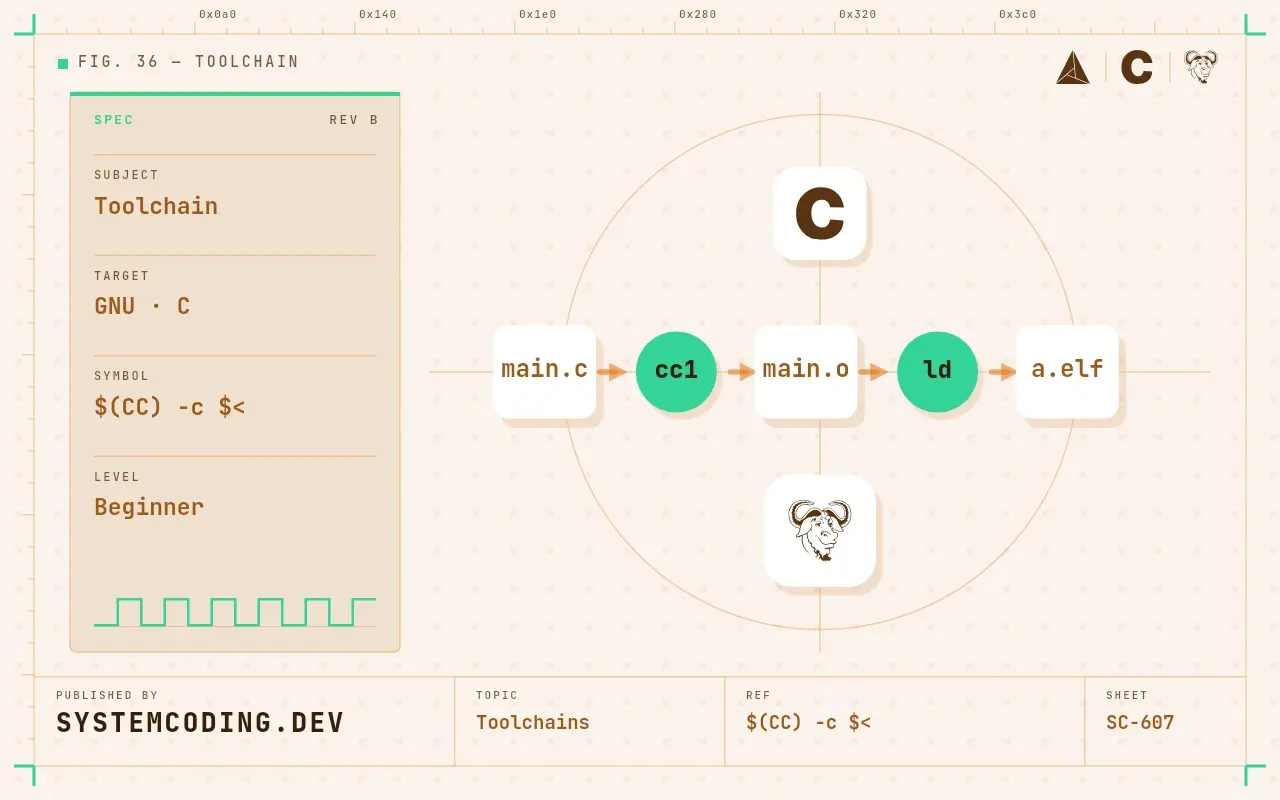
GNU Make is the oldest build tool still in everyday use, and for a C project it is still a very good one. It is installed on nearly every Unix machine, it has no configuration step, and what it does can be read in a single file. It is also easy to misuse: the same handful of mistakes produce builds that rebuild too much, rebuild too little, or fail only when run in parallel. This guide takes you from a first Makefile to a robust one for a real C project. It covers rules and the dependency graph, variables and their expansion, pattern rules, automatic header dependencies, out-of-tree builds, libraries, parallel builds, testing and installation, debugging, portability, and the point at which a different tool is the better answer. Every example uses GNU Make 4.4.1 and GCC 14.2 on Linux, and the behaviour described is that of the GNU Make manual. The guide is organised so you can read it in order, or jump to the part you need; each section ends in a working Makefile fragment.
What make actually is
make is a program that reads a file of rules and decides which commands to run to bring a target up to date. It has exactly three ideas.
A rule says that a target is built from prerequisites by running a recipe.
makecompares modification times: a target is out of date if it is missing or older than any prerequisite.Rules form a graph, and
makewalks only the part of the graph needed for the goal you asked for.
That is all. It knows nothing about C, compilers or headers, except through built-in rules that you can ignore or override. Everything it does with C comes from rules that you or a built-in rule supply. This is both its strength, because there is nothing hidden between you and the commands, and its weakness, because anything beyond the basics, such as finding headers, is your job.
The first Makefile
A C program with two sources and a shared header shows the whole mechanism.
#include <stdio.h>
#include "util.h"

int main(void)
{
    printf("%d\n", square(7));
    return 0;
}#ifndef UTIL_H
#define UTIL_H
int square(int x);
#endif#include "util.h"
int square(int x)
{
return x * x;
}app: main.o util.o
gcc -o app main.o util.o
main.o: main.c util.h
gcc -c main.c
util.o: util.c util.h
gcc -c util.c
clean:
rm -f app main.o util.oRecipe lines begin with a tab character, never spaces. Running make builds the first target in the file, the default goal, which is app.
makegcc -c main.c
gcc -c util.c
gcc -o app main.o util.oThe commands were run in dependency order, not file order: app needs the objects, so they were built first. Run make again and nothing happens, because every target is newer than its prerequisites.
make: 'app' is up to date.Touch util.c and only util.o and app rebuild. That selectivity is the reason make exists. In a project with a thousand files, it is the difference between a build of a second and a build of ten minutes.
Anatomy of a rule
targets: prerequisites
	recipe
The target is usually a file the recipe creates. The prerequisites are the files it is built from, plus any other targets that must be built first. The recipe is a list of shell commands, one per line, each starting with a tab. A few details matter immediately.
Each recipe line is run in its own shell. A cd on one line does not affect the next, so a sequence that depends on the working directory must be joined with && on a single logical line, using a backslash to continue it.
docs:
	cd doc && \
	doxygen Doxyfile
If a command fails, the build stops, and the targets built before it stay built. Put a hyphen in front of a command to ignore its failure, and an @ to hide the command from the output.
clean:
	-rm -f app main.o util.o
	@echo cleaned
A rule with no recipe only adds prerequisites. A rule with several targets is shorthand for one rule per target. If two rules both give a recipe for the same target, the later one wins with a warning.
Targets that are not files
clean, all and test are names for actions, not files. If a file named clean appears, make clean will say it is up to date and do nothing. Declare action targets phony.
.PHONY: all clean test

all: app
By convention the first target is called all and depends on whatever a plain make should build. That way you can reorder the file without changing the default.
Variables
Variables remove repetition. The names CC, CFLAGS, CPPFLAGS, LDFLAGS and LDLIBS are conventional, and the built-in rules use them.
CC       := gcc
CPPFLAGS := -Iinclude
CFLAGS   := -Wall -Wextra -O2 -g
LDLIBS   := -lm

app: main.o util.o
	$(CC) $(LDFLAGS) -o $@ $^ $(LDLIBS)
The division of labour among those names is worth learning once. CPPFLAGS is for the preprocessor: -I include directories and -D macros. CFLAGS is for the compiler proper: optimisation, warnings, debug information. LDFLAGS is for the linker options such as -L and -Wl,.... LDLIBS is for the libraries themselves, -lm and the like, and goes after the objects on the link line, because a static library must follow the objects that use it.
There are two kinds of variable, and the difference causes real bugs.
VAR = valueis recursively expanded: the right side is stored as text and expanded each timeVARis used.VAR := valueis simply expanded: the right side is expanded once, when the line is read.
A  = $(B)
B  = first
AS := $(B)
B  = second

show:
@echo "A=$(A) AS=$(AS)"A=second AS=firstUse := by default. The recursive flavour re-runs any function it contains on every use, so FILES = $(shell find src -name '*.c') spawns a shell each time FILES is mentioned. Two other assignments are common. VAR ?= value assigns only if VAR is not yet defined, which makes it right for overridable defaults such as PREFIX ?= /usr/local. VAR += value appends with a space, and is how you build a flag list in steps.
Values given on the command line beat the Makefile, and the environment is beaten by the Makefile, unless you use make -e.
make CFLAGS="-O0 -g"That is how one Makefile builds both debug and release configurations. Note that a command line value replaces CFLAGS entirely, including flags the Makefile needed, so a Makefile that must keep some flags should use a separate variable that it adds to the user's value.
CFLAGS ?= -O2 -g
override_flags := -Wall -Wextra
ALL_CFLAGS := $(CFLAGS) $(override_flags)
Automatic variables
Inside a recipe, make sets variables that name the parts of the current rule, so recipes do not repeat file names.
| Variable | Meaning |
|---|---|
$@ | The target |
$< | The first prerequisite |
$^ | All prerequisites, without duplicates |
$? | Prerequisites newer than the target |
$* | The stem matched by a pattern rule |
The link rule becomes $(CC) -o $@ $^, and a compile rule becomes $(CC) $(CFLAGS) -c $< -o $@. A frequent bug is writing the header before the source in a compile rule, so that $< is the header. Always list the source file first.
Pattern rules
A rule for every object does not scale. A pattern rule uses % to match a stem, and applies to any target it fits.
%.o: %.c
	$(CC) $(CPPFLAGS) $(CFLAGS) -c $< -o $@
Now any x.o is built from x.c. GNU Make already has this rule built in, using the same variables, so for a trivial project you can omit it. Writing your own gives control over the output, such as printing a short status line, or placing the object in another directory.
Derive the object list from the sources rather than writing it by hand.
SRCS := $(wildcard *.c)
OBJS := $(SRCS:.c=.o)

app: $(OBJS)
	$(CC) -o $@ $^ $(LDLIBS)
$(wildcard *.c) expands to the matching files, and $(SRCS:.c=.o) swaps the suffix in each name. For a different directory for the objects, use $(patsubst src/%.c,build/%.o,$(SRCS)). Wildcard discovery is convenient and has a cost: a stray scratch file gets compiled and linked, and a deleted source disappears silently. Larger projects often list sources explicitly so that changes are visible in review.
Header dependencies
This is the part that bites every C project that uses make. The pattern rule says x.o depends on x.c. It does not say that x.o depends on util.h, so editing the header rebuilds nothing, and the program is linked from stale objects. It misbehaves until a make clean. Writing every header by hand does not scale, but the compiler knows exactly which headers it read, and can write a dependency file.
CPPFLAGS += -MMD -MP

-include $(OBJS:.o=.d)
-MMD writes a .d file next to each object listing the headers included from the source, excluding system headers. -MP adds an empty rule for each header so that deleting a header does not break the build with "No rule to make target". The -include line, with the hyphen, reads the files that exist and ignores the ones that do not, which is the case on the first build. After the first build, main.d holds something like this.
main.o: main.c util.h
util.h:
From then on, touching util.h rebuilds exactly the objects that include it. This three-line idiom is the most valuable thing in this guide. Use it in every Makefile that builds C.
Putting output in a build directory
Object files beside sources clutter the tree. A build directory keeps the output in one place, makes cleaning a single command and allows several configurations.
CC       := gcc
CPPFLAGS := -Iinclude -MMD -MP
CFLAGS   := -Wall -Wextra -O2 -g
BUILD    := build

SRCS := $(wildcard src/*.c)
OBJS := $(patsubst src/%.c,$(BUILD)/%.o,$(SRCS))

$(BUILD)/app: $(OBJS)
	$(CC) -o $@ $^ $(LDLIBS)

$(BUILD)/%.o: src/%.c | $(BUILD)
	$(CC) $(CPPFLAGS) $(CFLAGS) -c $< -o $@

$(BUILD):
	mkdir -p $@

-include $(OBJS:.o=.d)

clean:
	rm -rf $(BUILD)

.PHONY: clean
The vertical bar introduces an order-only prerequisite. The directory must exist before an object is compiled, but its timestamp, which changes when files are added, is ignored. If you wrote the directory as a normal prerequisite, every object would look out of date after every build. For a nested source tree, use mkdir -p $(@D) inside the recipe, where $(@D) is the directory part of the target.
Libraries
A static library is an archive of objects.
$(BUILD)/libutil.a: $(BUILD)/util.o $(BUILD)/parse.o
	rm -f $@
	ar rcs $@ $^

$(BUILD)/app: $(BUILD)/main.o $(BUILD)/libutil.a
	$(CC) -o $@ $(BUILD)/main.o -L$(BUILD) -lutil
Removing the archive before ar guarantees that an object dropped from the list does not linger. A shared library needs position-independent objects and a link flag.
$(BUILD)/pic/%.o: src/%.c | $(BUILD)/pic
	$(CC) $(CPPFLAGS) $(CFLAGS) -fPIC -c $< -o $@

$(BUILD)/libutil.so: $(PIC_OBJS)
	$(CC) -shared -Wl,-soname,libutil.so.1 -o $@ $^
The -fPIC objects are different from the objects for the static build, so they live in a separate directory. At run time the loader must find the library, through an rpath, LD_LIBRARY_PATH or an ldconfig entry.
$(BUILD)/app: main.o $(BUILD)/libutil.so
	$(CC) -o $@ main.o -L$(BUILD) -lutil -Wl,-rpath,'$$ORIGIN'
The doubled dollar passes a literal $ORIGIN to the shell, and -rpath tells the program to look for the library in its own directory.
Parallel builds
make -j8 runs up to eight recipes at once. The dependency graph decides what is allowed: independent compiles run together, and the link waits for all objects. A Makefile that works serially and fails in parallel has a missing prerequisite, and parallelism has revealed it. A header generated by a rule must be listed as a prerequisite of the objects that include it, or the compiler may run before the header exists.
$(OBJS): include/version.h

include/version.h: VERSION
	echo '#define VERSION "$(shell cat VERSION)"' > $@
Two further tools help. make -j8 --output-sync=target groups each target's output, so error messages do not interleave. A rule that creates several files with one command needs a grouped target, available in GNU Make 4.3, written a b &: input, or the command runs twice at once. And use $(MAKE) in recipes that call make, so sub-makes share the same job slots through the jobserver.
Conditionals and configuration
Makefile directives such as ifeq choose between assignments when the file is read.
ifeq ($(DEBUG),1)
  CFLAGS += -O0 -g3 -DDEBUG
else
  CFLAGS += -O2 -DNDEBUG
endif

UNAME := $(shell uname -s)
ifeq ($(UNAME),Darwin)
  LDLIBS += -framework CoreFoundation
endif
Invoke with make DEBUG=1. Conditionals are evaluated at parse time, so they can test variables but not automatic variables or the results of other rules. For a build with a few options this is enough. A project with many optional features starts to need the kind of probing that configure scripts and CMake do, and that is a sign to consider them.
Tests, install and standard targets
The GNU coding standards list conventional target names, and following them makes your project predictable to packagers.
| Target | Purpose |
|---|---|
all | Build everything, the default |
clean | Delete files built by make |
install | Copy built files into place |
check | Run the test suite |
dist | Create a source tarball |
An install target honours two conventions: a PREFIX, and a DESTDIR that packagers use to stage files under a temporary root.
PREFIX ?= /usr/local
DESTDIR ?=

install: $(BUILD)/app
	install -d $(DESTDIR)$(PREFIX)/bin
	install -m 755 $< $(DESTDIR)$(PREFIX)/bin/app

check: $(BUILD)/test_util
	$(BUILD)/test_util

.PHONY: install check
DESTDIR is prepended to every installed path and is never embedded into the program. A package build runs make install DESTDIR=/tmp/pkgroot PREFIX=/usr, and the files land under the temporary root while the program believes it lives in /usr.
A complete Makefile
Putting the pieces together gives a Makefile that is short, correct and ready to extend.
CC       ?= gcc
CPPFLAGS := -Iinclude -MMD -MP
CFLAGS   ?= -O2 -g
CFLAGS   += -Wall -Wextra
LDLIBS   := -lm
BUILD    ?= build
PREFIX   ?= /usr/local

SRCS := $(wildcard src/*.c)
OBJS := $(patsubst src/%.c,$(BUILD)/%.o,$(SRCS))
DEPS := $(OBJS:.o=.d)

.DELETE_ON_ERROR:
.PHONY: all clean install check

all: $(BUILD)/app

$(BUILD)/app: $(OBJS)
	$(CC) $(LDFLAGS) -o $@ $^ $(LDLIBS)

$(BUILD)/%.o: src/%.c | $(BUILD)
	$(CC) $(CPPFLAGS) $(CFLAGS) -c $< -o $@

$(BUILD):
	mkdir -p $@

-include $(DEPS)

install: $(BUILD)/app
	install -d $(DESTDIR)$(PREFIX)/bin
	install -m 755 $< $(DESTDIR)$(PREFIX)/bin/app

clean:
	rm -rf $(BUILD)
.DELETE_ON_ERROR: tells make to delete a target if its recipe fails. Without it, a compiler that is killed halfway leaves a truncated object with a fresh timestamp, and the next make believes it is good. Add the line to every Makefile.
Functions worth knowing
GNU Make has text functions that you call with $(name args). A handful cover most needs.
| Function | Use |
|---|---|
$(wildcard pattern) | List files matching a glob |
$(patsubst pat,repl,text) | Pattern substitution on words |
$(filter pat,text) and $(filter-out pat,text) | Keep or remove matching words |
$(dir names) and $(notdir names) | Split directory and file parts |
$(addprefix p,names) and $(addsuffix s,names) | Add text to each word |
$(foreach v,list,text) | Repeat an expansion for each word |
$(shell cmd) | Run a command and capture its output |
$(if cond,then,else) | Conditional expression |
$(call fn,args) | Call a variable as a function |
A small function removes repeated recipes. The example below prints a short status line and hides the long command, unless the user asks for it.
ifeq ($(V),1)
  Q :=
else
  Q := @
endif

define compile
	@echo "  CC   $(2)"
	$(Q)$(CC) $(CPPFLAGS) $(CFLAGS) -c $(1) -o $(2)
endef

$(BUILD)/%.o: src/%.c | $(BUILD)
	$(call compile,$<,$@)
Output is now CC build/main.o per file, and make V=1 shows the full command line.
Debugging a Makefile
When a build does something unexpected, ask make what it is thinking.
make -n
make --trace
make -p
make --debug=b
-n prints the commands that would run without running them. --trace prints each recipe with the file and line of its rule and the reason it ran. -p dumps all rules and variables, including built-in ones. --debug=b prints the decision for each target. For a variable's value, put $(info VAR is [$(VAR)]) in the Makefile, and use $(origin VAR) to learn whether it came from the file, the command line or the environment.
The common failures have recognisable signatures.
| Message or symptom | Likely cause |
|---|---|
*** missing separator | Spaces where a tab belongs, or a recipe outside a rule |
No rule to make target 'x.o', needed by 'app' | The source is misspelled or missing |
| Everything rebuilds every run | A phony or always-newer prerequisite, or a clock problem |
| Header edits do not rebuild | No dependency files, or -include missing |
Fails only with -j | An undeclared prerequisite |
| Variable is empty in recipe | A single $ where $$ was needed for the shell |
cat -A Makefile shows tabs as ^I, which exposes the first of these at once.
Portability
GNU Make is installed on Linux and available everywhere else, but the default make on some systems is another implementation. On macOS, make is GNU Make 3.81, an old version that lacks features used here, such as .ONESHELL and grouped targets. On the BSDs, make is BSD make, and GNU Make is gmake. If your Makefile uses GNU extensions, say so in the documentation and call gmake where needed. If you must support POSIX make, avoid pattern rules with %, $(wildcard), $(shell) and the other functions, and keep to suffix rules and simple variables. For C projects with real portability needs, such as different compilers and platforms with different libraries, a generator is usually the better path.
Using make with other tools
Make composes well with the rest of the toolchain. A compile_commands.json for editors and analysers can be produced by wrapping the build with a tool such as bear, which records the compiler invocations. Static analysers run as extra targets. A formatter run as a format target keeps style consistent.
format:
	clang-format -i $(SRCS) $(wildcard include/*.h)

lint:
	cppcheck --enable=warning,style --error-exitcode=1 src

.PHONY: format lint
Sanitizers need only a different flag set, so a second build directory is the right way to use them.
make BUILD=build-asan CFLAGS="-O1 -g -fsanitize=address,undefined" LDFLAGS="-fsanitize=address,undefined"Because the output goes to a distinct directory, the sanitizer build and the normal build coexist, and neither forces the other to rebuild.
Recursive make and its alternatives
A project with subdirectories can call make -C subdir from the top.
SUBDIRS := lib app

all:
	for d in $(SUBDIRS); do $(MAKE) -C $$d || exit 1; done
This works for a small number of independent components, and it is how many projects started. Its flaw is that each sub-make sees only its own directory, so cross-directory dependencies are invisible and correctness depends on the order of the loop. The alternative is a single Makefile that includes a small fragment from each directory, so there is one dependency graph. A separate post in this series covers it in detail. Use recursion for components that are genuinely independent, such as a vendored library with its own build system, and a single graph for the rest.
Performance of make itself
For most projects, make itself is fast, and the compiler dominates. Two things matter when it is not. Avoid recursive variables that run $(shell), since they run on every expansion. Avoid $(wildcard) over huge trees at every parse. A large no-op build is the real test: if make with nothing to do takes seconds, profile it with make -d timestamps or move to Ninja through a generator, since Ninja was designed to make the no-op case fast. Compiler caches such as ccache help clean builds, and are used by setting CC := ccache gcc.
When to stop using plain make
Make is the right choice when the project is small to medium, runs on Unix, and the people building it can read a Makefile. It is the wrong choice when you need to build on Windows with Visual Studio, when many contributors need generated IDE projects, when dependencies are found through a variety of packaging systems, or when the build logic has grown into a program of its own. At that point, CMake and Meson, which generate files for Make or Ninja, are better. Everything in this guide still applies: those tools produce Makefiles and Ninja files that behave the way you now understand, and reading them is far easier when you know the model.
Generated sources
Real projects generate files: a version header, a table produced by a script, a parser from a grammar. Generated files fit the model well, as long as each one is a target with its inputs as prerequisites, and every consumer lists it.
include/version.h: VERSION
	printf '#define VERSION "%s"\n' "$$(cat VERSION)" > $@

$(OBJS): include/version.h
The first rule rebuilds the header when the VERSION file changes. The second line makes every object depend on the header, so none compiles before it exists, which matters under make -j. A cheaper form lists only the objects that include it, and the dependency files from -MMD take over once a build has run once, but the first build on a clean tree has no .d files yet, so the explicit line is what makes a clean parallel build correct.
A grammar tool such as bison produces two files from one input, and the correct way to say that depends on the release.
src/parser.c src/parser.h &: src/parser.y
	bison -d -o src/parser.c src/parser.y
The &: in the rule line makes it a grouped target: one run of the recipe makes both files. It needs GNU Make 4.3. On older versions, use a pattern rule with two targets, %.tab.c %.tab.h: %.y, which make also understands as one recipe producing both.
A generated file that is rewritten with the same content every run is a trap. If the recipe always writes the file, its timestamp is always new, and everything that depends on it rebuilds every time. Generate into a temporary file, compare it with the current one, and replace the target only if the content differs.
include/config_gen.h: FORCE
	./gen-config > [email protected]
	cmp -s [email protected] $@ || mv [email protected] $@
	rm -f [email protected]

FORCE:
FORCE is an empty rule with no prerequisites and no recipe, which make treats as always out of date, so the generator runs on every build. The cmp -s ... || mv line then keeps the old timestamp when nothing changed, so dependants are left alone. That is the standard idiom for values that must be re-checked each time but only change rarely, such as a version string taken from git describe.
A worked project layout
Here is a layout that most small C projects can adopt directly, with a library, a program, tests and an install step.
project/
  Makefile
  include/mylib.h
  src/mylib.c
  src/parse.c
  app/main.c
tests/test_mylib.cCC ?= gcc
CPPFLAGS := -Iinclude -MMD -MP
CFLAGS ?= -O2 -g
CFLAGS += -Wall -Wextra
BUILD ?= build
PREFIX ?= /usr/local
LIBSRC := $(wildcard src/*.c)
LIBOBJ := $(patsubst src/%.c,$(BUILD)/src/%.o,$(LIBSRC))
APPOBJ := $(BUILD)/app/main.o
TESTS := $(patsubst tests/%.c,$(BUILD)/tests/%,$(wildcard tests/*.c))
LIB := $(BUILD)/libmylib.a
.DELETE_ON_ERROR:
.PHONY: all check install clean
all: $(BUILD)/mylib-app
$(LIB): $(LIBOBJ)
rm -f $@
ar rcs $@ $^
$(BUILD)/mylib-app: $(APPOBJ) $(LIB)
$(CC) $(LDFLAGS) -o $@ $(APPOBJ) $(LIB) $(LDLIBS)
$(BUILD)/tests/%: tests/%.c $(LIB)
@mkdir -p $(@D)
$(CC) $(CPPFLAGS) $(CFLAGS) $(LDFLAGS) -o $@ $< $(LIB) $(LDLIBS)
$(BUILD)/%.o: %.c
@mkdir -p $(@D)
$(CC) $(CPPFLAGS) $(CFLAGS) -c $< -o $@
check: $(TESTS)
@for t in $(TESTS); do echo "RUN $$t"; $$t || exit 1; done
install: all
install -d $(DESTDIR)$(PREFIX)/bin $(DESTDIR)$(PREFIX)/lib $(DESTDIR)$(PREFIX)/include
install -m 755 $(BUILD)/mylib-app $(DESTDIR)$(PREFIX)/bin/
install -m 644 $(LIB) $(DESTDIR)$(PREFIX)/lib/
install -m 644 include/mylib.h $(DESTDIR)$(PREFIX)/include/
clean:
rm -rf $(BUILD)
-include $(shell find $(BUILD) -name '*.d' 2>/dev/null)Walk through it from the bottom. The last line includes every dependency file under the build directory, and the 2>/dev/null hides the error when the directory does not exist yet. The pattern rule $(BUILD)/%.o: %.c is general: for the target build/src/parse.o it finds the source src/parse.c, and for build/app/main.o it finds app/main.c, so the output tree mirrors the source tree with one rule. Tests are separate executables, each linking the static library, and check runs them in a loop that stops at the first failure. Because check depends on the test binaries, a plain make check builds the library and tests first.
Run it and read the result.
make -j4 checkcc -Iinclude -MMD -MP -O2 -g -Wall -Wextra -c src/mylib.c -o build/src/mylib.o
cc -Iinclude -MMD -MP -O2 -g -Wall -Wextra -c src/parse.c -o build/src/parse.o
ar rcs build/libmylib.a build/src/mylib.o build/src/parse.o
cc -Iinclude -MMD -MP -O2 -g -Wall -Wextra -o build/tests/test_mylib tests/test_mylib.c build/libmylib.a
RUN build/tests/test_mylib
mylib okThe sources compile in parallel, the archive is built when both objects exist, and the test links against it. Nothing in the file names a specific source except the layout itself.
Cross-compiling with make
make itself needs no changes to cross-compile, since it only runs the commands you give it. The convention is that the toolchain is selected by variables, so the Makefile should use CC, AR and friends instead of hard-coded names, and the user overrides them.
make CC=aarch64-linux-gnu-gcc AR=aarch64-linux-gnu-ar BUILD=build-arm64Using a separate BUILD directory keeps the cross-compiled objects away from the native ones. Two traps appear. A Makefile that runs a program it just built, such as a code generator, cannot do that when the program is for another architecture, so build generators with a native compiler, in a variable named HOSTCC, as the Linux kernel's build does. And a Makefile that probes the system with $(shell uname) describes the build machine, not the target, so use a variable like TARGET_OS for the decisions about the target.
Anti-patterns to avoid
A few habits make Makefiles fragile, and each one has a cheap replacement.
| Habit | Why it hurts | Replacement |
|---|---|---|
make recipes that run cd on one line and a command on the next | Each line is its own shell | cd dir && command on one logical line, or make -C dir |
for loops over subdirectories in a recipe | Errors may be ignored, and no parallelism | One phony target per directory |
| Header changes not tracked | Stale objects until make clean | -MMD -MP and -include |
rm -rf $(DIR)/ with an unset variable | May delete the wrong tree | Guard the variable, avoid the trailing slash |
FILES = $(shell find ...) | Re-runs the shell on every use | FILES := ... |
CFLAGS = -O2 overriding the user | Ignores the environment and command line | CFLAGS ?= -O2 |
| A phony target as a prerequisite of a file | The file rebuilds every time | Order-only prerequisite, or a stamp file |
Hard-coded gcc and ar | Breaks cross builds and other compilers | CC and AR variables |
@ on every line | Hides what failed | A V=1 switch to show commands |
| Editing the generated Makefile of another tool | Lost on the next run | Fix the generator's input |
Interrupts, signals and partial files
When you press Ctrl-C during a build, make deletes the target it was building if it was modified, so a half-written object does not look complete. That is the default behaviour on a signal. A recipe that fails with an error does not get the same treatment unless .DELETE_ON_ERROR: is set, which is why the special target belongs in the file. For files that are expensive to regenerate and safe to keep when interrupted, such as a downloaded archive, name them as prerequisites of .PRECIOUS, and make leaves them alone.
A related trap is the timestamp. If a recipe produces a file and then another command, in the same recipe, touches an input, the target's timestamp can end up older than its prerequisite, and it rebuilds forever. Keep recipes free of side effects on their own inputs.
Including other Makefiles
The include directive reads other files as if their text were inserted at that point. Use it for shared settings, per-directory fragments and generated dependency files. A missing file is an error, unless you use -include or sinclude. GNU Make also treats included files as targets: if a rule exists to build an included file and it is out of date, make rebuilds it and restarts itself, which is how the .d files and generated Makefiles work. This restart behaviour is the reason that a generated fragment can be created by the Makefile itself.
include config.mk

config.mk: configure.sh
	./configure.sh > $@
make sees that config.mk is out of date, runs the rule, and re-reads the Makefile with the new content. If you do not want this, name the file in a -include line and write no rule for it.
Environment, flags and reproducible builds
For a build that others can repeat, three habits are enough. First, record the flags: print them with $(info) or write them into a file that dependants read, so a change in CFLAGS forces a rebuild. The plain model does not notice a flag change, because flags are not files. A common trick is to write the flags into a stamp file only when they differ, and make every object depend on it.
FLAGS_FILE := $(BUILD)/.flags
CURRENT    := $(CC) $(CPPFLAGS) $(CFLAGS)

$(FLAGS_FILE): FORCE | $(BUILD)
	@echo '$(CURRENT)' | cmp -s - $@ || echo '$(CURRENT)' > $@

$(BUILD)/%.o: %.c $(FLAGS_FILE)
	$(CC) $(CPPFLAGS) $(CFLAGS) -c $< -o $@
With this in place, changing CFLAGS on the command line rewrites .flags, which is newer than every object, so everything recompiles with the new flags. Without it, a switch from -O0 to -O2 silently keeps the old objects.
Second, pin the tools: record $(CC) --version in the build log. Third, avoid embedding the build time in the output, since it makes two builds of the same source differ. Compilers expose __DATE__ and __TIME__, and reproducible build systems set SOURCE_DATE_EPOCH and use -Wdate-time to find uses.
Reading a Makefile you did not write
Sooner or later you inherit a Makefile with a thousand lines. A reliable way in is to ignore the file and ask make questions. Run make -n to see the commands for the default goal, which tells you what the project builds and with which flags. Run make -pn | less and search for the first target to see where rules come from. Search for include lines to find the other files that contribute. Then read the Makefile from the default goal downwards, following one dependency chain at a time, until you can state in a sentence how the final binary is made.
Watch for the same four things in every inherited file. First, which variables can the user override, and which are fixed? Second, how are header dependencies handled, and if they are not, expect stale builds. Third, how does it find sources: a list, a wildcard or a generated file? Fourth, which targets are phony? A Makefile with no .PHONY line and a target named test and a directory named test is a bug waiting for the day someone makes the directory.
When you change an inherited Makefile, change one behaviour at a time and compare make -n output before and after. A diff of the command lists is a precise statement of what your edit did, and it catches the accidental changes, such as a flag that vanished, that no test would.
Special characters, spaces and quoting
make splits words on whitespace, so a file name with a space breaks lists, wildcards and prerequisites. There is no fully general escape. The practical rule is to avoid spaces in file names in any tree that make builds. If you cannot, quote them inside recipes, where the shell sees them, and keep them out of rule lines, where make does.
Other characters that matter are the colon in a file name, which make reads as the end of a target, and the percent sign, which it reads as a pattern. A target with a colon, such as a Windows drive path, needs a backslash escape in the rule line. Dollar signs in file names need doubling. The shell has its own rules on top, so a recipe that handles names from a variable should quote them: rm -f "$(FILE)". That protects a single name, but not a list, since the quotes would wrap the entire list as one word.
What the exit status of make means
make returns 0 on success, 1 when you ask it a question with -q and the target is out of date, and 2 when an error occurred. A continuous integration job relies on that status, so make sure a recipe's failure is not swallowed. A pipeline whose last command succeeds hides an earlier failure unless the shell is set up with pipefail. A loop in a recipe, as in the check target above, needs || exit 1. A command prefixed by a hyphen is ignored on purpose, so look for those when a build reports success despite a visible error in the log.
The question mode is useful in scripts: make -q target exits with 0 if nothing needs doing and 1 otherwise, without running anything. It lets a script decide whether to invoke a longer pipeline.
Using make for things that are not C
The model is general, and it suits any task where outputs are derived from inputs. A Makefile can regenerate documentation from sources, convert images, run a code generator, or assemble a release archive. The same ideas apply: name the output as the target, list the inputs as prerequisites and write the command as the recipe.
docs/%.html: docs/%.md
	pandoc -o $@ $<

DOCS := $(patsubst docs/%.md,docs/%.html,$(wildcard docs/*.md))

docs: $(DOCS)

release: all docs
	tar -czf release.tar.gz $(BUILD)/mylib-app $(DOCS)

.PHONY: docs release
Because make only rebuilds what changed, editing one Markdown file regenerates one HTML file. This is why many projects keep their top-level developer commands in a Makefile even when another tool builds the code: make test, make lint and make release are a stable vocabulary that works the same way on every machine.
Troubleshooting checklist
When a build fails and the message is not obvious, work through this list in order. Run make -n to see the command that would run, and run that command by hand, since a compiler error is clearer outside make. Run make --trace to see why a target ran. Print the relevant variable with $(info) and check $(origin). Try make -j1 to rule out a race. Try make clean and a fresh build to rule out stale state, and if the fresh build works but the incremental build does not, the problem is a missing prerequisite. Finally, compare against a minimal Makefile: strip the project down to one source and one rule, confirm it works, and add pieces back until it breaks. That bisection finds the cause of most mysteries within minutes, and you learn which feature you misunderstood.
A checklist for a healthy Makefile
Recipes start with a tab and the first target is
all.Action targets are listed under
.PHONY.Variables use
:=, with?=for user-overridable defaults.CPPFLAGS,CFLAGS,LDFLAGSandLDLIBShold what their names say.Dependency files from
-MMD -MPare included with-include.Output goes to a build directory, created with an order-only prerequisite.
.DELETE_ON_ERROR:is set.make -jworks, andmake -nshows sensible commands.installhonoursPREFIXandDESTDIR.A
cleantarget removes only what the build created.