The Complete Guide to File Descriptors on Unix and Linux
Learn file descriptors on Unix and Linux from open and close to dup2, fork, pipes, limits, leaks, passing between processes and the kernel tables behind them.
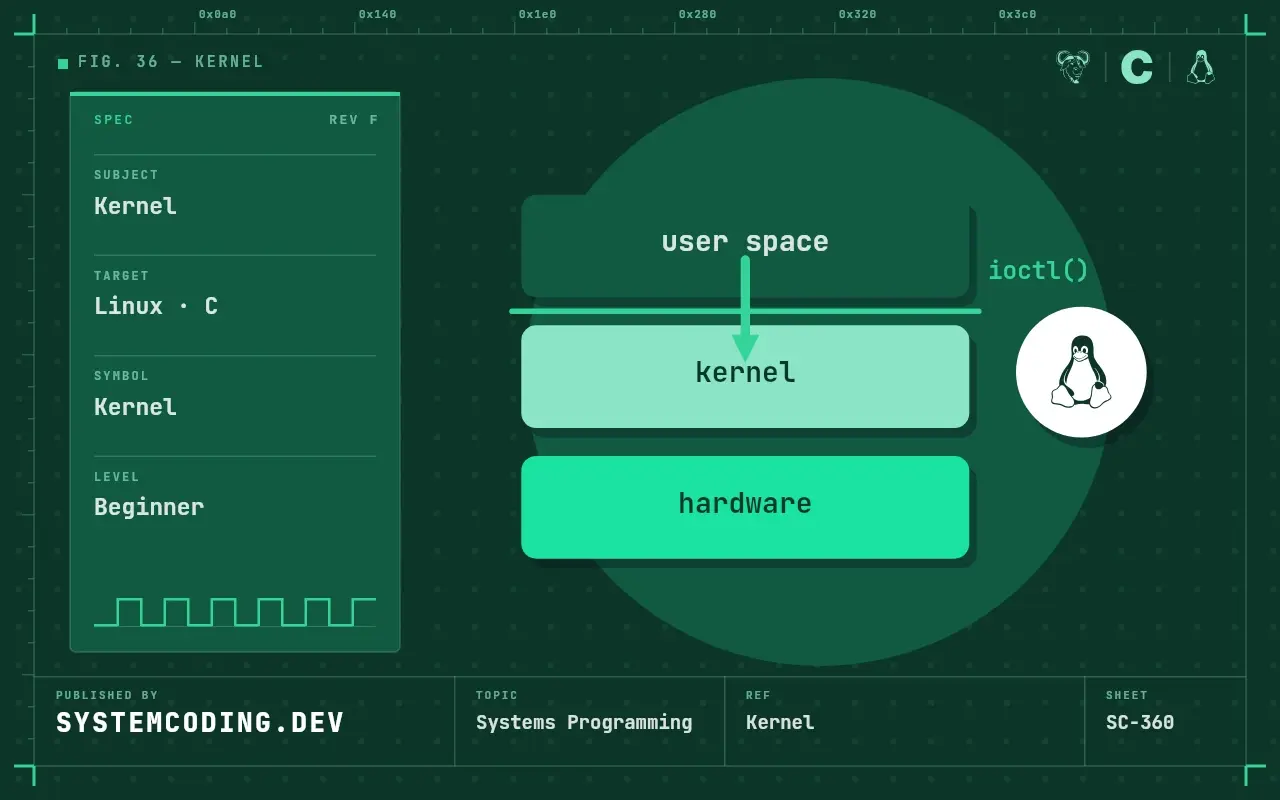
A file descriptor is the smallest idea in Unix that explains the most. Redirection, pipes, sockets, daemons that hand sockets to workers, the error that says "Too many open files", the build that hangs because a child kept a pipe open: each of them is a statement about a small integer and the table it indexes. This guide teaches that table from the ground up. It starts with open() and close(), builds up through duplication, fork() and exec(), and ends at the limits, the failure modes, the debugging tools and the kernel structures that make the rules true. Every section has code in C, written for GCC 14 on Linux 6.12 with glibc 2.40, and the shell commands assume a normal Linux terminal. The examples show the output they produce, and values that differ by machine, such as process ids, are labeled as examples.
Read it in order the first time. Each section depends on the one before it, and the later sections point to the focused posts in this cluster for the details a guide cannot carry. If you already know the basics, the table of contents in the headings is your map.
The short version
A file descriptor is a small non-negative integer that a process uses to refer to an open file. The kernel keeps a table per process; the integer is an index into it. Each table slot points to an open file description, which holds the file offset and the status flags, and that description points to the file's inode. Descriptors 0, 1 and 2 are standard input, output and error. Every call that creates a descriptor returns the lowest unused number. dup() and fork() copy slots, not descriptions, so copies share the offset. exec() keeps the table unless a slot is marked close-on-exec. The table has a limit, RLIMIT_NOFILE, and exceeding it gives EMFILE. Every other behavior in this guide follows from those sentences.
A descriptor is an index
When a program opens a file, the operating system does not give it the file. It gives it a number. The kernel holds the real state, and the program holds the number and passes it back to every later call: read(fd, ...), write(fd, ...), close(fd). That indirection is the design. It means a program cannot forge a pointer into the kernel, the kernel can change how a file is represented without breaking programs, and the same integer type works for very different things.
POSIX defines a file descriptor as a per-process, non-negative integer that identifies an open file for the purpose of file access. The word "file" here is wide. In the Unix tradition, a regular file, a directory, a terminal, a pipe, a socket and a device node are all reached through descriptors, and read() and write() on them follow the same shape even though the work behind them differs completely. On Linux the list extends to objects that are not files in any ordinary sense: an epoll instance, a timer, a signal queue, a process handle. They are descriptors because they can be waited on and closed like the rest.
The number is meaningful only inside one process. If process A holds descriptor 4 for a log file and process B holds descriptor 4 for a network connection, there is no conflict, because each process has its own table. This is also why you cannot send the integer to another process and expect it to work; later sections show the mechanism that does work.
The smallest program that uses descriptors writes to the two it receives for free, and it shows that printf() is not the lowest layer:
#include <string.h>
#include <unistd.h>

int main(void)
{
    const char *out = "report: 3 records\n";
    const char *err = "warning: input was empty\n";

    write(STDOUT_FILENO, out, strlen(out));
    write(STDERR_FILENO, err, strlen(err));
    return 0;
}
Compiled with gcc -Wall -o hello_fd hello_fd.c, a run on a terminal prints both lines:
report: 3 records
warning: input was empty
The two macros come from <unistd.h> and are the numbers 1 and 2. The C library's stdout and stderr streams add buffering above these same descriptors, which matters later when redirection and buffering collide. The post on what a file descriptor is covers this starting point in more detail.
The three descriptors every program starts with
Before main() runs, the process that started your program has arranged descriptors 0, 1 and 2. By convention they are standard input, standard output and standard error. A shell connects them to the terminal, or to files and pipes when you use redirection. The convention is only that: the kernel does not enforce what the three mean, and a program can be started with any of them closed, which creates a real class of bugs that a later section covers.
Splitting output from errors is the reason there are two. A pipeline such as ./report | sort carries data on descriptor 1 into sort, while warnings still reach a human on descriptor 2. Redirect only the first and the split becomes visible:
./hello_fd > out.txt
cat out.txtwarning: input was empty
report: 3 recordsThe first command printed the warning on the terminal, because descriptor 2 still pointed there, and wrote the report line to the file. Then cat printed the file. The program did not change. The shell changed what descriptor 1 pointed at before starting the program, and the rest of this guide shows how to do that yourself.
Opening, reading, writing and closing
Four calls cover most programs. open() creates a descriptor for a path. read() and write() move bytes. close() releases the descriptor. The following program copies a file, using nothing but descriptors, and handles the two details beginners miss: read() and write() may transfer fewer bytes than asked, and every path out of the function must close what it opened.
#include <errno.h>
#include <fcntl.h>
#include <stdio.h>
#include <unistd.h>

static int write_all(int fd, const char *buf, size_t len)
{
    while (len > 0) {
        ssize_t n = write(fd, buf, len);
        if (n < 0) {
            if (errno == EINTR)
                continue;
            return -1;
        }
        buf += n;
        len -= (size_t)n;
    }
    return 0;
}

int main(int argc, char **argv)
{
    if (argc != 3) {
        fprintf(stderr, "usage: %s SOURCE DEST\n", argv[0]);
        return 2;
    }

    int in = open(argv[1], O_RDONLY | O_CLOEXEC);
    if (in < 0) {
        perror(argv[1]);
        return 1;
    }
    int out = open(argv[2], O_WRONLY | O_CREAT | O_TRUNC | O_CLOEXEC, 0644);
    if (out < 0) {
        perror(argv[2]);
        close(in);
        return 1;
    }

    char buf[4096];
    ssize_t n;
    int rc = 0;
    while ((n = read(in, buf, sizeof buf)) > 0) {
        if (write_all(out, buf, (size_t)n) != 0) {
            perror("write");
            rc = 1;
            break;
        }
    }
    if (n < 0) {
        perror("read");
        rc = 1;
    }

    close(in);
    if (close(out) != 0) {
        perror("close");
        rc = 1;
    }
    return rc;
}
Run on a small file, it prints nothing and the destination matches the source:
printf 'alpha\nbeta\n' > a.txt
./copy_fd a.txt b.txt
cat b.txtalpha
betaFour details in that program carry lessons that the rest of the guide returns to. The O_CLOEXEC flag keeps the descriptors from leaking into any program this one launches. The loop in write_all() exists because a write() can be partial, and EINTR means a signal interrupted it before any data moved. The return value of the final close(out) is checked because a descriptor you wrote through can report a deferred error there. And read() returns 0 at end of file, which is how the loop ends, and -1 for an error, which is why the two exits are distinguished after the loop.
The lowest free number
Every call that creates a descriptor returns the lowest-numbered descriptor that is not currently in use. This is stated in POSIX for open(), and it applies to dup(), pipe(), socket() and accept(). In a fresh process, with 0, 1 and 2 taken, the first new descriptor is 3. Close it and open another file, and the number 3 comes back.
#include <fcntl.h>
#include <stdio.h>
#include <unistd.h>

int main(void)
{
    int a = open("/etc/hostname", O_RDONLY);
    int b = open("/etc/hostname", O_RDONLY);
    printf("a=%d b=%d\n", a, b);

    close(a);
    int c = open("/etc/hostname", O_RDONLY);
    printf("after close(a): c=%d\n", c);

    close(b);
    close(c);
    return 0;
}a=3 b=4
after close(a): c=3The rule is not a curiosity. It is what makes redirection work: close descriptor 1 and open a file, and the file lands on 1. It is also what makes bugs travel. If one part of a program closes a number it does not own, the next open() anywhere hands that number to new code, and the stray owner of the old integer is now acting on a different file. In the kernel the rule is a search through a bitmap of used slots, which the last sections show.
Descriptors, descriptions and inodes
There are three layers, and mixing them up is the source of most confusion. The descriptor is the integer, an index into the process's table. The open file description is a kernel object created by open(). It records the current offset, the access mode and the status flags such as O_APPEND and O_NONBLOCK. The inode is the file itself, with its size, permissions, owner and data.
Many descriptors can point to one description, and many descriptions can point to one inode. open() creates a new description every time, even for the same path. dup() and fork() create new descriptors that point to an existing description. Which layer owns a piece of state decides whether it is shared:
| State | Lives in | Shared by dup() or fork()? | Shared by a second open()? |
|---|---|---|---|
| File offset | open file description | yes | no |
O_APPEND, O_NONBLOCK | open file description | yes | no |
FD_CLOEXEC | the descriptor slot | no | no |
| File size, mode, owner | inode | yes | yes |
You can see offset sharing directly:
#include <fcntl.h>
#include <stdio.h>
#include <unistd.h>

int main(void)
{
    int fd = open("letters.txt", O_RDWR | O_CREAT | O_TRUNC, 0644);
    write(fd, "abcdefghij", 10);
    lseek(fd, 0, SEEK_SET);

    int copy = dup(fd);

    char a, b;
    read(fd, &a, 1);
    read(copy, &b, 1);
    printf("fd read '%c', copy read '%c'\n", a, b);

    int other = open("letters.txt", O_RDONLY);
    char c;
    read(other, &c, 1);
    printf("separate open read '%c'\n", c);
    return 0;
}fd read 'a', copy read 'b'
separate open read 'a'The dup() copy continued where fd stopped, because both point at one description with one offset. The second open() started at the beginning, because it made a new description. The focused post on descriptors, descriptions and inodes adds the fork case and the way an unlinked file stays alive while a description refers to it.
Duplicating and redirecting
Duplication has four spellings. dup(fd) returns a copy at the lowest free number. dup2(old, new) makes new a copy of old, closing new first if needed, atomically. dup3() is the Linux form of dup2() with a flag for close-on-exec. fcntl(fd, F_DUPFD_CLOEXEC, min) returns the lowest free number at or above min with close-on-exec set. The comparison of the four gives a table of which to pick.
The classic use is redirection. The shell does it in three steps: open the file, dup2() it onto 0, 1 or 2, then exec() the program. The same three steps in C redirect your own output:
#include <fcntl.h>
#include <stdio.h>
#include <stdlib.h>
#include <unistd.h>

int main(void)
{
    int fd = open("out.txt", O_WRONLY | O_CREAT | O_TRUNC, 0644);
    if (fd < 0) {
        perror("open");
        return EXIT_FAILURE;
    }

    if (dup2(fd, STDOUT_FILENO) < 0) {
        perror("dup2");
        return EXIT_FAILURE;
    }
    close(fd);

    printf("this goes to out.txt\n");
    return EXIT_SUCCESS;
}
Nothing appears on the terminal, and cat out.txt shows:
this goes to out.txtThe extra descriptor is closed after the dup2(), since descriptor 1 is now an independent reference to the file. One more trap sits between redirection and the C library: printf() fills a buffer, and a file is fully buffered, so output may appear late or be lost if the process exits abnormally. Flush stdout on both sides of any redirect. The dup2 redirection post covers saving and restoring the terminal and the fork and exec form.
The shell notation maps directly onto these calls:
| Shell | System calls in the child | ||
|---|---|---|---|
cmd > file | `open(file, O_WRONLY | O_CREAT | O_TRUNC), dup2(fd, 1)` |
cmd >> file | the same with O_APPEND instead of O_TRUNC | ||
cmd < file | open(file, O_RDONLY), dup2(fd, 0) | ||
cmd 2>&1 | dup2(1, 2) | ||
cmd > file 2>&1 | redirect 1 to the file first, then dup2(1, 2) | ||
cmd 2>&1 > file | dup2(1, 2) first, then redirect 1; stderr still goes to the old stdout |
The last two rows are a common surprise. The order matters because each redirect copies whatever the target currently points at, not whatever it will point at later.
fork, exec and what a child inherits
fork() creates a child process with a copy of the parent's descriptor table. The slots are copied, and the descriptions behind them are shared. exec() replaces the program image but keeps the table, with one exception: descriptors marked close-on-exec are closed. Together these two rules explain both how shells work and how descriptors leak.
The leak is easy to demonstrate. A parent opens a file without O_CLOEXEC, then launches ls to list the child's own descriptors:
#include <fcntl.h>
#include <stdio.h>
#include <sys/wait.h>
#include <unistd.h>

int main(void)
{
    int secret = open("/etc/hostname", O_RDONLY);
    printf("parent opened descriptor %d\n", secret);
    fflush(stdout);

    if (fork() == 0) {
        execlp("ls", "ls", "-l", "/proc/self/fd", (char *)NULL);
        _exit(127);
    }
    wait(NULL);
    return 0;
}parent opened descriptor 3
total 0
lrwx------ 1 dev dev 64 Nov 23 10:30 0 -> /dev/pts/2
lrwx------ 1 dev dev 64 Nov 23 10:30 1 -> /dev/pts/2
lrwx------ 1 dev dev 64 Nov 23 10:30 2 -> /dev/pts/2
lr-x------ 1 dev dev 64 Nov 23 10:30 3 -> /etc/hostname
lr-x------ 1 dev dev 64 Nov 23 10:30 4 -> /proc/4502/fdThe ls command holds the parent's file on descriptor 3, though it never asked for it. The timestamps and process id differ on every run. Add O_CLOEXEC to the open() and descriptor 3 disappears from the listing. The reason it must be a flag at creation, and not a later fcntl(), is a race in threaded programs, explained in the post on preventing leaks with O_CLOEXEC. The practical rule: pass O_CLOEXEC on everything, and clear it deliberately on the few descriptors a child should inherit.
A leaked descriptor is more than clutter. A leaked listening socket keeps a port bound after the parent exits. A leaked write end of a pipe means a reader never sees end of file, which brings us to pipes.
Pipes and end of file
A pipe is a pair of descriptors: one to read, one to write. Bytes written to the write end come out of the read end. A reader sees end of file, a read() that returns 0, only when every descriptor referring to the write end is closed, in every process. That "every" is the source of a famous hang.
#include <stdio.h>
#include <sys/wait.h>
#include <unistd.h>

int main(void)
{
    int fds[2];
    pipe(fds);

    if (fork() == 0) {
        close(fds[1]);                 /* the child must drop its write end */
        char buf[16];
        ssize_t n;
        while ((n = read(fds[0], buf, sizeof buf)) > 0)
            ;
        printf("child saw end of file\n");
        _exit(0);
    }

    close(fds[0]);
    write(fds[1], "data", 4);
    close(fds[1]);
    wait(NULL);
    return 0;
}child saw end of fileRemove the child's close(fds[1]) and the program never finishes: the child itself holds a write end of its own pipe, so end of file never arrives. This is the single most common reason a pipeline hangs, and the usual culprits are copies made by fork(), by dup(), or by a helper process that inherited the descriptor because nobody set close-on-exec. When a program hangs on a read from a pipe, list the holders of the write end with lsof before touching the code.
Flags that live on the description
Opening a file takes two kinds of flags, and they end up in different places. Access mode and creation flags such as O_RDONLY, O_CREAT and O_TRUNC decide how the file is opened and, for the creation flags, are not stored afterwards. Status flags such as O_APPEND and O_NONBLOCK are stored in the open file description and can be read and changed later with fcntl(fd, F_GETFL) and fcntl(fd, F_SETFL, flags). Because they live on the description, changing them through one descriptor changes them for every descriptor that shares it, including the copies a child inherited.
That sharing has a consequence people discover the hard way. If a parent makes a socket non-blocking and a child process shares it through fork(), the child's reads on that socket also stop blocking. Two programs that share a terminal's standard input are the everyday case: one of them sets O_NONBLOCK on descriptor 0, exits without restoring it, and the shell then reads from a terminal that returns EAGAIN. Programs that change status flags on inherited descriptors should restore them on exit.
#include <errno.h>
#include <fcntl.h>
#include <stdio.h>
#include <unistd.h>

int main(void)
{
    int fds[2];
    pipe(fds);

    int flags = fcntl(fds[0], F_GETFL);
    fcntl(fds[0], F_SETFL, flags | O_NONBLOCK);

    char c;
    ssize_t n = read(fds[0], &c, 1);          /* nothing written yet */
    if (n < 0 && errno == EAGAIN)
        printf("read would block: EAGAIN\n");

    write(fds[1], "x", 1);
    n = read(fds[0], &c, 1);
    printf("after a write: read %zd byte '%c'\n", n, c);
    return 0;
}read would block: EAGAIN
after a write: read 1 byte 'x'With the flag set, the first read() returned immediately with EAGAIN instead of waiting for data, and after the write it succeeded. A server built on epoll sets this flag on every socket so that no single descriptor can stall the loop. Regular files ignore it, because the kernel treats them as always ready, which is why reading a cold file from an event loop needs a thread pool or the nowait flag in the RWF_NOWAIT post.
Positioned reads without touching the offset
Because the offset lives in the shared description, a thread that calls lseek() and then read() can be interrupted between the two calls by another thread using the same descriptor, and both end up reading from the wrong position. The remedy is to stop using the shared offset. pread(fd, buf, len, offset) and pwrite(fd, buf, len, offset) take the position as an argument and leave the description's offset alone, so many threads can read different parts of one descriptor without a lock.
#include <fcntl.h>
#include <stdio.h>
#include <unistd.h>

int main(void)
{
    int fd = open("letters.txt", O_RDONLY);
    char buf[4] = {0};

    pread(fd, buf, 3, 5);                      /* bytes 5..7 */
    printf("pread at 5: %s\n", buf);

    off_t pos = lseek(fd, 0, SEEK_CUR);
    printf("offset still: %lld\n", (long long)pos);
    close(fd);
    return 0;
}
With letters.txt holding abcdefghij, the output is:
pread at 5: fgh
offset still: 0
The offset stayed at zero. pread() is also how a database or an index reader serves many requests from one open file, and it is the call to reach for whenever a descriptor is shared between threads or after a fork(). The caveat is that it works only on seekable files: on a pipe or a socket it fails with ESPIPE.
A complete small tool
A worked example ties the pieces together: a tee-like program that copies standard input to standard output and to a file, using only descriptors, with every rule from this guide applied. It sets close-on-exec, handles partial writes, closes once and checks the final close():
#include <errno.h>
#include <fcntl.h>
#include <stdio.h>
#include <unistd.h>

static int write_all(int fd, const char *buf, size_t len)
{
    while (len > 0) {
        ssize_t n = write(fd, buf, len);
        if (n < 0) {
            if (errno == EINTR)
                continue;
            return -1;
        }
        buf += n;
        len -= (size_t)n;
    }
    return 0;
}

int main(int argc, char **argv)
{
    if (argc != 2) {
        fprintf(stderr, "usage: %s FILE\n", argv[0]);
        return 2;
    }

    int log = open(argv[1], O_WRONLY | O_CREAT | O_TRUNC | O_CLOEXEC, 0644);
    if (log < 0) {
        perror(argv[1]);
        return 1;
    }

    char buf[4096];
    ssize_t n;
    int rc = 0;
    while ((n = read(STDIN_FILENO, buf, sizeof buf)) > 0) {
        if (write_all(STDOUT_FILENO, buf, (size_t)n) != 0 ||
            write_all(log, buf, (size_t)n) != 0) {
            perror("write");
            rc = 1;
            break;
        }
    }
    if (n < 0) {
        perror("read");
        rc = 1;
    }
    if (close(log) != 0) {
        perror("close");
        rc = 1;
    }
    return rc;
}
Fed two lines through a pipe, it prints them and records them:
printf 'first\nsecond\n' | ./mini_tee copy.log
cat copy.logfirst
second
first
secondThe first two lines came from the program's standard output, and the second two from cat reading the file. Nothing in the program is specific to terminals or files: standard input could be a pipe, a socket or a device, and the code would behave the same, which is the uniformity the descriptor model buys.
The limit on open files
The table is finite. Each process has a soft and a hard limit called RLIMIT_NOFILE. When the process holds as many descriptors as the soft limit allows, the next open(), socket() or accept() fails with EMFILE, whose message is "Too many open files". A system-wide ceiling exists too, fs.file-max, which fails with ENFILE and is rarely the problem.
Reading the limit and raising the soft limit to the hard limit takes four lines of C and no privilege:
#include <stdio.h>
#include <stdlib.h>
#include <sys/resource.h>

int main(void)
{
    struct rlimit rl;
    getrlimit(RLIMIT_NOFILE, &rl);
    printf("before: soft=%llu hard=%llu\n",
           (unsigned long long)rl.rlim_cur, (unsigned long long)rl.rlim_max);

    rl.rlim_cur = rl.rlim_max;
    if (setrlimit(RLIMIT_NOFILE, &rl) != 0) {
        perror("setrlimit");
        return EXIT_FAILURE;
    }
    getrlimit(RLIMIT_NOFILE, &rl);
    printf("after:  soft=%llu hard=%llu\n",
           (unsigned long long)rl.rlim_cur, (unsigned long long)rl.rlim_max);
    return EXIT_SUCCESS;
}before: soft=1024 hard=524288
after: soft=524288 hard=524288The numbers are an example; both depend on the machine and on how the process was started. A service started by systemd takes its limit from LimitNOFILE= in the unit, not from your shell's ulimit. Raising the limit is only half of the work. A count that keeps rising under steady load is a leak, and a larger limit only moves the failure later. The post on fixing "Too many open files" walks the decision between the two, including the select() ceiling at FD_SETSIZE that survives a raised limit.
Closing exactly once
Because a descriptor is an int, the compiler cannot tell you that nothing closes it, or that two pieces of code both do. A missed close() leaks. A second close() is worse: if the number was reused in between, it closes someone else's file. The remedy is an ownership rule. At any moment exactly one piece of code owns a descriptor and is the only code allowed to close it; everyone else borrows it.
Two small helpers make the rule enforceable. Closing through a function that sets the variable to -1 makes a second close harmless, and a function that takes ownership clears the caller's variable:
#ifndef FD_UTIL_H
#define FD_UTIL_H

#include <errno.h>
#include <unistd.h>

static inline void fd_close(int *fdp)
{
    if (*fdp >= 0) {
        int saved = errno;
        close(*fdp);
        errno = saved;
        *fdp = -1;
    }
}

static inline int fd_take(int *fdp)
{
    int fd = *fdp;
    *fdp = -1;
    return fd;
}

#endif
Combined with a single exit label in each function, so that every path closes what it opened, this removes most descriptor bugs. The ownership post extends it with a cleanup attribute and a struct that owns its descriptor, and shows what a double close looks like under threads. A probe such as fcntl(fd, F_GETFD) can test whether a number is open, and the post on checking validity explains why that belongs in startup checks and assertions, never as a guard before each call.
Looking at descriptors from outside
You do not have to guess what a process holds open. On Linux, /proc/<pid>/fd has one symbolic link per descriptor, and /proc/self/fd shows your own:
ls -l /proc/self/fdtotal 0
lrwx------ 1 dev dev 64 Nov 23 10:14 0 -> /dev/pts/2
lrwx------ 1 dev dev 64 Nov 23 10:14 1 -> /dev/pts/2
lrwx------ 1 dev dev 64 Nov 23 10:14 2 -> /dev/pts/2
lr-x------ 1 dev dev 64 Nov 23 10:14 3 -> /proc/4411/fdTargets that are not paths describe the object: socket:[48211] for a socket and anon_inode:[eventpoll] for an epoll instance. A target ending in (deleted) is a file unlinked while still open, the usual reason a disk stays full after a log is removed. The file /proc/<pid>/fdinfo/<n> adds the offset (pos), the flags and the mount id of the open file description, and two descriptors that share a description print the same pos.
For questions that run the other way, such as which process holds this file, lsof reads the same sources:
lsof /var/log/app.logCOMMAND PID USER FD TYPE DEVICE SIZE/OFF NODE NAME
app 3120 dev 4w REG 253,1 104857 931204 /var/log/app.logAnd lsof +L1 lists files with a link count below one, which is how you find the deleted-but-open space hogs. The post on listing open files adds a C program that walks /proc/self/fd and a loop for watching the count over time. For a view of what a program asked the kernel to do, strace -f -e trace=openat,close,dup2,socket prints each descriptor-creating call with its result, which is the quickest way to spot a missing close-on-exec flag.
Descriptors that are not files
The same integer refers to a socket, and everything about tables, limits and inheritance applies. What changes is how you create it and what operations make sense. socket() returns a descriptor, accept() returns another for each client, and you read(), write() and close() them as before. Not every operation fits every kind: lseek() on a pipe or socket fails with ESPIPE, because there is no position to move.
Linux adds descriptor types that exist to make non-file events waitable. eventfd() is a counter you can write to from one thread and wait on from another. timerfd_create() is a timer that becomes readable when it expires. signalfd() turns blocked signals into readable records. With them, one epoll_wait() can wait for connections, wakeups, timers and shutdown signals in the same loop, and nothing needs an asynchronous handler. The post on turning events into descriptors builds the combined loop with each primitive's exact read semantics.
For a feel of the pattern, an eventfd wakeup is this short:
#include <inttypes.h>
#include <stdio.h>
#include <sys/eventfd.h>
#include <unistd.h>

int main(void)
{
    int efd = eventfd(0, EFD_CLOEXEC);

    uint64_t add = 3;
    write(efd, &add, sizeof add);
    add = 2;
    write(efd, &add, sizeof add);

    uint64_t got;
    read(efd, &got, sizeof got);
    printf("counter was %" PRIu64 "\n", got);
    close(efd);
    return 0;
}counter was 5Two writes of 3 and 2 collapsed into one read of 5. An eventfd reports how many times something happened, and the reader drains the counter and then processes its own queue.
Sending a descriptor to another process
A number means nothing in another process, so sharing a file means sharing the open file description, and the kernel has two mechanisms. The first is inheritance, which fork() provides. The second is passing over a Unix domain socket, with the ancillary data type SCM_RIGHTS. The sender builds a control message holding the descriptor, sends it with sendmsg() along with at least one byte of ordinary data, and the receiver's recvmsg() gets a new descriptor, in the lowest free slot of its own table, pointing at the same description.
This is how a privileged process hands a bound socket to an unprivileged worker, and how a broker spreads accepted connections across workers. The helper that sends one descriptor is short, and the full pair with a demonstration is in the post on SCM_RIGHTS. Its core is these lines:
union {
    char buf[CMSG_SPACE(sizeof(int))];
    struct cmsghdr align;
} ctl;

struct cmsghdr *c = CMSG_FIRSTHDR(&msg);
c->cmsg_level = SOL_SOCKET;
c->cmsg_type = SCM_RIGHTS;
c->cmsg_len = CMSG_LEN(sizeof(int));
memcpy(CMSG_DATA(c), &fd, sizeof(int));
Size the buffer with CMSG_SPACE and set the header length with CMSG_LEN; swapping them is the classic bug. When the owner cannot or will not cooperate, Linux 5.6 added pidfd_getfd(), which duplicates a descriptor out of another process, subject to the same permission check as ptrace. The pidfd_getfd post shows a tool that uses it and the Yama setting that most often denies it.
Anonymous files in memory
memfd_create() gives you a descriptor for a file that exists only in memory, with no name on disk. You size it with ftruncate(), write it, map it with mmap(), and hand it to another process by descriptor. The name argument shows up in /proc as /memfd:<name> and is only for debugging. Because there is no name, there is no collision, and nothing is left behind if the process crashes.
#define _GNU_SOURCE
#include <stdio.h>
#include <string.h>
#include <sys/mman.h>
#include <unistd.h>

int main(void)
{
    int fd = memfd_create("report-buffer", MFD_CLOEXEC);
    write(fd, "quarterly totals\n", 17);

    lseek(fd, 0, SEEK_SET);
    char buf[32] = {0};
    read(fd, buf, sizeof buf - 1);
    printf("read: %s", buf);
    close(fd);
    return 0;
}read: quarterly totalsWhen you share a memfd with a process you do not trust, add seals with fcntl(fd, F_ADD_SEALS, ...). A shrunk file under a live mapping raises SIGBUS in the reader, and F_SEAL_SHRINK closes that hole; F_SEAL_WRITE freezes the contents. The details, including why a writable mapping makes sealing fail with EBUSY, are in the posts on memfd_create and file seals.
Close can fail
Most code treats close() as unable to fail, and for descriptors you only read that is nearly true. For descriptors you wrote through, a write error can be deferred: write() returned success because the data reached the page cache, and the filesystem reports the real outcome later, at fsync() or at close(). Network filesystems do this routinely. A program that writes a file it cares about should call fsync() when the data must be durable and check the return value of close() either way.
The other surprise is EINTR. A signal can arrive during close(), and the call then returns -1 with EINTR. On Linux the descriptor is already released at that point, so retrying close() is a bug: the retry can close an unrelated descriptor that another thread opened with the same number. Treat EINTR from close() as "closed, result unknown" and move on. The post on why close fails explains the reasoning and the safe wrapper.
Threads and shared descriptors
Threads share one descriptor table. That makes passing a descriptor between threads free, and it makes shutting one down dangerous. If one thread calls close() on a socket while another is blocked in recv() on it, Linux does not wake the blocked thread, and the freed number can be handed to a new connection while the old thread still holds the integer. The correct sequence is to call shutdown(fd, SHUT_RDWR) first, which wakes blocked threads without freeing the number, join every thread that uses the descriptor, and only then close() it once. The post on shutdown before close has a program that reproduces the hang and the portable poll() form for listening sockets.
The working directory is shared by all threads too, which is one more reason to prefer descriptor-relative calls over chdir() in threaded code.
Descriptors and path security
A path is a string, and the filesystem it names can change between the moment you check it and the moment you use it. A directory descriptor fixes that by pinning a directory inode. Open the directory once with O_DIRECTORY | O_NOFOLLOW, then do every operation relative to it with openat(), fstatat() with AT_SYMLINK_NOFOLLOW, unlinkat() and the rest of the *at() family. The special value AT_FDCWD means the current directory and makes any *at() call act like its plain sibling. This closes the race where a path component is swapped for a symbolic link between a check and an open, and it makes directory work thread-safe.
It does not stop .. from climbing out of the directory. For confinement, Linux 5.6 added openat2() with RESOLVE_BENEATH, which makes the kernel fail the lookup with EXDEV if resolution would leave the tree. Both are covered in depth in the posts on the openat family and on openat2 and RESOLVE_BENEATH. A server that serves files from a document root should open the root once and resolve every client path through openat2(), rather than parsing the path for .. itself.
Cleaning a table before exec
A launcher that runs untrusted or unrelated programs wants a clean table: keep 0, 1 and 2, close the rest. The old way is a loop that calls close() on every number up to the limit, which can be a million system calls. Linux 5.9 added close_range(first, last, flags), which closes a whole range in one call, and glibc 2.34 added closefrom() on top of it. Call it in the child after fork() and before exec():
#define _GNU_SOURCE
#include <sys/wait.h>
#include <unistd.h>

int spawn_clean(char *const argv[])
{
    pid_t pid = fork();
    if (pid < 0)
        return -1;
    if (pid == 0) {
        if (close_range(3, ~0U, 0) != 0)
            _exit(126);
        execvp(argv[0], argv);
        _exit(127);
    }
    int wstatus;
    waitpid(pid, &wstatus, 0);
    return WIFEXITED(wstatus) ? WEXITSTATUS(wstatus) : -1;
}
A flag, CLOSE_RANGE_CLOEXEC (Linux 5.11), marks the range close-on-exec instead of closing it. A program started with a standard descriptor already closed has a related hazard: the first open() returns 0, 1 or 2, and later output lands in a data file. Defensive daemons check fcntl(fd, F_GETFD) on the three at startup and plug any hole with /dev/null. The close_range post has the fallback for older kernels.
A debugging routine for descriptor problems
When a program misbehaves around files, a fixed order of questions finds the cause faster than reading code. Start with what the process has open, because most descriptor bugs are visible in a listing. Count the entries in /proc/<pid>/fd and compare the count with the soft limit in /proc/<pid>/limits. If the count is climbing, group the link targets and see which kind dominates; sockets mean connections are not closed, one repeated path means a function opens without closing.
Then ask what the process asked the kernel to do. strace -f -e trace=openat,socket,pipe2,dup3,close ./program prints every descriptor-creating call with its return value, which shows missing O_CLOEXEC flags at a glance. A close(7) that returns EBADF is a double close, and the line above it tells you which thread issued the first one. Add -k on a recent strace to print a stack trace for each call and name the function.
Next, check the hang cases separately. A hang in read() on a pipe is almost always a write end held open by another process, so run lsof on the pipe and look for processes you did not expect. A hang in pthread_join() after a close() on a socket is the unwakened blocked thread from the section on threads. A hang at accept() during shutdown is the same. Last, for a failure that appears only after exec(), list the child's descriptors with ls -l /proc/self/fd as the first command it runs, which turns a guess about inheritance into a fact.
Valgrind helps with leaks that happen only on some paths. Running a program under valgrind --track-fds=yes reports descriptors still open at exit and the call site that created each one, with no change to the code. It is slower than strace, so use it on a test that reproduces the leak, not on the production process. Each of these tools answers one question about the three layers: what the table holds, what calls changed it, and who else points at the same description. The three together are enough to explain nearly every descriptor bug you will meet.
The kernel's tables, briefly
Everything above is the user-space view of three kernel structures. A task's files pointer leads to a files_struct, which holds an fdtable. The table has an array of struct file * indexed by descriptor, a bitmap of which slots are in use, and a bitmap of which are close-on-exec. A struct file is the open file description: it holds the offset f_pos, the flags f_flags, the operations table f_op and the path. Threads share a files_struct; fork() copies it.
Read the rules against that picture and each one has a cause. The lowest free number is a bit scan over the in-use bitmap. A second dup() shares the offset because both slots point at one struct file. Close-on-exec is per descriptor because it is a bit in the table's bitmap, not a field of the file. A blocked read() survives a concurrent close() because the reader holds its own reference to the struct file. The kernel post on struct file and the fdtable walks those structures and the functions that manage them, in Linux 6.12.
A modern alternative to know about
Since Linux 5.1, io_uring offers asynchronous I/O through shared rings, and it can register a set of files up front so that each request names a file by index in that set instead of looking up a descriptor. It has its own fixed-file table, separate from the process's descriptor table. It does not replace the model in this guide, since the registered files still begin as descriptors, but it changes how a high-performance server spends its system calls. Learn the descriptor model first; io_uring assumes it.
Where this guide stops
Three boundaries are worth naming. If you program for Windows, the native model is handles, not small integers, and the C runtime emulates descriptors on top of them; the "lowest free number" rule and fork() inheritance do not carry over, and the advice about O_CLOEXEC and dup2() does not apply. If you write in a language with a managed runtime, such as Java or Python, descriptors still exist underneath, but the runtime owns most of the closing, and the useful parts of this guide are the limits, the leak hunting and the inspection tools. If you work in embedded systems without an operating system, there is no descriptor table at all, and a library that provides open() and read() usually maps them to a small fixed table of devices.
Two more cautions apply to everything here. The /proc interface is Linux-specific, and macOS and the BSDs have lsof and fstat but not the same directory. And the calls added in recent kernels, close_range(), pidfd_getfd() and openat2(), need the versions named in each section, with ENOSYS as the signal that the kernel is too old.
What to read next
The posts in this cluster climb from here. The beginner rungs are what a descriptor is, redirection with dup2, the three layers, listing open files, O_CLOEXEC, EMFILE and ownership. The middle rungs add duplication, validity checks, descriptor passing and close_range. The advanced and expert rungs cover pidfd_getfd, event descriptors, close failure, memfd, seals, the kernel structures, safe socket shutdown, and the openat and openat2 path-safety calls. Memory mapping, covered in its own cluster, builds directly on the memfd and offset material here.


