Pick a Physical Device and Queue Families in Vulkan
List the GPUs a Vulkan instance can see, score them by type and limits, and find the queue families for graphics, presentation, compute and transfer in C++.
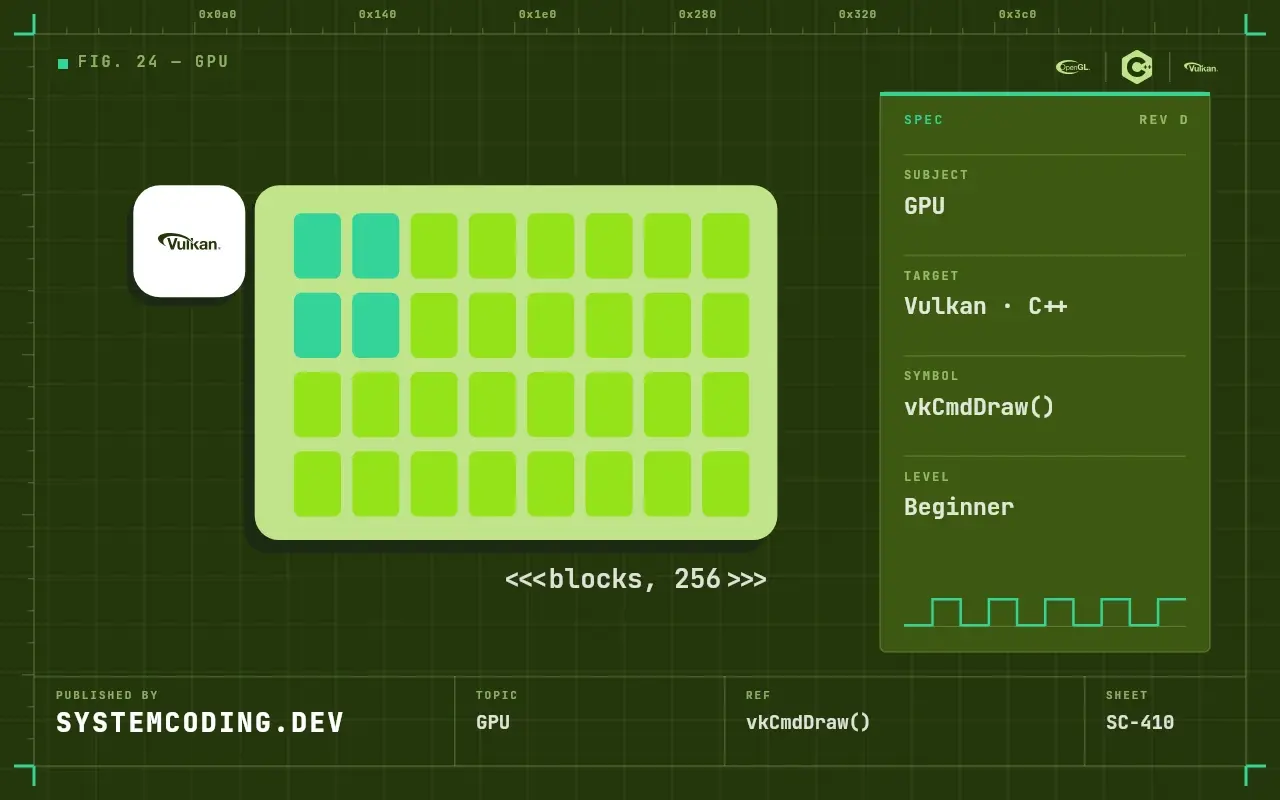
After the instance, the next question is which GPU to use. A laptop can have an integrated GPU and a discrete one, a workstation can have several, and a virtual machine can offer only a software renderer. Vulkan lists them all and leaves the choice to your program. This post enumerates the physical devices, reads their properties and features, ranks them, and then finds the queue families that decide what each GPU can actually do. It continues from the instance post and ends with the data the next step, creating the logical device, needs.
Physical device versus logical device
A VkPhysicalDevice is a handle to one GPU, and it is read-only. You cannot draw with it or allocate from it. You use it to ask questions: what is your name, what do you support, how much memory do you have, which queues do you offer. A VkDevice, the logical device, is what you create from a physical device when you have decided which features and queues you want, and it is the object that does the work.
The physical device handles belong to the instance, and you never destroy them. They are valid until the instance is destroyed.
Enumerate the devices
The listing uses the two-call pattern that every Vulkan enumeration follows:
#include <vulkan/vulkan.h>
#include <cstdio>
#include <stdexcept>
#include <vector>

std::vector<VkPhysicalDevice> list_devices(VkInstance instance) {
    uint32_t count = 0;
    vkEnumeratePhysicalDevices(instance, &count, nullptr);
    if (count == 0)
        throw std::runtime_error("no GPU with Vulkan support found");

    std::vector<VkPhysicalDevice> devices(count);
    vkEnumeratePhysicalDevices(instance, &count, devices.data());
    return devices;
}
A count of zero means no driver exposes a GPU to the loader, and the cause is the driver or the environment, as the installation post covers. Otherwise, you hold a vector of handles and can query each.
Read the properties
vkGetPhysicalDeviceProperties fills a struct with identity and limits:
void print_device(VkPhysicalDevice device) {
    VkPhysicalDeviceProperties props;
    vkGetPhysicalDeviceProperties(device, &props);

    const char* type = "other";
    switch (props.deviceType) {
        case VK_PHYSICAL_DEVICE_TYPE_DISCRETE_GPU:   type = "discrete";   break;
        case VK_PHYSICAL_DEVICE_TYPE_INTEGRATED_GPU: type = "integrated"; break;
        case VK_PHYSICAL_DEVICE_TYPE_VIRTUAL_GPU:    type = "virtual";    break;
        case VK_PHYSICAL_DEVICE_TYPE_CPU:            type = "cpu";        break;
        default: break;
    }

    std::printf("%s (%s), Vulkan %u.%u.%u, max 2D image %u\n",
        props.deviceName, type,
        VK_VERSION_MAJOR(props.apiVersion),
        VK_VERSION_MINOR(props.apiVersion),
        VK_VERSION_PATCH(props.apiVersion),
        props.limits.maxImageDimension2D);
}
On a laptop with two GPUs, the program prints one line per device. The names and limits depend on the hardware:
Intel(R) UHD Graphics 630 (integrated), Vulkan 1.3.268, max 2D image 16384
NVIDIA GeForce GTX 1650 (discrete), Vulkan 1.3.277, max 2D image 32768
Four fields do most of the work. deviceType separates discrete GPUs, which have their own fast memory and are usually the fastest, from integrated GPUs, which share system memory and use less power. apiVersion is the highest Vulkan version the device supports, which should be at least what you asked for in the instance. limits holds hundreds of numeric ceilings, such as the largest image and the number of descriptors. And deviceName is for display only, and no logic should depend on its text.
Check the features
Properties describe limits. Features describe optional capabilities you must opt into when creating the device, such as anisotropic filtering or geometry shaders. A device that lacks a feature you need is unsuitable. In Vulkan 1.3 the features are organized into per-version structs chained through pNext:
bool supports_required_features(VkPhysicalDevice device) {
    VkPhysicalDeviceVulkan13Features f13{};
    f13.sType = VK_STRUCTURE_TYPE_PHYSICAL_DEVICE_VULKAN_1_3_FEATURES;

    VkPhysicalDeviceFeatures2 features2{};
    features2.sType = VK_STRUCTURE_TYPE_PHYSICAL_DEVICE_FEATURES_2;
    features2.pNext = &f13;

    vkGetPhysicalDeviceFeatures2(device, &features2);

    return f13.dynamicRendering == VK_TRUE
        && f13.synchronization2 == VK_TRUE
        && features2.features.samplerAnisotropy == VK_TRUE;
}
vkGetPhysicalDeviceFeatures2 fills the whole chain, so one call fetches the core features and the 1.3 ones together. The check returns false if any requirement is missing, and the device is skipped. The same list of features must then be enabled when the logical device is created, because a supported feature is off until you ask for it.
Understand queue families
Work reaches the GPU through queues, and queues come in families. A family is a set of queues that support the same kinds of operations, stated as flags:
| Flag | Operations |
|---|---|
VK_QUEUE_GRAPHICS_BIT | Draw calls and graphics pipelines |
VK_QUEUE_COMPUTE_BIT | Compute dispatches |
VK_QUEUE_TRANSFER_BIT | Copies between buffers and images |
VK_QUEUE_SPARSE_BINDING_BIT | Sparse memory binding |
A graphics-capable family always supports compute and transfer as well, per the specification, even if it does not set the transfer bit explicitly. Many GPUs also expose families dedicated to compute or to transfer, which run independently of graphics and let you overlap, for example, a texture upload with drawing.
A separate fact, not a flag, is whether a family can present to a surface. Presentation support is asked per family and per surface, as described in the surface post. A graphics family that cannot present is rare on desktop and common on some embedded systems, which is why the code tracks the two answers separately.
Query the families
#include <optional>

struct QueueFamilyIndices {
    std::optional<uint32_t> graphics;
    std::optional<uint32_t> present;
    std::optional<uint32_t> compute;
    std::optional<uint32_t> transfer;

    bool complete() const { return graphics.has_value() && present.has_value(); }
};

QueueFamilyIndices find_queue_families(VkPhysicalDevice device, VkSurfaceKHR surface) {
    uint32_t count = 0;
    vkGetPhysicalDeviceQueueFamilyProperties(device, &count, nullptr);
    std::vector<VkQueueFamilyProperties> families(count);
    vkGetPhysicalDeviceQueueFamilyProperties(device, &count, families.data());

    QueueFamilyIndices out;
    for (uint32_t i = 0; i < count; ++i) {
        const VkQueueFlags flags = families[i].queueFlags;

        if ((flags & VK_QUEUE_GRAPHICS_BIT) && !out.graphics)
            out.graphics = i;

        VkBool32 can_present = VK_FALSE;
        vkGetPhysicalDeviceSurfaceSupportKHR(device, i, surface, &can_present);
        if (can_present && !out.present)
            out.present = i;

        // A compute family with no graphics bit is a dedicated compute queue.
        if ((flags & VK_QUEUE_COMPUTE_BIT) && !(flags & VK_QUEUE_GRAPHICS_BIT) && !out.compute)
            out.compute = i;

        // A transfer family with neither graphics nor compute is a DMA queue.
        if ((flags & VK_QUEUE_TRANSFER_BIT) &&
            !(flags & VK_QUEUE_GRAPHICS_BIT) && !(flags & VK_QUEUE_COMPUTE_BIT) && !out.transfer)
            out.transfer = i;
    }
    return out;
}
The function records the first suitable family for each role. Graphics and present are required, and compute and transfer are optional bonuses. A common arrangement on a desktop GPU is one family at index 0 with every capability, and separate families for dedicated compute and transfer. Printing a device's families shows its layout:
void print_families(VkPhysicalDevice device) {
    uint32_t count = 0;
    vkGetPhysicalDeviceQueueFamilyProperties(device, &count, nullptr);
    std::vector<VkQueueFamilyProperties> f(count);
    vkGetPhysicalDeviceQueueFamilyProperties(device, &count, f.data());

    for (uint32_t i = 0; i < count; ++i) {
        std::printf("family %u: %u queues,%s%s%s\n", i, f[i].queueCount,
            (f[i].queueFlags & VK_QUEUE_GRAPHICS_BIT) ? " graphics" : "",
            (f[i].queueFlags & VK_QUEUE_COMPUTE_BIT)  ? " compute"  : "",
            (f[i].queueFlags & VK_QUEUE_TRANSFER_BIT) ? " transfer" : "");
    }
}family 0: 16 queues, graphics compute transfer
family 1: 2 queues, transfer
family 2: 8 queues, compute transferThe numbers are an example of what a desktop GPU can report, and yours will differ. The queueCount is how many queues you may create in that family, which matters if you want several for separate threads.
Score and choose a device
Combine the checks into one function that returns a score, with zero meaning unsuitable. The ordering rule here prefers discrete GPUs and breaks ties by the largest image size as a rough capability measure:
#include <cstring>

bool supports_extension(VkPhysicalDevice device, const char* name) {
    uint32_t count = 0;
    vkEnumerateDeviceExtensionProperties(device, nullptr, &count, nullptr);
    std::vector<VkExtensionProperties> exts(count);
    vkEnumerateDeviceExtensionProperties(device, nullptr, &count, exts.data());
    for (const auto& e : exts)
        if (std::strcmp(e.extensionName, name) == 0) return true;
    return false;
}

uint64_t score_device(VkPhysicalDevice device, VkSurfaceKHR surface) {
    VkPhysicalDeviceProperties props;
    vkGetPhysicalDeviceProperties(device, &props);

    if (props.apiVersion < VK_API_VERSION_1_3) return 0;
    if (!supports_required_features(device)) return 0;
    if (!find_queue_families(device, surface).complete()) return 0;
    if (!supports_extension(device, VK_KHR_SWAPCHAIN_EXTENSION_NAME)) return 0;

    uint64_t score = props.limits.maxImageDimension2D;
    if (props.deviceType == VK_PHYSICAL_DEVICE_TYPE_DISCRETE_GPU) score += 1000000;
    else if (props.deviceType == VK_PHYSICAL_DEVICE_TYPE_INTEGRATED_GPU) score += 100000;
    return score;
}

VkPhysicalDevice pick_physical_device(VkInstance instance, VkSurfaceKHR surface) {
    VkPhysicalDevice best = VK_NULL_HANDLE;
    uint64_t best_score = 0;
    for (VkPhysicalDevice d : list_devices(instance)) {
        uint64_t s = score_device(d, surface);
        if (s > best_score) { best = d; best_score = s; }
    }
    if (best == VK_NULL_HANDLE)
        throw std::runtime_error("no suitable GPU: need Vulkan 1.3, swapchain and graphics+present queues");
    return best;
}
The swapchain check is a device extension check, listed per device with vkEnumerateDeviceExtensionProperties, and VK_KHR_swapchain is required to present anything. A device that fails any test scores 0 and is never picked. If no device scores above zero, the error message states the requirements, which turns a puzzling failure into an actionable one.
For the two-GPU laptop above, the discrete device wins by the type bonus and the program uses it:
selected: NVIDIA GeForce GTX 1650The right policy is a product decision. Prefer discrete for performance, prefer integrated to save battery, or let the user choose by name or index through a command-line option or a settings file. An environment override such as MYAPP_GPU=1 is a small addition that saves hours of support.
Remember what you chose
Store the physical device handle and the queue family indices. The next step, creating the logical device, needs the indices to request queues, and later code needs them again to create command pools, since a pool belongs to one family. Keep them together in a struct:
struct GpuSelection {
    VkPhysicalDevice device = VK_NULL_HANDLE;
    QueueFamilyIndices families;
};

GpuSelection select_gpu(VkInstance instance, VkSurfaceKHR surface) {
    GpuSelection sel;
    sel.device = pick_physical_device(instance, surface);
    sel.families = find_queue_families(sel.device, surface);
    return sel;
}
Mistakes that cost time
Choosing the first device in the list is the most common one, and it picks the integrated GPU on many laptops. Assuming the graphics and presentation families are the same index works on most desktops and fails elsewhere, so keep two indices. Checking for the swapchain extension on the instance instead of the device returns false for a good reason, since it is a device extension. Reading deviceName to detect vendors is fragile, and vendorID is the stable identifier. And requiring too much silently excludes users: a rule that demands a discrete GPU with a feature only half the market has will fail on integrated machines that could have run the program.
The structures and functions are in the Vulkan specification, Devices and Queues chapter.