What NUMA Is and Why Remote Memory Is Slower
NUMA gives each CPU socket its own local memory, so a core reads its own memory fastest and pays extra to reach another socket's. Learn why and how to see it.
On a laptop, every core sees memory as one flat pool, and any core reaches any byte in about the same time. On many servers that picture is false. A two-socket machine has two processors, each with memory modules wired directly to it, and a core on one socket reads its own socket's memory faster than the other socket's. The name for this design is NUMA, non-uniform memory access, and it matters the moment a program uses more than one socket. This post defines the terms, explains where the extra cost of remote memory comes from, and shows how to see the layout on Linux with a few lines of C. It is one part of the complete guide to memory bandwidth, NUMA and huge pages.
The uniform case and where it breaks
A machine with uniform memory access, UMA, puts all memory behind one controller that every core shares. That is simple, and it stops scaling: add more cores and they all queue at the same controller.
Modern server processors instead integrate the memory controller into each processor package. Each socket has its own controllers and its own memory modules attached. Memory capacity and bandwidth grow with every socket you add, because each socket brings its own. The price is that memory is no longer one pool at one distance. It is a set of pools, and which one you read from relative to the core running your code is now part of performance.
What a NUMA node is
The operating system groups cores and memory into NUMA nodes. A node is a set of CPUs plus the memory that is closest to them. On a two-socket server there are usually two nodes, one per socket, though a single socket can be split into several nodes, a topic covered in sub-NUMA clustering and AMD NPS modes. Memory in a core's own node is local memory. Memory in any other node is remote memory.
The processors are joined by a point-to-point interconnect: Intel's UPI on recent Xeon parts, AMD's Infinity Fabric on EPYC. A remote read leaves the core, crosses that link to the other socket, is served by that socket's memory controller, and returns the same way.
Why remote memory is slower
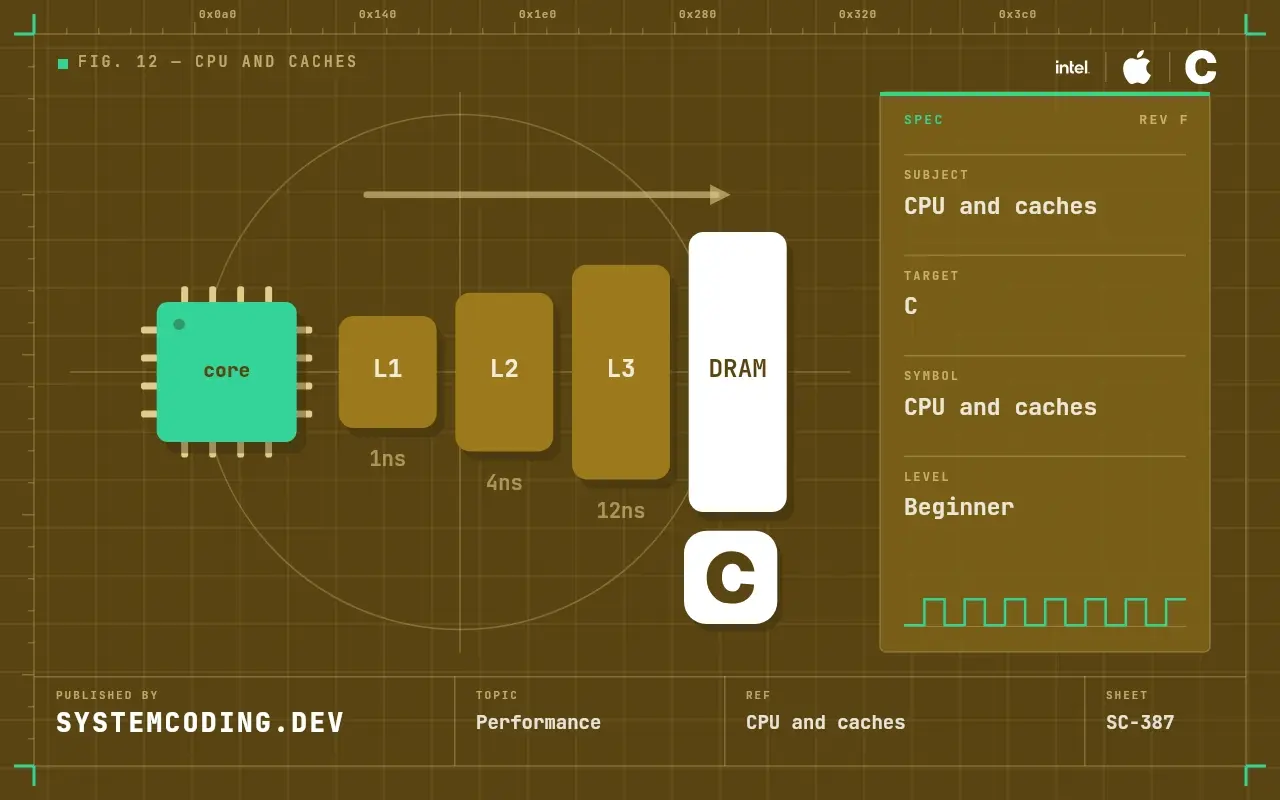
A local access travels from the core through its caches to its own memory controller and out to memory. A remote access takes that same trip plus two interconnect hops, one to reach the other socket and one to bring the data back, and it also passes through the remote socket's coherence machinery. Every extra hop adds time, so remote latency is higher than local latency. The interconnect also has a finite capacity shared by every remote access in the system, so heavy remote traffic lowers the bandwidth available to each core and raises latency further as the link fills.
The system exposes the relative cost as a distance matrix. The kernel documentation for NUMA hardware in the ACPI SLIT convention uses 10 for local access and larger numbers for farther nodes. These are relative figures reported by the firmware, not measured times. A value of 21 next to 10 means the firmware reports the remote node as a bit more than twice as far, and the real ratio on your hardware has to be measured.
See the nodes on a machine
Linux publishes the layout under /sys/devices/system/node/. Each nodeN directory holds a cpulist file and a distance file. This C program reads them, so it needs no extra library.
#include <stdio.h>
#include <string.h>

static void show(int node, const char *file) {
    char path[128];
    snprintf(path, sizeof path, "/sys/devices/system/node/node%d/%s", node, file);
    FILE *f = fopen(path, "r");
    if (!f) return;
    char line[256];
    if (fgets(line, sizeof line, f)) {
        line[strcspn(line, "\n")] = 0;
        printf("node%d %s: %s\n", node, file, line);
    }
    fclose(f);
}

int main(void) {
    for (int n = 0; n < 2; n++) {
        show(n, "cpulist");
        show(n, "distance");
    }
    return 0;
}
On a two-socket machine with 16 cores per socket and hyper-threading numbered as the kernel commonly does, the output looks like this. The CPU numbering and the distances come from the firmware, so yours will differ.
node0 cpulist: 0-15,32-47
node0 distance: 10 21
node1 cpulist: 16-31,48-63
node1 distance: 21 10
Read the distance line as a row of the matrix. Node 0 is at distance 10 from itself and 21 from node 1. On a laptop you will see one node and a single 10. The same information is printed by numactl --hardware, covered in the post on inspecting NUMA topology with numactl and lstopo.
Where memory lands by default
The kernel decides which node supplies a page when the page is first touched. With the default policy, the page comes from the node of the CPU that touched it, if that node has free memory. That policy is called local allocation, and the details of when it goes wrong are in first-touch page placement. The practical consequence for a beginner: a single-threaded program that initializes a large array on one node, then lets threads on the other node use it, makes every one of those threads pay the remote price.
The kernel's own description is in the NUMA memory policy documentation, which defines the default, bind, preferred and interleave policies.
A concrete picture
Imagine two threads, one on each socket, both reading from one array that lives entirely in node 0's memory. Thread A runs on node 0 and reads at local latency. Thread B runs on node 1, and every cache miss crosses the interconnect to node 0. The array is shared and the code is identical, yet B is slower, and a profile would show B stalling on loads while A does not. Nothing in the source distinguishes them. Only placement does.
Two rules of thumb follow. Keep a thread and the memory it uses on the same node. And when many threads on many nodes need the same data, either replicate it per node or spread it across nodes deliberately, so no single node's memory controller and interconnect link carry all of the traffic.
When NUMA does not matter
A single-socket desktop has one node, so there is nothing remote. A program with a small working set that fits in cache rarely reaches main memory, so placement hardly matters. Containers or virtual machines pinned to one node, and workloads that are compute-bound rather than memory-bound, also see little effect. NUMA matters most for large in-memory working sets, such as databases, caches and numerical codes, running across sockets.