What a Kernel Does: Processes, Memory, Devices and System Calls
A kernel schedules processes, manages memory, drives devices and exposes system calls, and everything else on a Linux machine sits on those four jobs.
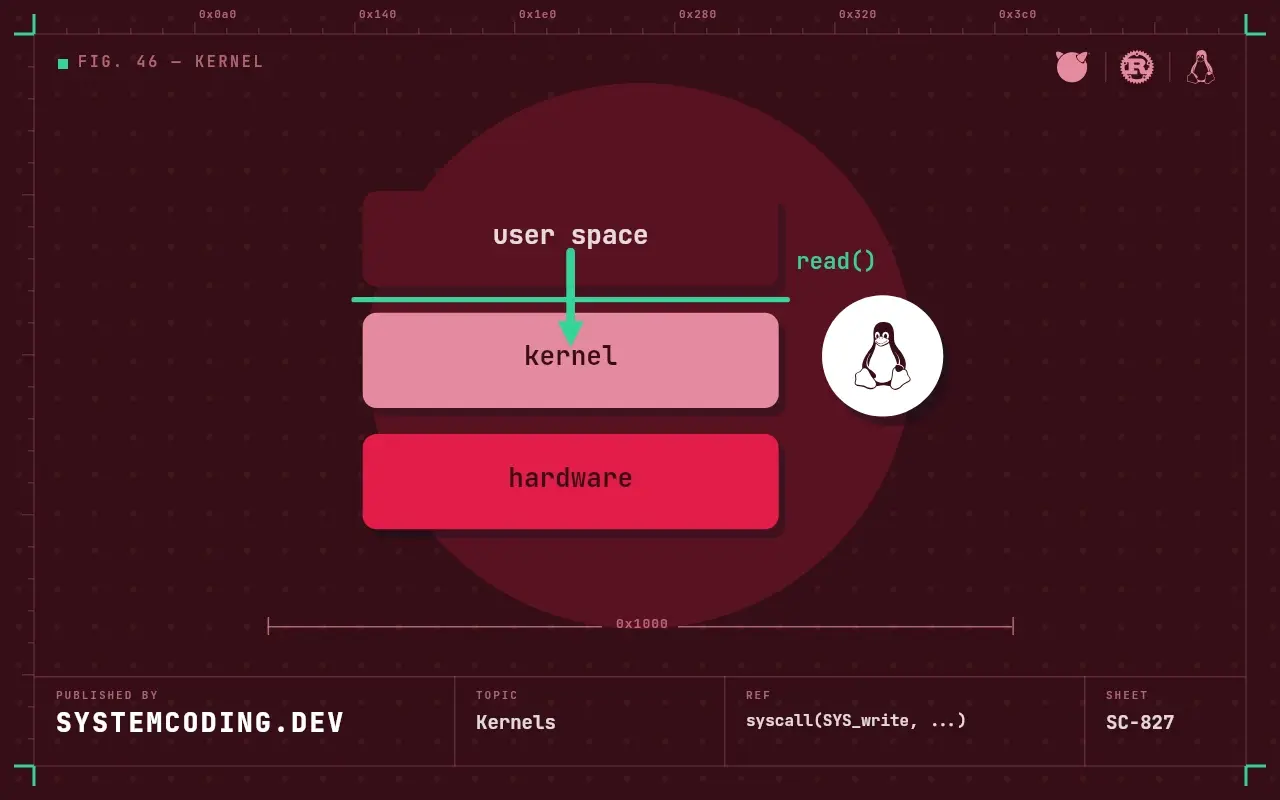
A kernel is the one program that owns the hardware
Every program you run believes it has the machine to itself. It reads a file, allocates a megabyte, prints a line, and never asks who else is using the disk or the CPU. That illusion is the kernel's work. The kernel is the single program that the processor trusts with direct control of hardware, and every other program asks it for what it needs.
This post covers the four jobs a kernel does, shows the narrowest possible view of the boundary with a few lines of C, and names what a kernel deliberately does not do. The examples use Linux 6.12 LTS on x86-64 with glibc 2.40, but the four jobs are the same on every general purpose kernel.
The four jobs
A kernel is easier to hold in your head as four responsibilities than as a pile of subsystems.
| Job | The problem it solves | Where it lives in Linux |
|---|---|---|
| Process management | Many programs, few CPU cores | kernel/sched/, kernel/fork.c |
| Memory management | Many programs, one pool of RAM | mm/ |
| Device access | Many kinds of hardware, one way to talk to them | drivers/, fs/ |
| System calls | A safe door for programs to ask for the above | kernel/sys.c, arch/x86/entry/ |
None of these is optional. Remove process management and you have one program at a time, like an old home computer. Remove memory management and any program can overwrite any other. Remove the device layer and every program carries its own disk driver. Remove system calls and programs have no way to ask for anything.
Process management
The CPU runs one instruction stream per core at a time. The kernel creates the appearance of many simultaneous programs by giving each runnable task a slice of time and switching between them. The part that decides who runs next is the scheduler. The part that records what a task is (its registers, its address space, its open files) is a structure the kernel keeps for every task. A process is a task with its own address space; a thread is a task that shares one.
Memory management
Physical RAM is a flat pool of page frames. Programs never see it directly. The kernel builds a private virtual address space for each process by filling in page tables that the CPU's memory management unit walks on every access. This gives isolation (process A cannot name an address that maps to process B's memory), flexibility (a file can be mapped as if it were memory), and over-commitment (the kernel can promise more memory than exists and sort it out when pages are touched).
Device access
A keyboard, an NVMe drive and a network card have nothing in common electrically. The kernel hides the difference behind a small set of abstractions: block devices, character devices, network interfaces, and the file system layer that puts a uniform name on most of it. A program that calls read() on a file does not know whether the bytes come from flash, a network mount or RAM.
System calls
A system call is the one controlled way into the kernel. The program loads a call number and arguments into registers, executes a special instruction (syscall on x86-64), and the processor switches to a higher privilege level and jumps to a fixed entry point that the kernel chose at boot. The kernel checks the arguments, does the work, and returns.
See the boundary with a small C program
The next program makes two system calls directly, without going through the usual printf machinery. It asks the kernel for its process ID and then asks it to write a line to standard output.
#define _GNU_SOURCE
#include <sys/syscall.h>
#include <unistd.h>
#include <string.h>

int main(void)
{
    long pid = syscall(SYS_getpid);

    char msg[] = "hello from the user side of the boundary\n";
    syscall(SYS_write, 1, msg, strlen(msg));

    return pid > 0 ? 0 : 1;
}
Compile it with GCC 14 and run it:
gcc -Wall -o whoami whoami.c
./whoami
echo "exit status: $?"hello from the user side of the boundary
exit status: 0The syscall() function in glibc is a thin wrapper that loads the call number into rax, the arguments into rdi, rsi and rdx, and executes the syscall instruction. Everything the kernel does for this program happens between those instructions: it validates file descriptor 1, copies the bytes out of the user buffer, hands them to whatever is attached to descriptor 1 (a terminal driver here), and returns the byte count.
To watch the calls, run the program under strace:
strace -e trace=getpid,write ./whoamigetpid() = 4127
write(1, "hello from the user side of the b"..., 41hello from the user side of the boundary
) = 41
+++ exited with 0 +++The process ID will differ on your machine. The shape will not: two calls, one return value each.
What the kernel does not do
Knowing the edge of the kernel matters as much as knowing its middle. Linux, like most general purpose kernels, leaves these to user space:
Formatting text.
printfis a library function that builds a string and then callswrite.Memory allocation policy for small objects.
mallocmanages heap arenas in user space and only asks the kernel for large regions throughbrkormmap.Window systems, shells, package managers and service managers. Init is the first user program the kernel starts, but the kernel does not know what it is.
Most protocol logic above the transport layer. HTTP is a user-space concern; TCP is not.
Keeping the kernel small in what it decides, while large in what it protects, is a design choice with a cost. Every line in the kernel runs with full privilege, so a bug there is a security bug. The kernel documentation on the development process is blunt about how much review that code gets for that reason.
Why the split exists
The kernel is not a library because a library runs with the caller's privileges. If a program could call into "the kernel" as an ordinary function, it could also skip the checks. The processor enforces the split in hardware: user code runs at a privilege level that cannot execute privileged instructions or touch kernel pages, and the only way up is through an entry point the kernel controls. The next post in the ladder covers that boundary in more detail.
Common beginner confusions
A few mistakes come up repeatedly when people first learn this.
The kernel is not a process. Processes are what the kernel manages. The kernel itself has no main, no PID of its own, and does not appear in ps as a program, though kernel threads (names in square brackets like [kworker/0:1]) are tasks the kernel creates to do its own background work.
A system call is not a function call. It looks like one in C because the C library hides the trap, but it costs more than a normal call, because the processor changes privilege level and the kernel does its own checking before and after.
The shell is not the kernel. Typing ls starts a user program through fork and execve. The kernel provides those two calls and runs the result.
A day in the life of one request
Follow a single action to see the four jobs cooperate. You press a key in a terminal emulator that is waiting for input. A keyboard interrupt arrives at the processor, and the device layer's handler reads the scancode and passes it up to the input subsystem. The terminal emulator process was asleep in a read() call; the scheduler marks it runnable. When its turn comes, the kernel returns from the system call with the character in the buffer. Memory management was involved too, because the buffer the kernel copied into belongs to the process's private address space, and the page holding it had to be present.
That chain touches interrupts, devices, scheduling, memory and a system call return, all for one keystroke. It is why a kernel is large: each job has to cooperate with the others without letting a bug in one corrupt the rest.


