The Complete Guide to Win32 Systems Programming in C
Learn Win32 from scratch in C: handles, files, processes, threads, synchronization, memory, pipes, DLLs, windows and error handling, with code for each.
Win32 is the programming interface that Windows applications use to ask the operating system for things. Opening a file, starting a process, creating a thread, allocating memory, drawing a window: each is a function call into a set of system libraries that has kept its shape since Windows NT in the 1990s. Despite the name, the same interface covers 64-bit Windows, and nearly every higher layer, including the C runtime, the .NET runtime, Python and Rust's standard library, is built on top of it. Learning Win32 in C shows what those layers do for you and what they cost, and it is the direct route to anything the layers do not expose.
This guide is for programmers who know C but have only written programs for Linux or macOS, or only for the C standard library. It starts from a console program that prints a line, then builds up through files, processes, threads, synchronization, memory, pipes, DLLs and a window with a message loop, and it ends with the rules that keep Win32 code correct: Unicode, error handling, path limits and handle leaks. Every section has code, and every listing is complete enough to build.
The examples use the Windows 11 SDK (version 10.0.26100) with Microsoft Visual C++ from Visual Studio 2022 (MSVC 19.4) targeting x64, and the command-line cl compiler from a "x64 Native Tools Command Prompt". They also build with MinGW-w64 GCC 14 with minor changes noted where they matter. The reference for every function is the Windows API documentation on Microsoft Learn, which gives the header, the library to link, the minimum Windows version and the full list of error codes.
What Win32 actually is
Win32 is a collection of functions exported from DLLs. The most important are kernel32.dll, which has process, thread, file, memory and synchronization functions, user32.dll, which has windows, messages and input, gdi32.dll, which draws, and advapi32.dll, which has the registry and security functions. Your program calls them through import libraries such as kernel32.lib, and the loader connects the calls at startup, the same way a Linux program is connected to libc.so.
Below Win32 sits the native API in ntdll.dll, a thinner and less documented layer whose functions have names like NtCreateFile. Win32 functions call it, and it makes the actual transitions into the kernel. Microsoft documents Win32 as the stable interface and describes the native API as something that may change, so ordinary programs use Win32 only.
Two things surprise people coming from POSIX. First, there is no single "everything is a file descriptor" model. Windows has many kinds of kernel objects: files, processes, threads, events, mutexes, pipes, timers. All of them are referred to by a handle, but each kind has its own creation function and its own operations, and only some are waitable or readable. Second, Win32 is not just a system-call layer. Much of it is a large, tangled library of user interface functions with decades of history, and a program that only needs files and threads can ignore all of that.
Setting up
You need a C compiler and the Windows SDK headers. The easiest route is Visual Studio 2022 with the "Desktop development with C++" workload, which installs the compiler and the SDK. Open "x64 Native Tools Command Prompt for VS 2022", which sets up the environment variables so that cl and the SDK are found.
A first check:
clMicrosoft (R) C/C++ Optimizing Compiler Version 19.40.33811 for x64
Copyright (C) Microsoft Corporation. All rights reserved.
usage: cl [ option... ] filename... [ /link linkoption... ]The version number depends on the Visual Studio update you have installed. All programs below include <windows.h>, which pulls in the basic declarations, and are compiled with cl /nologo /W4 file.c. The /W4 flag turns on a high warning level, which catches many mistakes early.
If you use MinGW-w64 instead, install it through MSYS2 and build with gcc -Wall -o file.exe file.c, adding -mwindows for programs that open windows and -luser32 or similar for libraries. The Win32 functions are the same.
Types, names and conventions
Win32 code looks unfamiliar mostly because of its type names. Learn these first.
| Type | Meaning |
|---|---|
BOOL | An int. Nonzero is true, zero is false. Not the C23 bool |
BYTE, WORD, DWORD | 8, 16 and 32-bit unsigned integers |
DWORD64, UINT64 | 64-bit unsigned |
LPVOID, PVOID | void *. The prefix LP means "long pointer", a relic of 16-bit Windows, and is the same as P today |
LPCSTR and LPCWSTR | const char * and const wchar_t * |
HANDLE | An opaque pointer-sized value that names a kernel object |
HWND, HINSTANCE, HMODULE | Handles to a window, an executable image and a loaded module |
WPARAM, LPARAM, LRESULT | Pointer-sized values used for window messages |
Names follow a pattern too. Functions are VerbNoun in mixed case: CreateFileW, WaitForSingleObject, GetLastError. Many have two versions that differ by a final letter: A for the ANSI version that takes char strings, and W for the wide version that takes wchar_t. The plain name, such as CreateFile, is a macro that selects one depending on whether UNICODE is defined. You should write the W name explicitly and use wide strings. More on that shortly.
Functions are declared with the calling convention WINAPI, which on x64 is simply the single Windows x64 convention and on 32-bit x86 is __stdcall. Callbacks that Windows will call, such as a thread start routine, must also be declared WINAPI (or CALLBACK) so that the convention matches. On x64 the keyword does nothing, but write it anyway so the code builds for 32-bit.
Variables traditionally use Hungarian prefixes, such as hFile for a handle, dw for a DWORD and sz for a zero-terminated string. You do not have to follow that style, and this guide does not.
Unicode: use the wide functions
Windows stores text internally as UTF-16, in wchar_t units that are 16 bits on Windows. An A function takes a char string in the current code page, converts it to UTF-16, calls the W function, and converts results back. That is slow, and it loses characters that the code page cannot represent. A file named with Greek letters cannot be opened by a program that passes it as char * in a Western European code page.
The rule for new code: define UNICODE and _UNICODE before including headers (or pass /DUNICODE /D_UNICODE), call W functions directly, write string literals with an L prefix, and use wmain as the entry point so the command line arrives as wide strings.
#include <windows.h>

int wmain(int argc, wchar_t **argv)
{
    HANDLE out = GetStdHandle(STD_OUTPUT_HANDLE);
    DWORD written;
    for (int i = 0; i < argc; i++) {
        WriteConsoleW(out, argv[i], (DWORD)lstrlenW(argv[i]), &written, NULL);
        WriteConsoleW(out, L"\r\n", 2, &written, NULL);
    }
    return 0;
}cl /nologo /W4 /DUNICODE /D_UNICODE args.c
args.exe one twoargs.exe
one
twoGetStdHandle(STD_OUTPUT_HANDLE) returns the handle of standard output, and WriteConsoleW writes wide text to a console. Note that WriteConsoleW works only when the handle is a console. If the output is redirected to a file or a pipe, it fails, and WriteFile is the correct call. Programs that must work in both cases check with GetConsoleMode first, which fails on a non-console handle, and fall back to WriteFile with the text converted to UTF-8.
Windows 10 version 1903 and later can also run a program with the UTF-8 active code page by setting it in the application manifest, which makes the A functions accept UTF-8. This is a convenience for porting code written for POSIX, and the wide functions remain the more direct choice.
Your first program: standard output with WriteFile
The simplest useful program writes a line using only kernel32.
#include <windows.h>

int main(void)
{
    HANDLE out = GetStdHandle(STD_OUTPUT_HANDLE);
    const char msg[] = "Hello from Win32\r\n";
    DWORD written = 0;

    if (out == INVALID_HANDLE_VALUE || out == NULL)
        return 1;
    if (!WriteFile(out, msg, (DWORD)(sizeof msg - 1), &written, NULL))
        return 2;
    return 0;
}cl /nologo /W4 hello.c
hello.exehello.c
Hello from Win32The first line is the compiler echoing the file name; the second is the program. This program uses no C runtime functions beyond the startup code, and it shows the pattern of nearly every Win32 call: get or create a handle, call a function with it, check the result, and when you own the handle, close it. The carriage return plus line feed pair is the Windows line ending, which matters for console output and for text files read by Windows tools.
Notice the check on the handle. GetStdHandle returns INVALID_HANDLE_VALUE on error, which is (HANDLE)-1, but it can also return NULL when the process has no standard output at all, as happens in a program started with the GUI subsystem. Handles are checked inconsistently across the API, and that is the most useful fact in this guide: **some functions return NULL on failure and some return INVALID_HANDLE_VALUE**. CreateFile returns INVALID_HANDLE_VALUE. CreateThread, CreateEvent, CreateMutex and CreateProcess's handles use NULL. The documentation for each function says which.
Errors: GetLastError and FormatMessage
Win32 does not use errno. A function reports failure through its return value, with a function-specific convention, and the reason is stored in a per-thread value that you read with GetLastError. The number is a Win32 error code, such as 2 for ERROR_FILE_NOT_FOUND, 5 for ERROR_ACCESS_DENIED and 87 for ERROR_INVALID_PARAMETER.
Two rules apply. Read GetLastError immediately after the failing call, because the next API call can overwrite it, even one that succeeds. And only read it when the function actually failed, because on success the value is unspecified for most functions.
A helper that turns the code into text is worth writing once:
#include <windows.h>
#include <stdio.h>

static void report(const wchar_t *what, DWORD code)
{
    wchar_t *text = NULL;
    FormatMessageW(FORMAT_MESSAGE_ALLOCATE_BUFFER |
                   FORMAT_MESSAGE_FROM_SYSTEM |
                   FORMAT_MESSAGE_IGNORE_INSERTS,
                   NULL, code, 0, (LPWSTR)&text, 0, NULL);
    fwprintf(stderr, L"%ls failed: %lu %ls", what, code,
             text ? text : L"(no message)\n");
    LocalFree(text);
}

int wmain(void)
{
    HANDLE h = CreateFileW(L"does-not-exist.txt", GENERIC_READ, FILE_SHARE_READ,
                           NULL, OPEN_EXISTING, FILE_ATTRIBUTE_NORMAL, NULL);
    if (h == INVALID_HANDLE_VALUE) {
        report(L"CreateFile", GetLastError());
        return 1;
    }
    CloseHandle(h);
    return 0;
}cl /nologo /W4 /DUNICODE /D_UNICODE errors.c
errors.exeerrors.c
CreateFile failed: 2 The system cannot find the file specified.FormatMessageW with FORMAT_MESSAGE_ALLOCATE_BUFFER allocates the message text, which you free with LocalFree. The message comes back with a trailing newline, which is why the format string above does not add one.
Some newer APIs return an HRESULT instead, a 32-bit value whose high bit means failure, and the macros SUCCEEDED(hr) and FAILED(hr) test it. COM and many shell functions work this way. You will meet both styles.
Handles and kernel objects
A handle is a small integer-like value that your process uses to refer to an object the kernel owns. The kernel keeps a handle table per process, and the value you hold is an index into it. This is the same idea as a POSIX file descriptor, generalized to many object types.
The lifecycle is always the same. A creation or open function returns a handle. You pass it to operations. When you are finished you call CloseHandle, which drops your reference. The kernel destroys the object when the last reference, from any process, is gone. Forgetting to close is a leak: the handle table grows, the object stays alive, and a file stays locked or a process stays in the process list as a zombie. Task Manager's Handles column shows a leak growing.
Handles are per process. A handle value means nothing in another process. To give one to a child, either create it inheritable (bInheritHandle = TRUE in a SECURITY_ATTRIBUTES structure) and start the child with bInheritHandles = TRUE, or duplicate it into the other process with DuplicateHandle. Named objects, such as a named mutex or event, are found by name from any process through the Open... functions, which is the other way to share.
A handle also carries access rights, fixed when you open it. Opening a file with GENERIC_READ and then trying to write fails with ERROR_ACCESS_DENIED. Ask for the minimum rights you need.
Files
File I/O is the first area where Win32 and POSIX differ in detail. CreateFileW is the single function that opens or creates files, and also opens devices, pipes and the console. Its arguments say how:
HANDLE CreateFileW(
    LPCWSTR path,
    DWORD   access,        // GENERIC_READ, GENERIC_WRITE
    DWORD   share_mode,    // what others may do while it is open
    LPSECURITY_ATTRIBUTES security,
    DWORD   disposition,   // CREATE_NEW, CREATE_ALWAYS, OPEN_EXISTING, OPEN_ALWAYS, TRUNCATE_EXISTING
    DWORD   flags,         // FILE_ATTRIBUTE_NORMAL, FILE_FLAG_OVERLAPPED, ...
    HANDLE  template_file);
The share mode has no direct POSIX equivalent. By default Windows files are opened exclusively with respect to writes: if you open a file with no sharing, any other process that tries to open it gets ERROR_SHARING_VIOLATION. That is why you cannot delete or replace a file that another program has open. Pass FILE_SHARE_READ to let others read while you read, and FILE_SHARE_DELETE to let others delete or rename it, which makes Windows behave more like Unix.
Here is a complete file copy:
#include <windows.h>
#include <stdio.h>

int wmain(int argc, wchar_t **argv)
{
    if (argc != 3) {
        fwprintf(stderr, L"usage: copy SRC DST\n");
        return 2;
    }

    HANDLE in = CreateFileW(argv[1], GENERIC_READ, FILE_SHARE_READ, NULL,
                            OPEN_EXISTING, FILE_ATTRIBUTE_NORMAL, NULL);
    if (in == INVALID_HANDLE_VALUE) {
        fwprintf(stderr, L"open source failed: %lu\n", GetLastError());
        return 1;
    }

    HANDLE out = CreateFileW(argv[2], GENERIC_WRITE, 0, NULL,
                             CREATE_ALWAYS, FILE_ATTRIBUTE_NORMAL, NULL);
    if (out == INVALID_HANDLE_VALUE) {
        fwprintf(stderr, L"open destination failed: %lu\n", GetLastError());
        CloseHandle(in);
        return 1;
    }

    static BYTE buf[64 * 1024];
    unsigned long long total = 0;
    DWORD got, put;

    while (ReadFile(in, buf, sizeof buf, &got, NULL) && got > 0) {
        if (!WriteFile(out, buf, got, &put, NULL) || put != got) {
            fwprintf(stderr, L"write failed: %lu\n", GetLastError());
            CloseHandle(in);
            CloseHandle(out);
            return 1;
        }
        total += got;
    }

    CloseHandle(in);
    CloseHandle(out);
    wprintf(L"copied %llu bytes\n", total);
    return 0;
}cl /nologo /W4 /DUNICODE /D_UNICODE copy.c
echo hello > a.txt
copy.exe a.txt b.txtcopied 8 bytesThe count is 8 because echo hello in the Windows shell writes the five letters, a space, a carriage return and a line feed. ReadFile returns true with got == 0 at end of file, and that is how the loop ends. A failed read returns false and the loop also ends, which this simple version does not distinguish. A production tool checks GetLastError after the loop to tell the two apart.
Other file operations follow the same pattern: SetFilePointerEx moves the position, GetFileSizeEx returns a 64-bit size, FlushFileBuffers forces data to disk, DeleteFileW and MoveFileExW remove and rename, and CreateDirectoryW makes a directory. Enumerating a directory uses FindFirstFileW, FindNextFileW and FindClose.
#include <windows.h>
#include <stdio.h>

int wmain(void)
{
    WIN32_FIND_DATAW fd;
    HANDLE find = FindFirstFileW(L"*", &fd);
    if (find == INVALID_HANDLE_VALUE) {
        fwprintf(stderr, L"FindFirstFile failed: %lu\n", GetLastError());
        return 1;
    }
    do {
        ULARGE_INTEGER size;
        size.LowPart = fd.nFileSizeLow;
        size.HighPart = fd.nFileSizeHigh;
        wprintf(L"%10llu  %ls%ls\n", size.QuadPart, fd.cFileName,
                (fd.dwFileAttributes & FILE_ATTRIBUTE_DIRECTORY) ? L"/" : L"");
    } while (FindNextFileW(find, &fd));
    FindClose(find);
    return 0;
}
The size arrives as two 32-bit halves, joined here through ULARGE_INTEGER. FindClose is not CloseHandle: the handle returned by FindFirstFile is a different kind and has its own close function. Using the wrong one is a common mistake that the compiler cannot catch.
Path rules
Windows has a few path habits worth knowing. Both / and the backslash separate components, though the backslash is the native one. Paths are case-insensitive but case-preserving on most volumes. A drive letter such as C: names a volume, and a path with no drive is relative to the current directory of the current drive.
The historic limit is MAX_PATH, which is 260 characters. Many functions fail for longer paths. The way around it is the extended-length prefix, which tells Windows to skip its path normalization and accept up to about 32,000 characters:
const wchar_t *long_path = L"\\\\?\\C:\\very\\deep\\directory\\file.txt";In source code each backslash is doubled, so that literal is the prefix, then the drive path. The prefix paths must be absolute and use only backslashes. Windows 10 version 1607 and later can lift the limit for ordinary paths too, if the machine enables the long paths policy and the program's manifest declares longPathAware.
Processes
CreateProcessW starts a new program. It takes more arguments than fork and exec together, because Windows has no separate fork step: a process is created already running a given image.
#include <windows.h>
#include <stdio.h>

int wmain(void)
{
    wchar_t cmd[] = L"cmd.exe /c echo child says hi";

    STARTUPINFOW si = { sizeof si };
    PROCESS_INFORMATION pi = { 0 };

    if (!CreateProcessW(NULL, cmd, NULL, NULL, FALSE, 0, NULL, NULL, &si, &pi)) {
        fwprintf(stderr, L"CreateProcess failed: %lu\n", GetLastError());
        return 1;
    }

    WaitForSingleObject(pi.hProcess, INFINITE);

    DWORD code = 0;
    GetExitCodeProcess(pi.hProcess, &code);
    wprintf(L"child exited with %lu\n", code);

    CloseHandle(pi.hThread);
    CloseHandle(pi.hProcess);
    return 0;
}cl /nologo /W4 /DUNICODE /D_UNICODE spawn.c
spawn.exechild says hi
child exited with 0Three details deserve a sentence each. The command line argument, cmd, must be a modifiable buffer: CreateProcessW may write into it, and passing a string literal crashes or corrupts memory, which is why cmd is declared as an array. Passing NULL for the application name makes Windows parse the first token of the command line as the program, searching the usual directories. And the call returns two handles, pi.hProcess and pi.hThread, and the program owns both, so both must be closed or they leak.
WaitForSingleObject on a process handle blocks until the process ends. The process handle becomes signaled when the process exits, which is the same mechanism every waitable kernel object uses, and the subject of the synchronization section below.
Threads
A thread is created with CreateThread, which takes a start routine, an argument, and flags.
#include <windows.h>
#include <stdio.h>

#define THREADS 4
#define LOOPS   100000

static volatile LONG counter;

static DWORD WINAPI worker(LPVOID arg)
{
    (void)arg;
    for (int i = 0; i < LOOPS; i++)
        InterlockedIncrement(&counter);
    return 0;
}

int wmain(void)
{
    HANDLE th[THREADS];

    for (int i = 0; i < THREADS; i++) {
        th[i] = CreateThread(NULL, 0, worker, NULL, 0, NULL);
        if (th[i] == NULL) {
            fwprintf(stderr, L"CreateThread failed: %lu\n", GetLastError());
            return 1;
        }
    }

    WaitForMultipleObjects(THREADS, th, TRUE, INFINITE);

    for (int i = 0; i < THREADS; i++)
        CloseHandle(th[i]);

    wprintf(L"counter = %ld\n", counter);
    return 0;
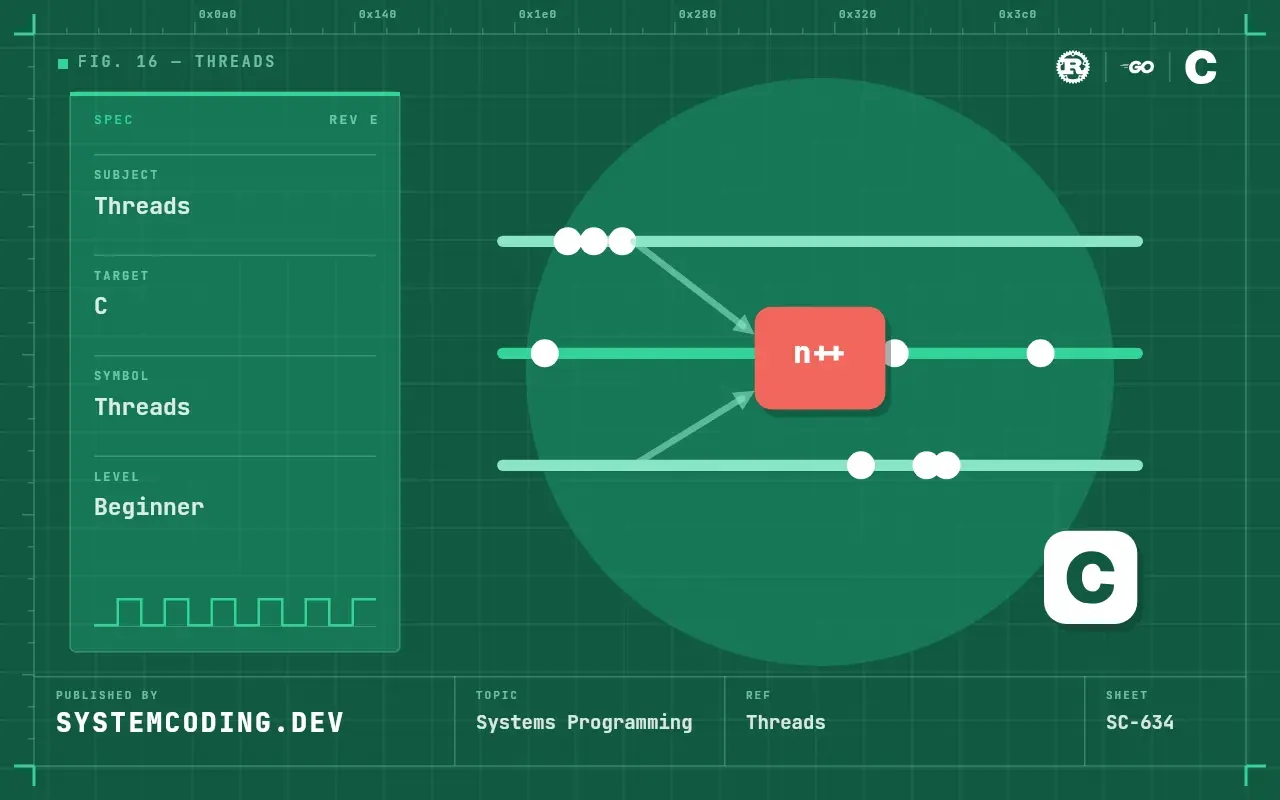
}counter = 400000Each thread adds 100,000, and InterlockedIncrement makes each addition atomic, so four threads reach exactly 400,000. If you replace it with counter++, the result is lower and different on every run, because two threads can read the same value and both write back the same increment. The start routine must have the exact signature DWORD WINAPI f(LPVOID). WaitForMultipleObjects with TRUE waits for all the handles. As with processes, the thread handles must be closed.
One caveat: if the thread function calls C runtime functions, such as printf or malloc, with the static runtime, then CreateThread can leave per-thread runtime state uninitialized and leak a small block. The CRT-aware function is _beginthreadex, in <process.h>, which has a slightly different signature. With the dynamic runtime in modern Visual Studio the difference is mostly gone, but _beginthreadex remains the safe choice for threads that use the C library. A post on this site covers the difference in full.
Waiting and synchronization
Every kernel object that can be waited on has two states, signaled and non-signaled. A process becomes signaled when it exits, a thread when it ends, a file change notification when something changes, an event when someone sets it. The functions WaitForSingleObject and WaitForMultipleObjects block until an object is signaled or a timeout expires. They return a code: WAIT_OBJECT_0 for success, WAIT_TIMEOUT if the time ran out, WAIT_FAILED on error, and WAIT_ABANDONED for a mutex whose owner died.
The main synchronization objects:
| Object | Create | Use |
|---|---|---|
| Event | CreateEventW | One thread signals, others wait. Manual-reset stays signaled; auto-reset wakes one waiter |
| Mutex | CreateMutexW | Mutual exclusion that works across processes and by name |
| Semaphore | CreateSemaphoreW | A counter that limits concurrent access |
| Waitable timer | CreateWaitableTimerW | Signals at a time or interval |
| Critical section | InitializeCriticalSection | Fast mutual exclusion within one process. Not a kernel object, no handle |
| SRW lock | InitializeSRWLock | Light reader-writer lock, within one process |
The critical section is what you use most within a single process, because it avoids a kernel transition when there is no contention:
CRITICAL_SECTION lock;
InitializeCriticalSection(&lock);

EnterCriticalSection(&lock);
/* touch shared data */
LeaveCriticalSection(&lock);

DeleteCriticalSection(&lock);
An event is the building block for "wait until something happens":
#include <windows.h>
#include <stdio.h>

static HANDLE ready;
static int shared_value;

static DWORD WINAPI producer(LPVOID arg)
{
    (void)arg;
    Sleep(100);
    shared_value = 42;
    SetEvent(ready);
    return 0;
}

int wmain(void)
{
    ready = CreateEventW(NULL, TRUE, FALSE, NULL);   /* manual-reset, initially off */
    HANDLE t = CreateThread(NULL, 0, producer, NULL, 0, NULL);
    if (!ready || !t)
        return 1;

    DWORD r = WaitForSingleObject(ready, 2000);
    if (r == WAIT_OBJECT_0)
        wprintf(L"value = %d\n", shared_value);
    else if (r == WAIT_TIMEOUT)
        wprintf(L"timed out\n");

    WaitForSingleObject(t, INFINITE);
    CloseHandle(t);
    CloseHandle(ready);
    return 0;
}value = 42SetEvent also acts as a memory barrier, so the write to shared_value before it is visible to the waiter after WaitForSingleObject returns. A waiting thread uses no CPU. The wait with a timeout of 2,000 milliseconds returns WAIT_TIMEOUT if the producer never signals, and every real wait should have a timeout or a deliberate reason for INFINITE.
The interlocked functions, InterlockedIncrement, InterlockedCompareExchange and friends, provide atomic operations on integers without any lock. They are the right tool for counters and for building lock-free structures.
Memory
There are three levels of memory API, and knowing which to use avoids confusion.
The C runtime gives you malloc and free, which are built on top of the Win32 heap functions. For most code, use them.
The heap API is HeapCreate, HeapAlloc, HeapFree and the default process heap from GetProcessHeap(). It is a general-purpose allocator and useful when you want a separate heap that you can destroy in one call, or when you do not link the C runtime.
The virtual memory API works in pages. VirtualAlloc reserves and commits address space, VirtualProtect changes its protection, and VirtualFree releases it. This is the primitive under everything else, and the right tool for large buffers, guard pages and executable memory.
#include <windows.h>
#include <stdio.h>

int wmain(void)
{
    SYSTEM_INFO si;
    GetSystemInfo(&si);
    wprintf(L"page size: %lu\n", si.dwPageSize);

    SIZE_T size = 1 << 20;
    char *p = VirtualAlloc(NULL, size, MEM_RESERVE | MEM_COMMIT, PAGE_READWRITE);
    if (!p) {
        fwprintf(stderr, L"VirtualAlloc failed: %lu\n", GetLastError());
        return 1;
    }

    p[0] = 'x';
    p[size - 1] = 'y';
    wprintf(L"first=%c last=%c\n", p[0], p[size - 1]);

    VirtualFree(p, 0, MEM_RELEASE);
    return 0;
}page size: 4096
first=x last=yMEM_RESERVE claims addresses and MEM_COMMIT backs them with memory the system can page; you can reserve a large range and commit pieces of it as needed, which is how stacks and some arenas grow. VirtualFree with MEM_RELEASE requires a size of 0 and the base address returned by VirtualAlloc.
Memory-mapped files let you treat a file as an array in memory: CreateFileMappingW creates a mapping object from a file handle, and MapViewOfFile maps part of it into the address space. With no file, using INVALID_HANDLE_VALUE, the same pair creates shared memory between processes when the mapping is named. The shared memory post on this site covers the pattern.
Pipes and inter-process communication
Windows offers several ways for processes to talk. Anonymous pipes, made with CreatePipe, are used to capture a child's output: create a pipe, make the write end inheritable, give it to the child as its standard output, and read from the other end in the parent. Named pipes, CreateNamedPipeW and ConnectNamedPipe, are two-way, can cross a network, and are what Windows services commonly use for local IPC. Shared memory with a named file mapping is the fastest for bulk data. Sockets through Winsock work for network and loopback. Windows messages exist, but only for processes with windows.
The decision is the usual one. For a child's output, use an anonymous pipe. For a conversation between two cooperating programs, use a named pipe. For large data, use shared memory plus an event to signal. For anything that might leave the machine, use sockets.
DLLs
A DLL is Windows's shared library. A program uses one either by linking against its import library at build time, or by loading it at run time with LoadLibraryExW and calling GetProcAddress. Exports are declared with __declspec(dllexport) or a .def file.
#include <windows.h>

__declspec(dllexport) int add_ints(int a, int b)
{
    return a + b;
}

BOOL WINAPI DllMain(HINSTANCE inst, DWORD reason, LPVOID reserved)
{
    (void)inst; (void)reason; (void)reserved;
    return TRUE;
}cl /nologo /LD mathlib.c
dumpbin /exports mathlib.dll ordinal hint RVA name
1 0 00001000 add_ints/LD builds a DLL, and dumpbin /exports lists what it exports. A program linked against mathlib.lib calls add_ints as if it were local, and the loader maps mathlib.dll at startup from the application directory or the system directories. Keep DllMain trivial: it runs while the loader holds a lock, and calling most functions from it can deadlock. Loading DLLs by path at run time, and the search-order security issues, have their own post on this site.
A window and the message loop
A program with a graphical interface is organized around messages. The system keeps a queue of events for each thread that owns windows: key presses, mouse clicks, a request to repaint. Your program runs a loop that pulls messages from the queue and dispatches each to the window procedure of the window it belongs to.
#include <windows.h>

static LRESULT CALLBACK WndProc(HWND hwnd, UINT msg, WPARAM wp, LPARAM lp)
{
    switch (msg) {
    case WM_PAINT: {
        PAINTSTRUCT ps;
        HDC dc = BeginPaint(hwnd, &ps);
        const wchar_t text[] = L"Hello, Win32 window";
        TextOutW(dc, 20, 20, text, (int)(sizeof text / sizeof text[0] - 1));
        EndPaint(hwnd, &ps);
        return 0;
    }
    case WM_DESTROY:
        PostQuitMessage(0);
        return 0;
    }
    return DefWindowProcW(hwnd, msg, wp, lp);
}

int WINAPI wWinMain(HINSTANCE inst, HINSTANCE prev, PWSTR cmd, int show)
{
    (void)prev; (void)cmd;

    WNDCLASSW wc = { 0 };
    wc.lpfnWndProc   = WndProc;
    wc.hInstance     = inst;
    wc.lpszClassName = L"DemoWindow";
    wc.hCursor       = LoadCursorW(NULL, IDC_ARROW);
    wc.hbrBackground = (HBRUSH)(COLOR_WINDOW + 1);

    if (!RegisterClassW(&wc))
        return 1;

    HWND hwnd = CreateWindowExW(0, wc.lpszClassName, L"Demo",
                                WS_OVERLAPPEDWINDOW,
                                CW_USEDEFAULT, CW_USEDEFAULT, 480, 240,
                                NULL, NULL, inst, NULL);
    if (!hwnd)
        return 1;

    ShowWindow(hwnd, show);

    MSG m;
    while (GetMessageW(&m, NULL, 0, 0) > 0) {
        TranslateMessage(&m);
        DispatchMessageW(&m);
    }
    return (int)m.wParam;
}cl /nologo /W4 /DUNICODE /D_UNICODE window.c user32.lib gdi32.lib /link /SUBSYSTEM:WINDOWSRunning window.exe opens a window titled "Demo" with the text drawn in it, and closing the window ends the program. The structure is the same in every Win32 GUI program:
Fill a
WNDCLASSwith a window procedure and register it withRegisterClassW.Create a window of that class with
CreateWindowExW.Show it.
Loop on
GetMessageW, which blocks until a message arrives and returns 0 when it seesWM_QUIT.In the window procedure, handle the messages you care about and pass everything else to
DefWindowProcW.
WM_PAINT arrives when the window needs repainting, and all drawing belongs between BeginPaint and EndPaint. WM_DESTROY arrives when the window is gone, and PostQuitMessage puts the WM_QUIT that ends the loop. A program that blocks inside a window procedure, for example in a long computation, freezes its window, because the message loop is not running to handle paint and input. Long work belongs on another thread, which posts a message back with PostMessageW when it is done.
The /SUBSYSTEM:WINDOWS linker option marks the program as a GUI program. It has no console, which is why GetStdHandle may return NULL in such a program.
Asynchronous I/O and completion ports
Everything so far read a file by blocking: ReadFile returned when the data had arrived. That is fine for a tool and wrong for a server that handles thousands of connections, because a thread stuck in a read cannot do anything else. Win32's answer is overlapped I/O. You open the handle with FILE_FLAG_OVERLAPPED, pass an OVERLAPPED structure to ReadFile, and the call may return immediately with the error ERROR_IO_PENDING, meaning the operation has started and will finish later. The OVERLAPPED structure carries the file offset in, and the result out, and it holds an event handle that becomes signaled on completion.
#include <windows.h>
#include <stdio.h>

int wmain(int argc, wchar_t **argv)
{
    if (argc != 2)
        return 2;

    HANDLE f = CreateFileW(argv[1], GENERIC_READ, FILE_SHARE_READ, NULL,
                           OPEN_EXISTING, FILE_FLAG_OVERLAPPED, NULL);
    if (f == INVALID_HANDLE_VALUE)
        return 1;

    static char buf[4096];
    OVERLAPPED ov = { 0 };
    ov.hEvent = CreateEventW(NULL, TRUE, FALSE, NULL);

    if (!ReadFile(f, buf, sizeof buf, NULL, &ov) &&
        GetLastError() != ERROR_IO_PENDING) {
        fwprintf(stderr, L"ReadFile failed: %lu\n", GetLastError());
        return 1;
    }

    /* The program is free to do other work here. */

    DWORD got = 0;
    if (GetOverlappedResult(f, &ov, &got, TRUE))
        wprintf(L"read %lu bytes asynchronously\n", got);

    CloseHandle(ov.hEvent);
    CloseHandle(f);
    return 0;
}read 8 bytes asynchronouslyThe count depends on the file you pass; for the eight-byte a.txt from earlier it is 8. GetOverlappedResult with TRUE as its last argument waits for completion, and a program that wanted to stay busy would test with FALSE or wait on the event with a timeout. Reading at an offset in an overlapped handle uses the Offset and OffsetHigh fields of OVERLAPPED, because an overlapped handle has no current file position.
For many operations at once, the scalable mechanism is the I/O completion port. You create a port with CreateIoCompletionPort, associate file or socket handles with it, and a small pool of threads calls GetQueuedCompletionStatus in a loop. Each call returns when any associated operation finishes, with the key of the handle and the OVERLAPPED pointer of the finished request. A handful of threads, roughly one per processor, serve any number of connections, because no thread ever blocks on one request. This is the model behind most high-performance Windows servers and behind the libraries that wrap it, and it is the closest relative of Linux's epoll and io_uring in purpose, though it reports completions rather than readiness.
Time, timers and console events
Three small areas come up in nearly every real program. For time, GetSystemTimeAsFileTime returns the wall clock as a 64-bit count of 100-nanosecond intervals since January 1, 1601, and QueryPerformanceCounter returns a high-resolution monotonic tick count that you divide by QueryPerformanceFrequency to get seconds. Use the second for measuring durations and the first for dates. Sleep(ms) suspends the thread for at least that many milliseconds, with a resolution that depends on the system timer, usually around 15 milliseconds unless something has raised it.
For timers, a waitable timer made with CreateWaitableTimerW becomes signaled at a due time or repeatedly at an interval, so it can sit in the same WaitForMultipleObjects call as an event and a process handle. That single wait is the Windows way to build an event loop that reacts to several sources.
For console programs, there are no signals in the POSIX sense. A Ctrl-C or a closing console window is delivered to a handler you register with SetConsoleCtrlHandler. The handler runs on a new thread, receives a code such as CTRL_C_EVENT, and returns TRUE if it handled the event. It is the place to flush files and exit cleanly, with the same care about what you do on a thread you did not create.
The registry and system information
The registry is a hierarchical database of settings. A key is opened with RegOpenKeyExW and values are read with RegGetValueW, which handles the common case in one call.
#include <windows.h>
#include <stdio.h>

int wmain(void)
{
    wchar_t name[128];
    DWORD size = sizeof name;

    LSTATUS st = RegGetValueW(HKEY_LOCAL_MACHINE,
                              L"SOFTWARE\\Microsoft\\Windows NT\\CurrentVersion",
                              L"ProductName", RRF_RT_REG_SZ, NULL, name, &size);
    if (st != ERROR_SUCCESS) {
        fwprintf(stderr, L"RegGetValue failed: %ld\n", st);
        return 1;
    }
    wprintf(L"%ls\n", name);
    return 0;
}cl /nologo /W4 /DUNICODE /D_UNICODE reg.c advapi32.lib
reg.exeWindows 11 ProThe product name depends on your machine. Registry functions return the error code directly as their result and do not use GetLastError, an exception to the rule above. size is in bytes for the buffer and returns the bytes used.
Other information functions worth knowing: GetSystemInfo and GetNativeSystemInfo for CPU count and page size, GetTickCount64 for milliseconds since boot, QueryPerformanceCounter and QueryPerformanceFrequency for high-resolution timing, GetEnvironmentVariableW, GetCurrentDirectoryW, GetModuleFileNameW for your own executable's path, and GetComputerNameW.
Correctness checklist
Programs written against Win32 fail in a small number of predictable ways. Check your code against this list.
Handle leaks. Every creation function that returns a handle needs a matching CloseHandle (or FindClose, RegCloseKey, FreeLibrary, DeleteCriticalSection) on every path, including error paths. A structured cleanup at the end of the function, with a goto cleanup label, keeps this manageable in C.
Wrong failure test. NULL or INVALID_HANDLE_VALUE? Read the function's documentation. Mixing them up turns a failure into a crash later.
Reading the error late. Call GetLastError straight after the failing call, before any logging that itself calls the API.
Buffer sizes. Many functions take a size in characters and some in bytes, and the unit is documented per function. RegGetValueW takes bytes; GetModuleFileNameW takes characters. Passing sizeof buf where characters are expected on a wide buffer overruns by a factor of two. Use ARRAYSIZE(buf) for characters.
Two-call patterns. Several functions return the required buffer size if you pass a null or too-small buffer, such as GetCurrentDirectoryW(0, NULL). Call twice: once for the size, once to fill.
Threads that touch the UI. Only the thread that created a window should call most functions on it. Marshal work to it with messages.
Mixing runtimes. Memory allocated by one module's malloc should be freed by that module, because a DLL built with a different C runtime has a different heap. Export a free function from the DLL, or use the Windows heap or CoTaskMemAlloc at the boundary.
**Ignoring the return value of WriteFile.** A short write or a failure means data was lost. Check both the return and the count.
**TCHAR and the generic-text macros.** Old code uses TCHAR and _T("...") to compile as either ANSI or Unicode. New code should use wchar_t and L"" directly.
Unsafe CRT functions. strcpy and sprintf do not check sizes. Use StringCchCopyW and StringCchPrintfW from <strsafe.h>, or the _s functions of the C runtime, and always know the destination size.
Debugging Win32 programs
Visual Studio's debugger is the main tool, and the free WinDbg is the main tool for crash dumps and kernel work. Four smaller techniques pay off immediately.
OutputDebugStringW with a wide string writes a line that a debugger or the Sysinternals DebugView tool shows, which is a way to log from a GUI program without a console.
The Application Verifier instruments a program to detect handle misuse, heap corruption and invalid parameters, and breaks into the debugger at the first error. Run your test suite under it.
Process Explorer and Process Monitor from Sysinternals show a process's handles, loaded DLLs and every file, registry and process operation it performs, which is the Windows counterpart of lsof and strace. A program that "cannot find a file" is usually understood in a minute by watching its CreateFile results in Process Monitor.
For unexplained crashes, enable Windows Error Reporting local dumps by setting the LocalDumps registry key, and open the resulting .dmp file in the debugger.
Security basics
Win32 programs run with the privileges of the user who started them, and a few habits keep that safe. Do not run as administrator unless you need to; a manifest with requestedExecutionLevel level="asInvoker" is the default. Restrict DLL loading with SetDefaultDllDirectories(LOAD_LIBRARY_SEARCH_DEFAULT_DIRS) at startup so DLLs cannot be planted in the current directory. Create objects with explicit security descriptors when they are shared between users, because a default descriptor on a named pipe or mutex may be too permissive or too strict. Validate all data coming from other processes, files or the network before using it as a size or an index.
Win32 compared with the C library and with POSIX
A portable program written to the C standard library uses fopen, malloc and printf, and the Microsoft runtime implements them on Win32 for you. That is the right choice when portability matters more than control. Use Win32 directly when you need something the C library cannot express: share modes, overlapped I/O, security descriptors, named kernel objects, waiting on several things at once, memory mapping, or service and window programming.
For readers who know POSIX, the mapping is rough but useful:
| POSIX | Win32 |
|---|---|
open, read, write, close | CreateFileW, ReadFile, WriteFile, CloseHandle |
fork plus exec | CreateProcessW |
pthread_create | CreateThread, _beginthreadex |
pthread_mutex_t | CRITICAL_SECTION, SRWLOCK, or a mutex handle |
pthread_cond_t | CONDITION_VARIABLE, or an event handle |
poll, select, epoll | WaitForMultipleObjects, I/O completion ports |
mmap | CreateFileMappingW plus MapViewOfFile |
dlopen, dlsym | LoadLibraryExW, GetProcAddress |
pipe, mkfifo | CreatePipe, CreateNamedPipeW |
| signals | structured exceptions, console control handlers |
There is no equivalent of fork, so porting code that forks means restructuring it around CreateProcess or threads. And there is no poll for arbitrary handles: scalable I/O uses overlapped I/O with I/O completion ports, a queue to which the kernel posts finished operations, which is the Windows model for servers.
Where to go next
The topics above are the foundation. Each has depth you will meet when you need it: overlapped I/O and completion ports for servers, services and the Service Control Manager for background programs, the Windows thread pool for work queues, structured exception handling, COM for components, and the debugging and profiling tools. The sections of this guide that touch a single function family each have a longer treatment elsewhere on this site, including handles and kernel objects, process creation, file I/O, threads, waiting, named pipes and shared memory. The Microsoft Learn documentation is the authority for every function, and reading its "Remarks" section before calling an unfamiliar function is the habit that saves the most time.


