The Complete Guide to Virtualization for Systems Programmers
How virtual machines really work, from CPU privilege rings and VM exits to EPT, virtio, containers and confidential VMs, with C code you can read line by line.
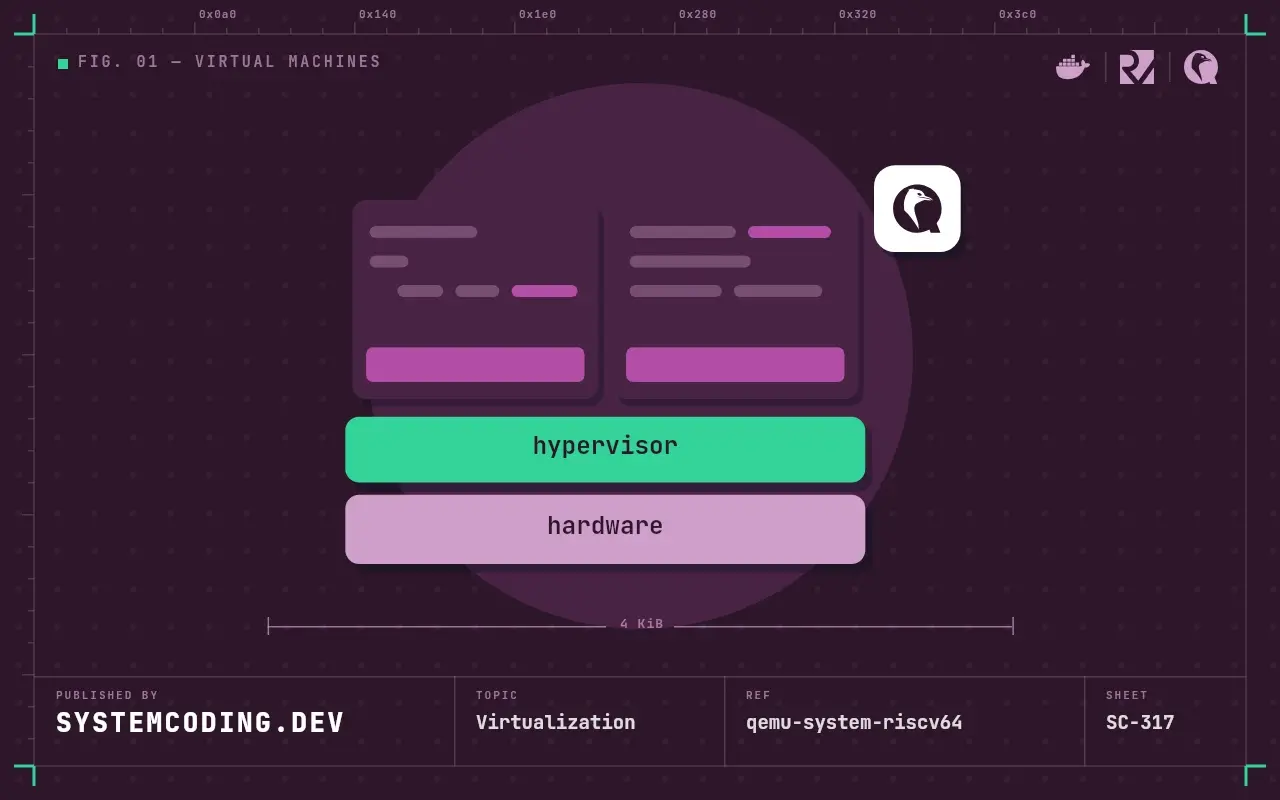
A virtual machine is a lie told to an operating system, and the lie is told by a few hundred lines of hardware support and a lot of software that decides what to do when the lie is about to be caught. The guest kernel believes it owns the CPU, the memory and the disks. It owns none of them. Understanding that gap is the whole subject, and this guide walks through it from the bottom: what the processor does on your behalf, what the hypervisor must still do in software, how devices are faked, and where containers and confidential computing sit beside all of it. It assumes you can read C and have used a Linux shell. It uses Linux 6.12, QEMU 9.2 and x86-64 as the running example, with notes where Arm or RISC-V differ.
What virtualization actually is
Virtualization means giving a piece of software the illusion of a complete machine that is really a share of a larger one. The software on top is the guest. The thing that builds the illusion is the hypervisor, also called the virtual machine monitor, or VMM. Three words get mixed up constantly, so it helps to separate them at the start.
Emulation means a program interprets or translates every instruction of a foreign machine. QEMU running an Arm guest on an x86 laptop is emulating. The guest instructions never touch the real CPU as themselves. They are decoded and turned into host instructions one block at a time.
Virtualization means the guest's instructions run directly on the real CPU, at native speed, and the hypervisor only steps in when the guest does something that would break the isolation. The guest and the host must share an instruction set. A QEMU guest running on x86 with KVM enabled is virtualized.
Containerization means no second kernel exists at all. The processes are ordinary host processes, fenced in by kernel features. The fence is built from namespaces, control groups and system call filters, not from hardware.
The cost model follows from that. Emulation pays on every instruction. Virtualization pays on the instructions that trap, which are rare. Containers pay almost nothing, but share the host kernel, so a kernel bug is everyone's bug.
The problem the CPU had to solve
An operating system kernel runs in the most privileged mode of the processor and executes instructions that user programs may not: loading page table roots, masking interrupts, touching I/O ports. A hypervisor wants to run a guest kernel that believes it holds that privilege, while actually keeping control. The simplest approach is to run the guest kernel in a lesser privilege level and catch every privileged instruction it tries, then emulate the effect. That approach is called trap-and-emulate.
In 1974 Gerald Popek and Robert Goldberg wrote down when trap-and-emulate works. An architecture is efficiently virtualizable if every instruction that reads or changes the machine's privileged state also traps when executed in user mode. They called such instructions sensitive and required them to be a subset of the privileged ones. The original x86 broke the rule. Instructions like POPF silently ignored the interrupt flag when run unprivileged instead of trapping, and SGDT revealed privileged tables to user code without any fault. So for years, x86 virtualization needed workarounds.
The two workarounds were binary translation, where the hypervisor rewrote the guest's problem instructions before running them, and paravirtualization, where the guest kernel was modified to ask the hypervisor politely instead of executing the problem instructions at all. Both worked. Neither was pleasant. Then in 2005 and 2006 Intel shipped VT-x and AMD shipped AMD-V, which added a new processor mode so that the old trap rule could be restored without touching the instruction set.
Hardware virtualization on x86: VMX and SVM
Intel's extension is VMX, for virtual machine extensions. AMD's is SVM, for secure virtual machine. They solve the same problem with different names.
The processor gains two modes. In Intel terms, the hypervisor runs in VMX root operation and the guest runs in VMX non-root operation. Both modes have the four familiar privilege rings. A guest kernel runs at ring 0 inside non-root mode and believes it is fully privileged, but certain events cause a VM exit, where the processor saves the guest state and switches back to root mode to let the hypervisor decide what to do. When the hypervisor is done, it executes a VM entry to resume the guest.
The state that describes a guest lives in a structure the hardware reads and writes. Intel calls it the VMCS, the virtual machine control structure. AMD calls it the VMCB, the virtual machine control block. It holds the guest's register state, the host state to restore on exit, and the control bits that choose which events cause exits. You never touch the layout directly from user space. The kernel's KVM module does it, and the guide for the KVM API in this series shows what user space sees.
Detecting support from C
A processor announces VMX through CPUID. Leaf 1 returns feature flags in ECX, and bit 5 means VMX. On AMD, leaf 0x80000001 returns ECX bit 2 for SVM. Leaf 1 ECX bit 31 is something different: it is the hypervisor-present bit, which a hypervisor sets so a guest can tell it is running under one. The program below reads all three.
#include <cpuid.h>
#include <stdio.h>

int main(void)
{
    unsigned int eax, ebx, ecx, edx;

    if (__get_cpuid(1, &eax, &ebx, &ecx, &edx)) {
        printf("vmx (leaf 1 ecx bit 5): %u\n", (ecx >> 5) & 1);
        printf("hypervisor present (leaf 1 ecx bit 31): %u\n", (ecx >> 31) & 1);
    }
    if (__get_cpuid(0x80000001, &eax, &ebx, &ecx, &edx)) {
        printf("svm (leaf 0x80000001 ecx bit 2): %u\n", (ecx >> 2) & 1);
    }
    return 0;
}
On an Intel desktop running Linux directly on the hardware, compile with gcc -O2 cpuid-virt.c -o cpuid-virt and the output is:
vmx (leaf 1 ecx bit 5): 1
hypervisor present (leaf 1 ecx bit 31): 0
svm (leaf 0x80000001 ecx bit 2): 0
Inside a typical cloud VM, the hypervisor-present bit reads 1, and VMX or SVM reads 0 unless the provider enabled nested virtualization. The vmx and svm flags in /proc/cpuinfo come from the same bits, and the post on checking CPU support shows the shell route. A BIOS or firmware setting can still disable the feature after the CPU reports it, which is why /dev/kvm existing is the stronger test than a CPUID bit.
What causes a VM exit
The hypervisor chooses. Some exits are unconditional: executing CPUID, INVD or XSETBV in a guest always exits on Intel, because the hypervisor must control what the guest learns about the machine. Others are configurable: access to control registers, I/O port instructions, HLT, MSR reads and writes, external interrupts and page faults on guest memory. Each exit costs a round trip through the processor's save and restore machinery plus whatever the hypervisor does in response. The design of a good hypervisor is mostly the art of making common operations not exit.
Every VM exit has a reason code, and a few of them show up constantly in practice. EXIT_REASON_CPUID happens during early boot. EXIT_REASON_IO_INSTRUCTION fires for port I/O on legacy devices. EXIT_REASON_EPT_VIOLATION fires when the guest touches memory the hypervisor has not mapped, which is also how emulated memory-mapped devices are caught. EXIT_REASON_HLT fires when the guest has nothing to do. If you ever trace a slow guest, the distribution of these reasons tells you where the time goes. The post on KVM tracepoints and perf kvm shows how to read them.
Memory virtualization
A guest believes it controls physical memory, so its page tables map guest virtual addresses to guest physical addresses. But guest physical addresses are not real. Somewhere there must be a second mapping from guest physical to host physical. Two designs exist.
Shadow page tables were the original software answer. The hypervisor watches the guest's page tables, builds a combined table that maps guest virtual straight to host physical, and points the real CR3 at that shadow. Every guest page table write has to be intercepted so the shadow stays in sync. That is correct and very expensive for workloads that change mappings often.
Nested paging moved the second walk into hardware. Intel calls it EPT, extended page tables. AMD calls it NPT, nested page tables, previously RVI. The hardware walks the guest's page tables to turn a guest virtual address into a guest physical address, then walks the hypervisor's table to turn that into a host physical address. The guest edits its own page tables without exiting. The price is a longer walk on a TLB miss, which is why large pages matter so much for virtualized workloads. An EPT violation exit only happens when the second table has no valid entry, which is exactly how a hypervisor implements lazy allocation of guest RAM and catches accesses to emulated device memory.
On Linux the guest's RAM is an ordinary anonymous memory mapping in the VMM process. The hypervisor registers that mapping with KVM, and KVM fills the EPT from it on demand. This is the central trick of KVM: guest RAM is just process memory, so the host kernel's normal tools (swap, ksm, transparent huge pages, NUMA policy) apply to it with no special support.
CPU and interrupt virtualization
The processor state is not the only thing to share. Time, interrupts and idle matter too.
When the host's timer fires, the guest running on that core is interrupted by a VM exit, the host handles the interrupt, and the guest resumes. When the guest wants to receive an interrupt, the hypervisor injects a virtual interrupt at VM entry. A guest that executes HLT exits, so the hypervisor can schedule something else on that core. A guest that sends an inter-processor interrupt by writing to the local APIC exits, unless the hardware supports APIC virtualization (Intel APICv, AMD AVIC), which lets the processor handle many APIC accesses and deliver posted interrupts without an exit.
The timer is a recurring source of trouble. A guest reads the time stamp counter directly, so the hypervisor must make that counter consistent across migrations and across host cores. Linux guests under KVM usually read time from a paravirtual clock, kvmclock, rather than guessing from the TSC. That is a good example of a pattern we will see again: hardware virtualization gets you most of the way, and a small paravirtual interface covers the rest.
Device virtualization
A guest also expects disks, network cards and a console. There are three ways to give it those, and the choice drives most of the performance you will see.
Full emulation. The hypervisor implements a real piece of hardware in software, say an Intel e1000 network card or an IDE controller. The guest uses its existing driver, which is wonderfully compatible. Every register access exits, because the device registers live in memory or I/O space that the hypervisor refuses to map. This is slow, and it is what you get with the default QEMU devices if you do not ask for anything else.
Paravirtual devices. The hypervisor and guest agree on a device that exists only for virtual machines. The most widely used is virtio, defined by an OASIS standard. A virtio device exposes queues in shared memory, called virtqueues, and the guest driver places descriptors in them and then sends a single notification. The hypervisor consumes many descriptors per exit. That batching is why virtio-blk, virtio-net and virtio-fs are so much faster than their emulated cousins. The guest needs a virtio driver, which Linux has had in-tree for years.
Device passthrough. The physical device is given to the guest, with the IOMMU translating the device's DMA addresses so it can only touch that guest's memory. On Linux the interface is VFIO. The guest talks to real hardware at close to native speed, but the device is now unavailable to the host and cannot be freely migrated. SR-IOV helps by splitting one physical function into many virtual functions, each of which can go to a different guest.
You can see the difference in the QEMU command line. This command starts a guest with an emulated disk and network card:
qemu-system-x86_64 -enable-kvm -m 1G \
  -drive file=disk.qcow2,if=ide,format=qcow2 \
  -netdev user,id=n0 -device e1000,netdev=n0
This one uses virtio for both:
qemu-system-x86_64 -enable-kvm -m 1G \
  -drive file=disk.qcow2,if=virtio,format=qcow2 \
  -netdev user,id=n0 -device virtio-net-pci,netdev=n0
Only the device models changed. The first guest takes an exit on each register poke, and the second batches work through virtqueues. In our experience, switching a guest from e1000 to virtio-net-pci is the first change to make when a network-heavy guest feels sluggish.
Hypervisor types and where KVM fits
Textbooks sort hypervisors into type 1, which runs on bare metal, and type 2, which runs as a program inside a host operating system. Xen and VMware ESXi are called type 1. VirtualBox and VMware Workstation are called type 2. The classification is useful as a first pass and misleading for Linux, because KVM turns the Linux kernel itself into a type 1 hypervisor while QEMU, running as an ordinary process, supplies the devices. The post on type 1 versus type 2 hypervisors covers the trade-offs in detail. What matters here is the division of labor in the KVM stack.
The kernel module (kvm.ko plus kvm-intel.ko or kvm-amd.ko) owns the processor. It creates virtual CPUs, runs them, handles the exits it can resolve cheaply, such as EPT faults on already-known memory, and hands the rest to user space. User space, usually QEMU, owns everything else: emulated devices, the machine layout, the firmware, migration and the management interface. The user space program talks to the kernel through ioctls on /dev/kvm. We build a tiny hypervisor against that interface in the guide to the Linux KVM API.
Containers are a different answer
A container is an ordinary Linux process whose view of the system has been reduced. Namespaces change what a process can see: its own process IDs, mount table, network stack, hostname, user IDs. Control groups limit how much of CPU, memory and I/O it may use. Seccomp filters the system calls it may make. There is no second kernel, no virtual hardware and no VM exit.
You can feel the difference with one command. Run it as root on a Linux host:
unshare --pid --fork --mount-proc --uts sh -c 'hostname demo; echo "pid=$$"; ps -e'pid=1
PID TTY TIME CMD
1 pts/0 00:00:00 sh
2 pts/0 00:00:00 psThe shell believes it is process 1 and sees only its own process tree, yet it is a plain host process, scheduled by the host scheduler and calling the host kernel directly. The unshare(1) man page lists every namespace flag. A container escape is therefore a kernel bug away from the host, whereas a VM escape needs a flaw in the hypervisor or its device models, a much narrower surface. That difference is why multi-tenant clouds that run untrusted code put each customer in a VM, and why microVM projects such as Firecracker exist: a minimal VMM with only a handful of virtio devices, to get VM isolation at container-like start times.
Choosing between them
| Need | Emulation (TCG) | Virtualization (KVM) | Container |
|---|---|---|---|
| Different CPU architecture than host | Yes | No | No |
| Near-native CPU speed | No | Yes | Yes |
| Separate kernel per workload | Yes | Yes | No |
| Isolation from kernel bugs | Strong | Strong | Weak |
| Start time | Slow | Moderate | Fastest |
| Good for kernel development | Yes | Yes | No |
Most developers should use KVM-accelerated QEMU for kernel and OS work on a matching architecture, QEMU's TCG emulation for foreign architectures, and containers for application packaging. Mixing is normal: a CI system that runs containers inside VMs gets both isolation and reproducible images.
Nested virtualization
Sometimes the machine you are on is already a guest, and you want to run a hypervisor in it. That is nested virtualization. The outer hypervisor must expose VMX or SVM to its guest and emulate the virtualization instructions for it, which means the inner hypervisor's VM entries and exits are themselves handled by the outer one. The result works but is slower, and it needs explicit enabling. On Linux with Intel, the kvm_intel module has a nested parameter, enabled by default in recent kernels. The post on nested virtualization shows how to enable it and check it inside a guest. You do not need it for a bare-metal laptop, and you do need it for most cloud instances unless they are bare-metal types.
Live migration and snapshots
Because a VM's entire state is RAM, vCPU registers and device state, you can copy it. Live migration copies RAM while the guest still runs, tracks which pages the guest dirties, re-sends them in rounds, and finally pauses the guest for a brief moment to copy the last pages and device state before resuming on the destination. KVM supports dirty page tracking in the kernel so that the VMM does not have to compare memory. Pass-through devices complicate this, because their state lives in hardware. QEMU's migrate command and the post on live migration show the mechanism with a real command line.
Snapshots are the same idea saved to disk. QEMU's qcow2 format keeps copy-on-write layers, so a snapshot can point at its backing file and only store changes. That is the subject of the posts on qemu-img and qcow2 backing files.
Confidential virtual machines
Classical virtualization protects the host and other guests from a malicious guest. It does not protect the guest from the host: the hypervisor can read and rewrite any guest memory. Confidential computing flips that for workloads that do not trust the cloud operator. AMD SEV, SEV-ES and SEV-SNP encrypt guest memory with a key the hypervisor cannot read, and SNP adds integrity protection against remapping. Intel TDX provides trust domains with similar properties. The guest's CPU registers are also protected, so the hypervisor can no longer inspect them at an exit, and every interaction has to go through explicit shared memory the guest agrees to expose. This is why the guest kernel needs changes to run as a confidential guest. The Linux documentation describes the AMD side under virt/kvm/x86/amd-memory-encryption and the Intel side under arch/x86/tdx, and the post on confidential VMs goes through both designs.
A short tour of a VM exit, in code
To make the exit idea concrete, here is the shape of a minimal KVM host loop, written from the Linux KVM API documentation. It creates a VM, gives it a page of memory, loads a few bytes of code that write to an I/O port and halt, then runs the virtual CPU and prints what caused each exit. We only show the loop here. The full construction with setup is the subject of the post on writing a minimal hypervisor in C.
for (;;) {
    ioctl(vcpu_fd, KVM_RUN, 0);

    switch (run->exit_reason) {
    case KVM_EXIT_HLT:
        puts("guest executed hlt");
        return 0;
    case KVM_EXIT_IO:
        if (run->io.direction == KVM_EXIT_IO_OUT && run->io.port == 0x3f8) {
            char c = *((char *)run + run->io.data_offset);
            putchar(c);
        }
        break;
    default:
        fprintf(stderr, "unexpected exit %d\n", run->exit_reason);
        return 1;
    }
}
The KVM_RUN ioctl returns when the guest causes an exit the kernel cannot handle itself. The loop reads why, acts, and calls KVM_RUN again. A guest that prints "Hi" through port 0x3f8 and then halts produces:
Hi
guest executed hlt
Everything in a real VMM, QEMU included, is a more elaborate version of this loop: a dispatch on exit reason and a device model behind each case.
Debugging a virtual machine
Virtualization changes where bugs live, so the debugging tools split in two. For guest software, QEMU can expose a gdb stub with -s -S, so you debug the guest kernel as if it were a program, which the posts on QEMU and gdb cover. For the hypervisor, the Linux kernel exposes tracepoints under kvm: that you can record with perf or trace-cmd, and perf kvm stat summarizes exits by reason. QEMU's own -d flag logs guest instructions and exceptions when it is emulating, and -trace enables its internal tracepoints. When a guest hangs at boot, the first question is whether it is stuck in the guest or in the hypervisor, and the exit statistics answer that quickly: a guest that is spinning forever in an exit loop looks very different from one that is blocked in HLT.
A practical check list for a guest that will not boot:
Does
-d int,cpu_reset -D qemu.logshow a triple fault or a repeating exception?Does the serial console show output? Use
-nographicor-serial stdioto rule out a graphics problem.Is
-enable-kvmactually active? If/dev/kvmcannot be opened, QEMU prints a warning and falls back to TCG, which is slow but works.Does the guest need a device you did not provide, such as a particular storage controller for the root file system?
Limits and costs
Hardware virtualization is not free. Every exit costs a hardware state switch plus hypervisor work, so workloads that trigger many exits slow down in proportion. Two-dimensional page walks make TLB misses more expensive, so memory-intensive guests benefit from huge pages in both the guest and the host. Noisy neighbors still share caches and memory bandwidth, so a VM does not isolate performance the way it isolates correctness. And side channels, from Spectre through to newer cache and microarchitectural attacks, mean that a VM boundary is strong but not absolute, which is why hypervisors ship with mitigations that cost throughput. We avoid quoting numbers here because they depend on the CPU, the kernel version and the workload, and none can be taken from a general document. Measure on your own hardware with a benchmark that resembles your workload, and compare with and without the feature in question.
Overcommit, ballooning and page sharing
Because guest RAM is process memory on Linux, a host can promise more memory to its guests than it physically has, and rely on the fact that guests rarely touch all of it at once. That is memory overcommit. It works until every guest does touch its memory, at which point the host swaps, and a swapping hypervisor is a very slow machine. Three mechanisms help.
Ballooning places a driver in the guest, virtio-balloon on KVM, that the host can ask to allocate pages. The guest kernel frees those pages from its own use, and the host reclaims the backing memory. It is cooperative, so the guest decides what to give up, which is better than the host swapping blindly.
Page sharing merges identical pages across guests. Linux calls it KSM, kernel samepage merging. A daemon scans registered memory, finds pages with identical contents, maps them to one read-only copy and breaks the sharing on write. QEMU marks guest RAM as mergeable when asked. The trade-off is CPU time spent scanning, and a side channel, because write timing can reveal whether a page was shared, so many cloud providers disable it for multi-tenant hosts.
Huge pages reduce the cost of the two-dimensional page walk. Transparent huge pages on the host let the kernel back guest RAM with 2 MiB pages where it can, and explicit hugetlbfs reservation gives predictable backing at the price of setting memory aside up front. A guest that uses huge pages internally gets the benefit twice, since both walks are shorter.
You can request explicit huge page backing from QEMU with a memory backend:
qemu-system-x86_64 -enable-kvm -m 4G -nographic \
  -object memory-backend-file,id=ram0,size=4G,mem-path=/dev/hugepages,share=on \
  -numa node,memdev=ram0 \
  -drive file=disk.qcow2,if=virtio,format=qcow2
The memory-backend-file object points guest RAM at the hugetlbfs mount, and the -numa node ties the guest's memory to it. The command fails with an allocation error if the host has not reserved enough huge pages beforehand through /proc/sys/vm/nr_hugepages, which is the first thing to check when a guest refuses to start with this option.
CPU scheduling and overcommit
Virtual CPUs are threads on Linux. A guest with four vCPUs is four threads in the VMM process, and the host scheduler places them like any others. You can pin them to host cores with taskset or sched_setaffinity, give them real-time priority, or leave them to float. A host with more vCPUs than cores works fine until the guests are busy together, when each vCPU waits for its slice.
That waiting causes a problem specific to virtualization: lock-holder preemption. A guest kernel spinlock holder can be descheduled by the host while another vCPU in the same guest spins waiting for it, burning its own slice. Modern hardware detects long spin loops with pause-loop exiting (Intel) or pause filtering (AMD) and exits so that the hypervisor can schedule something else, and paravirtual spinlocks let the guest yield explicitly. The lesson for developers is that guest code that assumes it owns four cores will behave differently when it only gets them intermittently, and timing-sensitive tests belong on a host with spare capacity.
Booting a guest: what happens end to end
It helps to follow one boot in order, because it ties the earlier sections together. When you run QEMU with KVM:
QEMU opens
/dev/kvm, creates a VM and registers guest RAM with the kernel.It creates one vCPU per
-smpthread and sets their initial registers. On x86 that means the reset vector, so the first instruction fetched is from firmware.It loads firmware into the guest address space, SeaBIOS by default or OVMF for UEFI, or loads a Linux kernel directly with
-kernel.Each vCPU thread calls
KVM_RUN. The processor enters guest mode and runs firmware code natively.The firmware probes devices by reading PCI configuration space. Each read hits unmapped or trapped memory and exits. QEMU answers from its device model.
The firmware or kernel starts. Disk reads become virtio queue notifications or emulated register writes, each one an exit.
When the guest has no work it executes
HLT, the vCPU thread blocks in the host kernel, and the host core is free.
The point is that startup is a long conversation of exits, and a virtio guest has far fewer of them than an emulated-device guest, which is one reason the same image boots faster with virtio.
The security boundary, honestly
A VM is a strong boundary because the interface between guest and host is narrow and well defined: the hypervisor's handling of exits, and the device models. But narrow is not zero. Most real-world VM escapes have come from emulated device code, such as floppy controllers and network cards, rather than from the CPU virtualization itself. This is the reason microVM projects strip the device list to a handful of virtio devices, and why QEMU lets you build with only the devices you need.
Hardware side channels are the other limit. Speculative execution attacks show that two guests on shared cores can leak information through caches and buffers, and hosts respond with mitigations such as flushing state on VM entry, disabling simultaneous multithreading across tenants, or scheduling a core to one tenant at a time. Those mitigations cost throughput. If you run untrusted guests, check the kernel's documentation on hardware vulnerabilities under admin-guide/hw-vuln for the knobs available on your CPU.
The IOMMU and why passthrough is safe
A device that performs DMA writes to physical memory without involving the CPU. Hand such a device to a guest and, without protection, the guest could program it to overwrite the host kernel. The IOMMU solves this. It sits between devices and memory and translates device addresses through tables the host controls, much as the MMU translates CPU addresses. Intel calls its version VT-d, AMD calls it AMD-Vi, and Arm calls it the SMMU.
With an IOMMU, the host maps the guest's RAM into the device's address space and nothing else. The guest driver programs the device with guest physical addresses, the IOMMU translates them to host physical ones, and any attempt to reach other memory causes an IOMMU fault instead of corruption. Linux exposes this through VFIO, which groups devices that cannot be isolated from each other and lets a user space program such as QEMU own a group.
A passthrough device appears on the QEMU command line like this, with the PCI address taken from lspci:
qemu-system-x86_64 -enable-kvm -m 4G -cpu host \
  -device vfio-pci,host=0000:03:00.0
The device must first be unbound from its host driver and bound to vfio-pci, and the kernel must boot with the IOMMU enabled, for example with intel_iommu=on on Intel systems. If the device shares an IOMMU group with other devices, QEMU refuses to start until you pass or unbind the whole group. That message is the most common first failure with passthrough, and the group listing under /sys/kernel/iommu_groups/ shows what is bundled together.
Watching a guest from the host
A running guest is visible from the host in ordinary ways, which is a quiet advantage of the KVM design. Each vCPU is a thread of the QEMU process, so top -H -p <pid> shows them. Guest RAM appears as a large mapping in /proc/<pid>/smaps, and resident size grows as the guest touches pages. The perf kvm stat tooling and the kvm tracepoints report exit counts by reason, and /sys/kernel/debug/kvm holds per-VM and per-vCPU statistics when debugfs is mounted. A host-side counter that climbs fast for one exit reason, such as I/O or EPT violations, is the first place to look when someone says a guest is slow. That habit, measure exits before tuning anything, saves most wasted effort.
Other architectures
Everything above used x86 vocabulary, but the model is the same elsewhere. Arm's virtualization extensions add a hypervisor exception level, EL2, with stage 2 translation that plays the role of EPT, and a virtual GIC for interrupts. RISC-V's hypervisor extension adds a virtualization mode and two-stage address translation. KVM supports all three, and the KVM API in the kernel documentation notes which ioctls are architecture-specific. The conceptual map is: a mode for the guest, a control structure or registers describing it, exits on sensitive events and a second stage of address translation. If you learn it once on x86, the Arm and RISC-V manuals read as variations.
Who this does not fit
If you only need to run Linux userland applications in an isolated environment on a trusted host, a container is simpler and faster to start, and a VM adds overhead you will not benefit from. If you need to run untrusted code from strangers, a container alone is not enough, and a VM or a microVM is the safer boundary. If you want to run software for another instruction set, no hypervisor helps, because virtualization needs matching instruction sets: you need emulation, which is what QEMU's TCG provides. And if you are writing a kernel or bootloader, the right tool is almost always QEMU with KVM on a matching host, because you get a fast, debuggable machine with serial output.
A reading order for this series
Start with the posts on how hardware virtualization works and trap-and-emulate to build the mental model. Move to QEMU for practice: boot a kernel with -kernel, learn qemu-img, and get comfortable with the monitor. Then read the KVM API guide, write a minimal hypervisor, and use the exit-handling posts to extend it. The later posts on TCG internals, device models and confidential VMs make sense once you have watched a few exits go by. The Intel Software Developer's Manual volume 3 (chapters on VMX) and the AMD64 Architecture Programmer's Manual volume 2 (chapter on SVM) are the primary sources for the hardware, and the Linux kernel documentation at docs.kernel.org/virt/kvm is the primary source for the interface. The Popek and Goldberg paper, "Formal requirements for virtualizable third generation architectures" (Communications of the ACM, 1974), is the starting point for the theory.


