The Complete Guide to Program Startup: argv, envp and main
Everything between exec and main in C on Linux: argv, envp and environ, getopt, the auxiliary vector, startup code, exit paths and passing a safe environment.
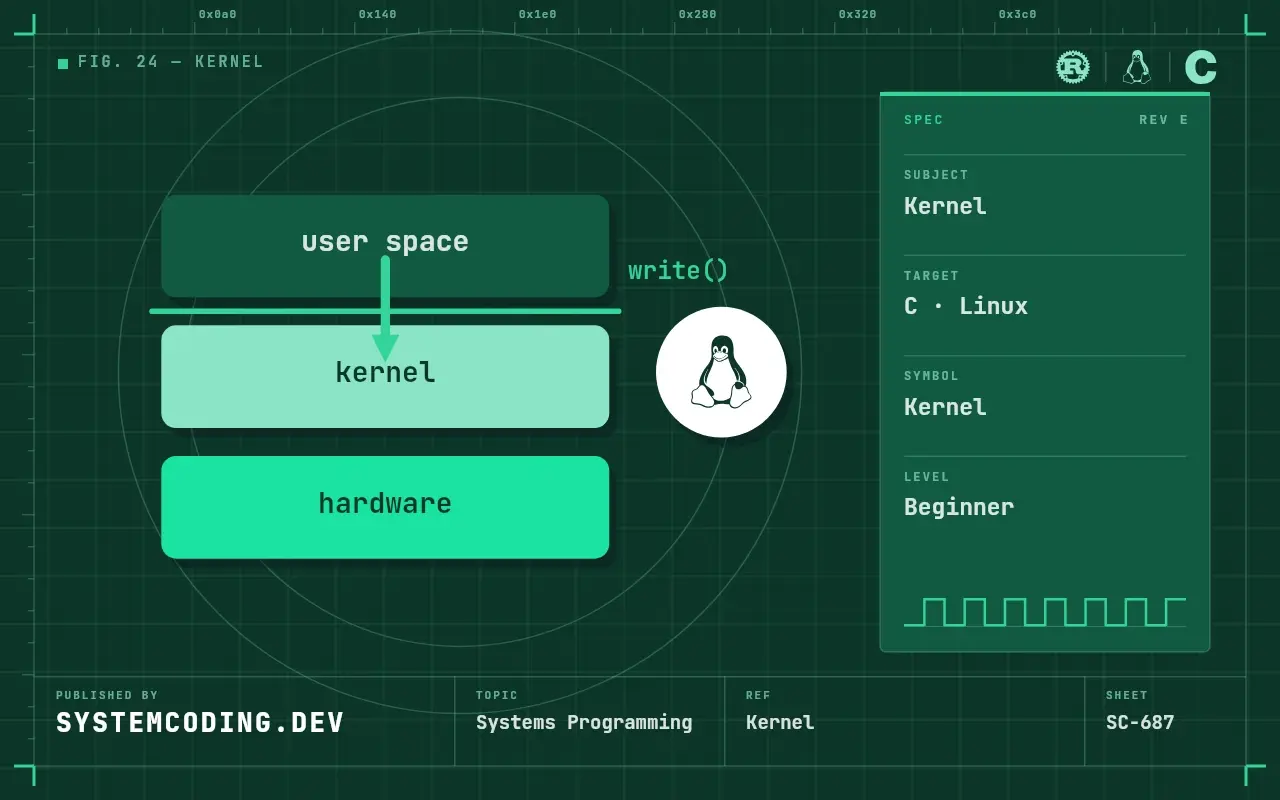
Every C program starts twice. First the kernel loads it and builds an initial stack; then some code you did not write runs, and only after that does your main() get its turn. By the time main() begins, the program already holds its arguments, its environment, a vector of facts from the kernel and a handful of initialized libraries. This guide follows that path from the shell prompt to the first line of main() and back out through exit(), with a worked program at each stop and a map of the focused posts that go deeper. Every example is C17 for Linux 6.12 with glibc 2.40 and GCC 14 unless the text says otherwise, and the behavior comes from execve(2), getenv(3), getopt(3), getauxval(3), exit(3) and POSIX.1-2024.
If you only keep one idea: main() is not the start of your program, it is the part of the start that is yours. What it receives (argc, argv and the environment) was assembled by the process that called execve(), copied onto your stack by the kernel and handed to your main() by startup code in the C library.
What happens when you type a command
Running ./report --year 2026 -v at a shell prompt does four things you can name.
The shell parses the line into words and expands them: quotes removed, variables substituted, globs resolved. It then calls fork() to create a child, and in the child it calls execve() with three things: the path of the program, an array of argument strings and an array of environment strings.
int execve(const char *pathname, char *const argv[], char *const envp[]);The kernel opens the file, checks that it may be executed, reads the ELF headers and replaces the child's memory image with the new program. The old code, heap and stack are gone. What survives are the process ID, the open file descriptors that are not marked close-on-exec, the current directory, the signal mask and a few other attributes. The kernel then builds a fresh stack for the new image and copies in the argument and environment strings you passed, along with a vector of values of its own, described below.
Finally the kernel starts running the program at its entry point, which is not main(). For a dynamically linked program, the entry point of the dynamic loader runs first and maps the shared libraries; then control goes to the program's _start, which calls into the C library, which calls constructors and then, at last, main(argc, argv, envp).
The sequence matters because each step is a place where something can go wrong, and each has a different tool for looking at it: strace -f -e execve shows the call, /proc/PID/cmdline and /proc/PID/environ show what the kernel copied, readelf -h shows the entry point, and a debugger breakpoint on _start shows where the C library takes over.
The shape of main
The C standard allows two forms of main() for a hosted program:
int main(void);
int main(int argc, char *argv[]);
argc is the number of arguments including the program name. argv is an array of argc pointers to null-terminated strings, followed by one more pointer that is NULL. That final null is guaranteed by the standard: argv[argc] == NULL, which means you can walk the array without the count if you want to.
Unix systems, including Linux, pass a third parameter that the standard does not mention:
int main(int argc, char *argv[], char *envp[]);envp points to an array of environment strings of the form NAME=value, ending with NULL. It works on every Unix, and it is the oldest way to reach the environment. The portable and recommended ways are getenv() and the global environ, both of which are covered in the section on the environment, because envp is a snapshot that goes stale when the program changes its own environment.
A short program makes all of this visible:
#include <stdio.h>

int main(int argc, char *argv[], char *envp[])
{
    printf("argc = %d\n", argc);
    for (int i = 0; i < argc; i++)
        printf("argv[%d] = \"%s\"\n", i, argv[i]);
    printf("argv[%d] = %p\n", argc, (void *)argv[argc]);

    int count = 0;
    while (envp[count])
        count++;
    printf("environment entries: %d\n", count);
    return 0;
}
Compile it with gcc -std=c17 -Wall -o show_args show_args.c and run it with an empty environment so the output is predictable. The env -i command starts the program with no environment variables at all:
env -i ./show_args --year 2026 "two words"argc = 4
argv[0] = "./show_args"
argv[1] = "--year"
argv[2] = "2026"
argv[3] = "two words"
argv[4] = (nil)
environment entries: 0Three facts are visible. The shell split on spaces but kept "two words" together because of the quotes, so the program never sees quotes. argv[0] is the path the shell used to start the program, exactly as typed. And the array ends with a null pointer, printed as (nil) by glibc's printf. Remove env -i and the last line becomes the number of variables in your shell's environment, which varies by machine.
What argv[0] means
By convention argv[0] is the name of the program, but nothing in the kernel enforces that. It is whatever the caller of execve() wrote there. Usually it is the path used to launch the program, which is why ./show_args shows up with its directory. When the shell finds a program through PATH, argv[0] is the name you typed, not the full path.
Several real programs depend on this being flexible. Busybox is one binary installed under many names, and it reads argv[0] to decide which tool it is. Login shells are started with a leading dash in argv[0] so the shell knows it is a login shell. A program that wants to know where its own executable is should not use argv[0], which can be a relative name or something misleading; on Linux read /proc/self/exe, or getauxval(AT_EXECFN). The post on how argc and argv reach main walks through the stack layout that holds them.
Limits on arguments
The kernel caps the total size of arguments and environment. You can ask for the cap with sysconf(_SC_ARG_MAX) or from the shell with getconf ARG_MAX:
getconf ARG_MAX2097152That value, two mebibytes, is typical when the stack limit is 8 MiB, because Linux sets the argument space to a quarter of the stack resource limit, with a floor of 128 KiB. A single string is also capped, at 128 KiB on Linux (MAX_ARG_STRLEN, 32 pages of 4 KiB). When a command line exceeds these limits, execve() fails with E2BIG, and the shell prints Argument list too long. That is the classic failure of rm *.log in a directory with a million files, and the cure is to let the program receive the names another way: find ... -print0 | xargs -0, which groups them into batches that fit.
Reading the environment
The environment is a list of strings of the form NAME=value. It is not a dictionary: the strings are stored in an array, a name can in principle appear twice (the first match wins in getenv()), and there is no separate type for values. Every child process starts with a copy of its parent's environment unless the parent says otherwise.
The C library gives you getenv() for reading:
#include <stdio.h>
#include <stdlib.h>

int main(void)
{
    const char *home = getenv("HOME");
    const char *editor = getenv("EDITOR");

    printf("HOME   = %s\n", home ? home : "(unset)");
    printf("EDITOR = %s\n", editor ? editor : "(unset)");
    return 0;
}env -i HOME=/home/dana ./env_readHOME = /home/dana
EDITOR = (unset)getenv() returns a pointer into the environment's own storage, not a copy, and it returns NULL when the variable does not exist. Two rules follow. Always test for NULL, because a program started from a cron job, a systemd unit or a container often has a far smaller environment than your interactive shell. And never modify the returned string, nor assume it stays valid after you call setenv(), putenv() or unsetenv(); if you need it later, copy it with strdup(). The focused post on reading variables with getenv covers the empty-versus-unset distinction and the common bugs.
Changing the environment
A program can change its own environment with setenv(), unsetenv() and putenv(). The change affects the process and, from then on, every child it starts. It never affects the parent, the shell or any other process, which is why a program cannot "export" a variable back to your shell and why source and shell functions exist.
#include <stdio.h>
#include <stdlib.h>

int main(void)
{
    setenv("MODE", "batch", 1);             /* overwrite = 1 */
    setenv("MODE", "interactive", 0);       /* overwrite = 0: leaves "batch" */
    printf("MODE = %s\n", getenv("MODE"));

    unsetenv("MODE");
    printf("MODE = %s\n", getenv("MODE") ? getenv("MODE") : "(unset)");
    return 0;
}MODE = batch
MODE = (unset)The third argument of setenv() is the overwrite flag. With a nonzero value an existing variable is replaced; with 0 the call leaves it alone and still returns success. putenv("NAME=value") is the older interface and has a trap: it stores your pointer, not a copy, so the string you pass must stay valid for the life of the program, and a stack buffer silently corrupts the environment when the function returns. Prefer setenv(), which copies. The post on setting and unsetting variables goes through the memory ownership in detail.
environ: the whole environment
The global environ is the array that getenv() searches, and it is the right way to list every variable:
#define _GNU_SOURCE
#include <stdio.h>
#include <unistd.h>

extern char **environ;

int main(void)
{
    for (char **e = environ; *e; e++)
        printf("%s\n", *e);
    return 0;
}env -i LANG=C TZ=UTC ./env_dumpLANG=C
TZ=UTCWhy use environ rather than the envp argument of main()? Because envp is a copy of the pointer taken at startup. After setenv() adds a variable, the library may move the whole array to new memory and update environ, leaving envp pointing at the old one. Code that reads envp after changing the environment sees stale data, and code that reads environ sees the current state. The post on printing every variable with environ shows the details, including why you must declare the variable yourself when _GNU_SOURCE is not defined.
Parsing arguments with getopt
Most programs take options, and the conventional way to read them in C on Unix is getopt(). It walks argv, recognizes single-letter options with or without arguments, and sets four globals: optarg for an option's value, optind for the index of the next unprocessed argument, opterr and optopt for errors.
#include <stdio.h>
#include <stdlib.h>
#include <unistd.h>

int main(int argc, char *argv[])
{
    int verbose = 0;
    const char *output = "report.txt";
    int year = 2026;
    int opt;

    while ((opt = getopt(argc, argv, "vo:y:")) != -1) {
        switch (opt) {
        case 'v':
            verbose = 1;
            break;
        case 'o':
            output = optarg;
            break;
        case 'y':
            year = atoi(optarg);
            break;
        default:
            fprintf(stderr, "usage: %s [-v] [-o file] [-y year] [files...]\n", argv[0]);
            return 2;
        }
    }

    printf("verbose=%d output=%s year=%d\n", verbose, output, year);
    for (int i = optind; i < argc; i++)
        printf("input: %s\n", argv[i]);
    return 0;
}
The string "vo:y:" lists the accepted options: a letter followed by a colon takes an argument. With GNU getopt(), options and operands may be interleaved, and -- ends option processing:
./report -v -y 2025 data1.csv -o out.txt data2.csvverbose=1 output=out.txt year=2025
input: data1.csv
input: data2.csvThe GNU version permutes argv so that the operands end up together after the options, which is why -o out.txt is honored even though it follows data1.csv. Set the environment variable POSIXLY_CORRECT, or start the option string with +, to get the strict behavior that stops at the first operand. For long options such as --output=file, use getopt_long(), which takes a table of struct option entries. When an option is unknown, getopt() prints a message to standard error itself and returns '?'; set opterr = 0 if you want to print your own.
The auxiliary vector
The environment and arguments are not the only things the kernel puts on the new stack. After the envp array comes the auxiliary vector, a list of type and value pairs through which the kernel tells the program facts it cannot otherwise know: the page size, the address of the program headers, the hardware capabilities of the CPU, whether the program was started with elevated privileges, and 16 random bytes for stack protector canaries. The C library reads it during startup, and your program can read it too with getauxval():
#include <stdio.h>
#include <sys/auxv.h>

int main(void)
{
    printf("page size      : %lu\n", getauxval(AT_PAGESZ));
    printf("clock ticks/sec: %lu\n", getauxval(AT_CLKTCK));
    printf("secure mode    : %lu\n", getauxval(AT_SECURE));
    printf("executable     : %s\n", (const char *)getauxval(AT_EXECFN));
    return 0;
}page size : 4096
clock ticks/sec: 100
secure mode : 0
executable : ./auxvThe values shown are those of a typical x86-64 system; a 64 KiB-page arm64 kernel reports a different page size, which is exactly why you read it instead of assuming 4096. AT_SECURE is the one that matters for safety: it is nonzero when the program is running with changed credentials (setuid, setgid or file capabilities), and the C library uses it to decide whether to ignore dangerous environment variables. The dedicated post on getauxval lists the useful entries.
What runs before main
For a typical dynamically linked program, the order is:
The kernel maps the program and, if it names an interpreter, the dynamic loader (
ld-linux-x86-64.so.2), and starts the loader.The loader maps the shared libraries, applies relocations and runs each library's initializers.
Control reaches the program's entry point,
_start, which is incrt1.olinked into every executable._startsets up the stack and calls__libc_start_main(), passing it the address ofmain.__libc_start_main()initializes the C library (including theenvironandstdiosetup), runs the program's own constructors from the.init_arraysection and then callsmain(argc, argv, envp).
You can observe step 5 with a function marked as a constructor, which the compiler places in .init_array so it runs before main(), and one marked as a destructor, which runs after exit():
#include <stdio.h>
#include <stdlib.h>

static void on_exit_handler(void)
{
    puts("3. atexit handler");
}

__attribute__((constructor))
static void before_main(void)
{
    puts("1. constructor");
}

__attribute__((destructor))
static void after_main(void)
{
    puts("4. destructor");
}

int main(void)
{
    atexit(on_exit_handler);
    puts("2. main");
    return 0;
}1. constructor
2. main
3. atexit handler
4. destructorConstructors are useful for library initialization and a hazard in application code, because they run before main() has parsed anything and in an order that is only partly specified across files. The post on what happens before main follows _start in the C library source, and the one on constructor and destructor attributes shows the priorities.
Leaving the program
A program ends in one of several ways, and they behave differently:
| Call | Runs atexit handlers | Flushes stdio | Runs destructors | Use it for |
|---|---|---|---|---|
return n from main | yes | yes | yes | Normal termination |
exit(n) | yes | yes | yes | Normal termination from anywhere |
_exit(n) | no | no | no | A child after fork() and before exec(), or on a fatal error in a signal handler |
quick_exit(n) | no, only at_quick_exit | no | no | Fast shutdown in multithreaded programs |
abort() | no | no | no | A bug that must produce a core dump |
Returning from main() is the same as calling exit() with that value, because the startup code calls exit(main(...)). _exit() skips everything in user space: buffered output that has not been flushed is lost, which is the classic bug of a child process that calls _exit() after printf() without a newline on a pipe. The posts on registering exit handlers and on exit, _exit and quick_exit give the exact ordering rules, including that handlers run in reverse order of registration.
The value you pass is the exit status. Only the low eight bits reach the parent, so exit(256) looks like exit(0) and exit(-1) looks like 255. Use EXIT_SUCCESS and EXIT_FAILURE for portability and keep other codes between 1 and 125, since the shell reserves 126 and above for its own conditions: 126 for "found but not executable", 127 for "not found" and 128 plus a signal number for death by signal.
Passing an environment to children
A new program receives exactly what execve() gives it. The simple calls that do not take an environment (execv(), execvp(), system(), popen()) pass the parent's current environ. The ones that take an explicit envp replace it entirely, which is how you run a child in a controlled environment:
#include <stdio.h>
#include <stdlib.h>
#include <sys/wait.h>
#include <unistd.h>

int main(void)
{
    char *const child_argv[] = { "show_args", "--year", "2026", NULL };
    char *const child_env[] = { "LANG=C", "TZ=UTC", NULL };

    pid_t pid = fork();
    if (pid == 0) {
        execve("./show_args", child_argv, child_env);
        perror("execve");                   /* only reached on failure */
        _exit(127);
    }

    int wstatus;
    waitpid(pid, &wstatus, 0);
    return WIFEXITED(wstatus) ? WEXITSTATUS(wstatus) : 1;
}argc = 3
argv[0] = "show_args"
argv[1] = "--year"
argv[2] = "2026"
argv[3] = (nil)
environment entries: 2The child sees argv[0] as show_args, because that is what the launcher wrote, not the path it executed. And it sees two environment entries: nothing from the launcher's own environment crossed over. That is the safest default for any program that runs another with data it does not control, because it cannot leak secrets in variables such as AWS_SECRET_ACCESS_KEY or inherit a hostile LD_PRELOAD. The post on custom environments with execve and posix_spawn compares the interfaces.
Privileged programs and the environment
A program that runs with more privilege than the user who started it is in a hostile position: the user controls the arguments and the environment. The C library and the loader defend against some of it. When AT_SECURE is set (a setuid, setgid or capability-granting executable), the dynamic loader ignores variables such as LD_PRELOAD, LD_LIBRARY_PATH and LD_DEBUG, and glibc provides secure_getenv(), which returns NULL in that case instead of the value:
const char *tmp = secure_getenv("TMPDIR");
const char *dir = tmp ? tmp : "/tmp";
This is not a complete defense. A setuid program should clear its environment and rebuild a minimal one (PATH set to a fixed value, nothing else) before it starts any other program, never trust PATH or IFS, never call system() or popen() with attacker-influenced strings and drop privileges as early as possible. The post on sanitising the environment with secure_getenv covers the list.
Changing how a process shows up
A running process has several names. argv[0] is what it was started as; /proc/PID/cmdline is the argument block, null-separated; /proc/PID/comm is the "command name" of up to 15 characters that ps and top show by default. A program can rename itself in ps output with prctl(PR_SET_NAME, "worker-3"), which changes comm, or by overwriting its own argv strings in place, which changes the full command line that ps -f shows. Daemons use this to label workers. The post on changing a process name shows both and explains why overwriting beyond the original length corrupts the environment, which lies right after argv in memory.
Threads and the environment
The environment is a process-wide global array, and setenv() modifies it without any locking that protects readers. If one thread calls setenv() while another calls getenv() or walks environ, the reader can see a half-updated array, or a pointer into memory that the library just freed. The POSIX specification says setenv() and putenv() are not thread-safe and the standard conclusion is the practical one: set the environment you want before starting any thread, and treat it as read-only afterwards. Anything that must change per thread belongs in explicit configuration, not in a global. The post on why setenv and getenv are not thread-safe shows the failing interleavings.
Looking at a running program
Four commands cover most investigations. cat /proc/PID/cmdline | tr '\0' ' ' prints the arguments the process was started with. tr '\0' '\n' < /proc/PID/environ prints the environment as it was at exec time (not later changes made by the program). strace -f -e trace=execve ./prog shows every execve() the program and its children make, with their argv and a summary of envp. And ldd ./prog or readelf -d ./prog shows which libraries the loader will map before main() runs, which is often the answer to "why does it start slowly". With env -i and a hand-built variable list you can reproduce the environment of a cron job or a service in your terminal, which is the first step in debugging "works in my shell, fails under systemd".
The same startup on other platforms
The model of "a process receives an argument vector and an environment" is nearly universal; the details differ. On macOS the layout is similar, but the environment and argument pointers also come from _NSGetEnviron() and _NSGetArgv() in shared libraries, and the auxiliary vector is replaced by an "apple" vector of strings. On Windows the process receives one command-line string, and the C runtime splits it into argv for main() (or wmain() with wide characters), with its own quoting rules that differ from Unix; the environment is read with GetEnvironmentVariable() or getenv(). In Rust, std::env::args() and std::env::vars() wrap the same data, and std::env::set_var became unsafe in the 2024 edition because of the thread-safety problem above. In Go, os.Args and os.Environ() do the same, and os.Setenv is guarded by a lock inside the runtime but still races with C code that calls getenv().
Where this guide stops
This guide assumes a hosted program on Linux started with execve(). It does not cover freestanding programs, which supply their own _start and have no C library (the post on writing a program without libc shows one), kernel-mode code, which has no argv, or microcontroller firmware, where the reset handler is the start and main() receives nothing. Shells and interpreters add their own layers on top, such as word splitting and quote removal, and a program launched by one sees only the result. If your program is a service started by systemd, the unit file's Environment= and EnvironmentFile= lines define what it receives, and nothing from your login shell.
A route through the rest of the subject
The posts under this guide are a ladder. The beginner rungs cover getenv, setenv and unsetenv, how argc and argv arrive, listing the environment with environ, reading the auxiliary vector, registering exit handlers and the same data in Rust with std::env. The intermediate rungs explain what runs before main, constructor and destructor attributes, the difference between exit, _exit and quick_exit, passing a custom environment to children and sanitizing the environment of privileged programs. The advanced rungs go below the C library: the exact initial stack layout on x86-64, a program with no libc at all, renaming a process and the thread-safety of the environment.
A small tool, start to finish
The pieces fit together best in one program. This tool counts the lines in the files named on the command line, or in standard input when none are named. It takes -v for per-file counts, reads a default from the environment, and returns a status that scripts can test. It uses everything above: argv, getopt(), getenv(), exit codes and error reporting through argv[0].
#include <errno.h>
#include <stdio.h>
#include <stdlib.h>
#include <string.h>
#include <unistd.h>

static long count_lines(FILE *in)
{
    long lines = 0;
    int c;
    while ((c = getc(in)) != EOF)
        if (c == '\n')
            lines++;
    return lines;
}

int main(int argc, char *argv[])
{
    const char *prog = argv[0] ? argv[0] : "linecount";
    int verbose = getenv("LINECOUNT_VERBOSE") != NULL;   /* default from the environment */
    int opt;

    while ((opt = getopt(argc, argv, "vq")) != -1) {
        if (opt == 'v')
            verbose = 1;
        else if (opt == 'q')
            verbose = 0;
        else {
            fprintf(stderr, "usage: %s [-v|-q] [file...]\n", prog);
            return 2;
        }
    }

    long total = 0;
    int failures = 0;

    if (optind == argc) {
        total = count_lines(stdin);
    } else {
        for (int i = optind; i < argc; i++) {
            FILE *f = fopen(argv[i], "r");
            if (!f) {
                fprintf(stderr, "%s: %s: %s\n", prog, argv[i], strerror(errno));
                failures++;
                continue;
            }
            long n = count_lines(f);
            fclose(f);
            if (verbose)
                printf("%6ld %s\n", n, argv[i]);
            total += n;
        }
    }

    printf("%6ld total\n", total);
    return failures ? 1 : 0;
}
Run it on two small files that contain 3 and 5 lines, and on a missing file:
./linecount -v a.txt b.txt missing.txt; echo "status=$?" 3 a.txt
5 b.txt
./linecount: missing.txt: No such file or directory
8 total
status=1Four startup-related habits show here. Diagnostics go to standard error and are prefixed with argv[0], so a user who runs the tool through a wrapper still sees which program complained. The environment supplies a default, and a command-line option overrides it. Missing input does not stop the run but changes the exit status, so a script can detect it. And exit codes follow the shell convention: 0 for success, 1 for a runtime failure and 2 for a usage error, the same split grep and many other tools use.
The layout the kernel builds
Everything the kernel passes lives in one contiguous region at the top of the stack. From high addresses to low, the layout on Linux x86-64 is:
| Region | Contents |
|---|---|
| Top of stack | A null word, then the executable's file name as given to execve() (the string behind AT_EXECFN) |
| Strings | The environment strings, then the argument strings, each null-terminated |
| Padding and platform data | Alignment padding, the platform string (for example x86_64) and 16 random bytes |
| Auxiliary vector | An array of type and value pairs ending with AT_NULL |
envp array | Pointers to the environment strings, ending with NULL |
argv array | Pointers to the argument strings, ending with NULL |
| Stack pointer on entry | argc, the word at the lowest address |
Because the arrays sit directly above argc in that order, you can start from environ and walk past its NULL to reach the auxiliary vector, which is how some libraries read it before getauxval() existed:
#define _GNU_SOURCE
#include <elf.h>
#include <link.h>
#include <stdio.h>
#include <unistd.h>

extern char **environ;

int main(void)
{
    char **p = environ;
    while (*p)
        p++;
    p++;                                    /* skip the NULL that ends envp */

    for (ElfW(auxv_t) *a = (ElfW(auxv_t) *)p; a->a_type != AT_NULL; a++) {
        if (a->a_type == AT_PAGESZ)
            printf("AT_PAGESZ = %lu\n", (unsigned long)a->a_un.a_val);
        if (a->a_type == AT_CLKTCK)
            printf("AT_CLKTCK = %lu\n", (unsigned long)a->a_un.a_val);
    }
    return 0;
}AT_PAGESZ = 4096
AT_CLKTCK = 100This works only while environ still points at the original array, which is true until the first setenv() that has to grow it. That is why production code uses getauxval() and why the walk is a teaching device, not a technique. The advanced post on the initial process stack layout on x86-64 draws the full picture with addresses.
What an exec keeps and what it resets
A program does not start from a blank slate. execve() preserves much of the calling process's state, and a program that is started from a script, a service manager or a shell inherits it:
Open file descriptors without close-on-exec stay open, including descriptors 0, 1 and 2. A program started with its standard input closed will find that the first file it opens gets descriptor 0, a classic source of confusing bugs.
Signal dispositions: caught signals reset to the default, but ignored signals stay ignored. A parent that ignored
SIGPIPEorSIGINThands that to its children. The signal mask is also inherited.**The working directory, the
umaskand the resource limits** stay as they were.The real user and group IDs stay, and the effective ones change only if the file is setuid or setgid.
The process ID and parent, unchanged, and pending alarms and timers keep their state.
Defensive programs check or set the state they depend on at the start of main(): close unexpected descriptors above 2, reset signal handlers they rely on and set an explicit umask before creating files.
Locale and the environment
The environment also feeds the C library's locale machinery, and a program must ask for it. Until you call setlocale(LC_ALL, ""), the program runs in the minimal "C" locale regardless of LANG or LC_ALL:
#include <locale.h>
#include <stdio.h>

int main(void)
{
    printf("before: %s\n", setlocale(LC_ALL, NULL));
    setlocale(LC_ALL, "");                  /* read LC_ALL, LC_*, LANG from the environment */
    printf("after : %s\n", setlocale(LC_ALL, NULL));
    return 0;
}env -i LANG=C.UTF-8 ./localebefore: C
after : C.UTF-8The result depends on which locales are installed, so a name that does not exist leaves the locale at C without an error message. This is a common reason that the same binary sorts or formats differently in a terminal and in a container.
Buffering at startup
Standard output is line-buffered when it is a terminal and fully buffered otherwise, and standard error is unbuffered. The C library decides at the first output call, using isatty() on the descriptor. The effect is visible when a program is piped:
#include <stdio.h>
#include <unistd.h>

int main(void)
{
    printf("1: written with printf, no newline");
    write(STDOUT_FILENO, "2: written with write\n", 22);
    return 0;
}2: written with write
1: written with printf, no newlineThat is the output when you run the program with ./buffering | cat: write() goes straight to the pipe, while printf() waits in a buffer that exit() flushes at the end. On a terminal the order is the opposite for programs that print a full line. It matters for startup and shutdown because a program that dies with _exit() or a signal loses whatever is still in the buffer, which is the most common reason log output "disappears" when a service crashes. Call fflush(NULL) before any path that skips exit().
Startup bugs worth knowing by name
A handful of failures turn up again and again, and each has a one-line cause:
**
E2BIGatexecve()**: arguments plus environment exceed the limit; batch withxargsor pass names in a file.**
getenv()returnedNULLand the program crashed**: the variable is set in your shell but not in the service, cron or container that runs it.**
putenv()with a local buffer**: the environment now holds a dangling pointer; usesetenv().**
PATHassumed**: a program started with an empty environment cannot find anything throughexecvp(); setPATHexplicitly in the child.**
argcof 0**: a caller may legally pass an emptyargv. Linux 5.18 and later insert an empty string in that case, but older kernels and other systems do not, so code that indexesargv[0]without checkingargcis a latent crash, and in a privileged program a vulnerability.Output lost at exit: buffered data discarded by
_exit()or a fatal signal.Descriptor 0, 1 or 2 closed at startup: later
open()calls return 0, 1 or 2 and the program writes error messages into a data file.
Each is easy to test for once you know to look, and each is cheaper to guard against at the top of main() than to debug in production.
Converting arguments safely
Every argument arrives as a string, and converting it to a number is where most careless startup code goes wrong. atoi() returns 0 for both the input "0" and the input "abc", and it gives no way to tell them apart. strtol() reports where parsing stopped and sets errno on overflow, which is enough to validate fully:
#include <errno.h>
#include <limits.h>
#include <stdio.h>
#include <stdlib.h>

static int parse_year(const char *text, int *out)
{
    char *end;
    errno = 0;
    long value = strtol(text, &end, 10);

    if (end == text || *end != '\0')
        return -1;                          /* empty, or trailing junk */
    if (errno == ERANGE || value < 1900 || value > 2200)
        return -1;                          /* out of range */
    *out = (int)value;
    return 0;
}

int main(int argc, char *argv[])
{
    if (argc != 2) {
        fprintf(stderr, "usage: %s YEAR\n", argv[0]);
        return 2;
    }
    int year;
    if (parse_year(argv[1], &year) == -1) {
        fprintf(stderr, "%s: invalid year \"%s\"\n", argv[0], argv[1]);
        return 2;
    }
    printf("year = %d\n", year);
    return 0;
}./parse_year 2026; ./parse_year 20x6; ./parse_year ""year = 2026
./parse_year: invalid year "20x6"
./parse_year: invalid year ""The three checks are the pattern to reuse. end == text catches an empty string or one with no digits, *end != '\0' catches trailing characters such as the x in 20x6, and the range test, which includes ERANGE, catches overflow and nonsense values. Validate before using, report the offending text in the message and return the usage-error code 2. The same shape works for floating point with strtod() and for unsigned values with strtoul(), which accepts a leading minus sign and wraps it, so reject a leading - yourself when the value must be non-negative.
Scripts and the shebang line
An executable text file that starts with #! is not run by the kernel directly. The kernel reads the first line, treats the named program as an interpreter and calls it with the script's path as an argument. For a script deploy.sh that begins with #!/bin/sh, running ./deploy.sh staging --dry-run makes the kernel execute:
/bin/sh ./deploy.sh staging --dry-runSo the interpreter's argv[0] is /bin/sh, argv[1] is the script path and the script's own arguments follow, which is why a shell script sees the script name in $0 and the first argument in $1. Linux allows one optional argument on the shebang line, passed as a single string, so #!/usr/bin/env python3 -u does not split into two arguments on Linux as it would on some other systems. env itself is the standard way to find an interpreter on the PATH instead of hard-coding its location, and it makes the script depend on the caller's PATH, a trade-off that matters for scripts run by services with a minimal environment.
Conventions for environment variables
Environment variables are a global namespace shared with every library and tool in the process tree, and a few conventions keep programs from colliding. Use an upper-case prefix that names your program, such as LINECOUNT_VERBOSE, so that another program's VERBOSE does not change yours. Treat an empty value and an unset variable as different states and decide which means what: for a boolean, many tools treat "set to anything, including empty" as true and use unset for false. Do not put secrets in the environment of a long-lived or shared process if you can pass them another way: the initial environment is readable through /proc/PID/environ by the same user, it is inherited by every child and it appears in crash dumps and diagnostic output. And document each variable beside the command-line options it overlaps, with the rule for which wins; the usual rule, which this guide's example follows, is that an explicit option beats the environment, which beats a built-in default.
Making startup testable
A main() that parses arguments, reads the environment and runs the program is hard to test, because a test must start a new process for each case. The fix is to keep main() thin: it collects argc, argv and the values it needs from the environment, and calls a function that takes them as parameters and returns a status.
int run(int argc, char *argv[], const char *verbose_env, FILE *in, FILE *out, FILE *err);

int main(int argc, char *argv[])
{
    return run(argc, argv, getenv("LINECOUNT_VERBOSE"), stdin, stdout, stderr);
}
A test can then call run() directly with a fake argument vector, a fmemopen() stream as input and a memory stream as output, and check the returned status and the text written, in one process and in microseconds. Note that getopt() keeps its state in globals, so a test that calls run() more than once must reset optind to 1 (or to 0 on glibc, to force full reinitialization) between runs. That one detail is the reason most "my argument parser works the first time and fails the second" test bugs exist.
Watching the whole thing with strace
One command shows the boundary between the shell and your program. Run the earlier show_args through strace, filtering for the system calls that matter at startup:
strace -f -e trace=execve,brk,openat,mmap env -i ./show_args --year 2026 2>&1 | head -12execve("/usr/bin/env", ["env", "-i", "./show_args", "--year", "2026"], 0x7ffc... /* 38 vars */) = 0
execve("./show_args", ["./show_args", "--year", "2026"], 0x55d0... /* 0 vars */) = 0
brk(NULL) = 0x55d0c1a3b000
openat(AT_FDCWD, "/etc/ld.so.cache", O_RDONLY|O_CLOEXEC) = 3
openat(AT_FDCWD, "/lib/x86_64-linux-gnu/libc.so.6", O_RDONLY|O_CLOEXEC) = 3Addresses and the variable count will differ. The two execve lines are the whole story of the arguments: the first is the shell's launch of env with five words, and the second is env replacing itself with show_args and a zero-variable environment, because -i cleared it. Everything after the second line is the loader and the C library getting ready: asking the kernel for the heap break, reading the library cache, opening libc.so.6. None of it is your code, and all of it happens before main(), which is why a slow-starting program can often be diagnosed without touching its source: count the openat calls and look for libraries you did not expect.
A pre-release checklist
Before shipping a command-line program, check it against this list; each item is a place where startup and shutdown bugs live:
It handles
argc == 1(no arguments) and prints a usage line, not a crash.It never indexes
argv[0]without checkingargc, and never assumesargv[0]is a path.Every
getenv()result is tested forNULLbefore use and copied if it must outlive a later environment change.Numbers from arguments go through
strtol()orstrtod()with end-pointer and range checks.Diagnostics go to standard error with the program name; results go to standard output.
Exit status is 0 on success, 2 on usage errors and a distinct nonzero value for runtime failures.
All output is flushed before any
_exit(), and temporary files are removed by anatexithandler or by design.If it runs with elevated privileges, it uses
secure_getenv(), rebuildsPATHand environment for children and drops privileges early.It does not call
setenv()after creating threads.It has been run once with
env -i, once with a closed standard input (<&-) and once with a very long argument, to meet the minimal environments real deployments produce.
None of these is exotic, and a program that passes all ten has dealt with the startup problems that cause most production surprises.


