The Complete Guide to Linux Kernel Modules
A complete guide to Linux kernel modules: lifecycle, build, load, parameters, exported symbols, a working misc device, licensing, signing, DKMS and debugging.
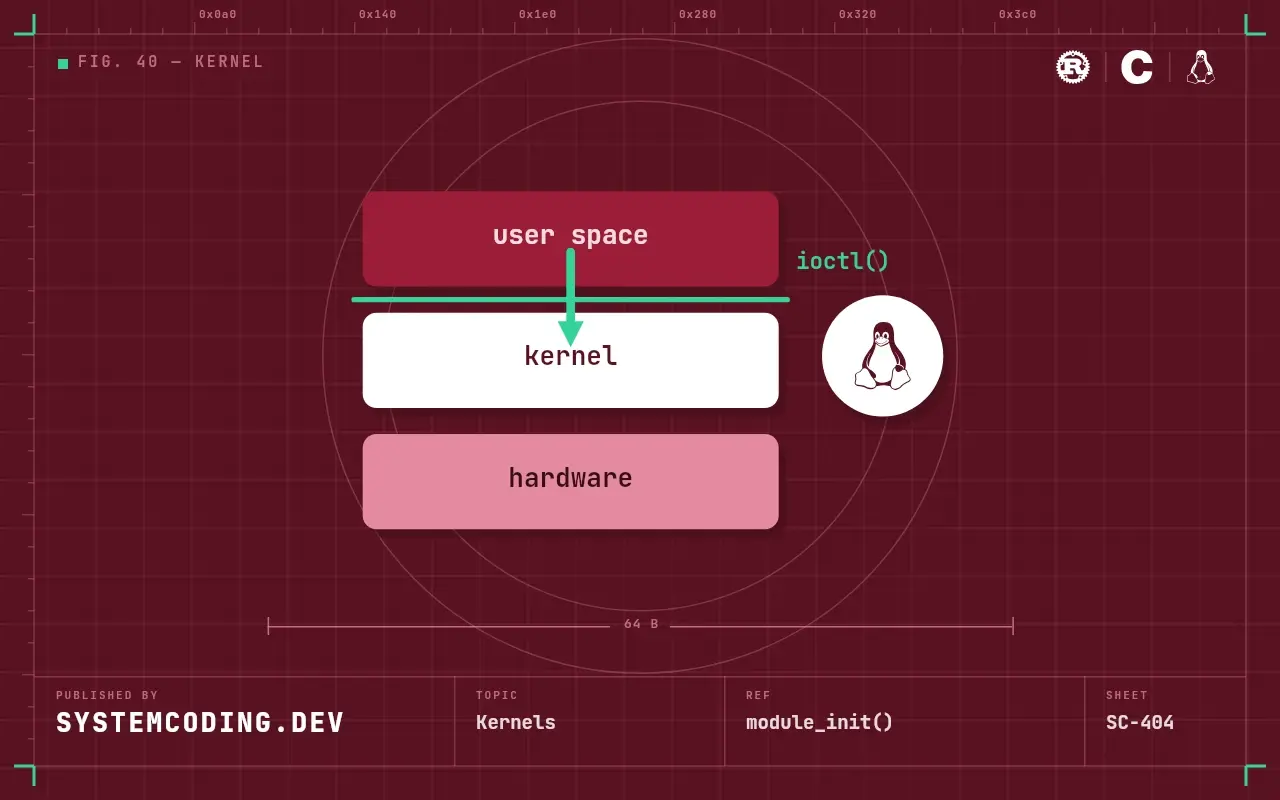
What a loadable kernel module is
A loadable kernel module (LKM) is an object file that the running Linux kernel links into itself on demand. Once loaded, its code runs in kernel mode with the same privilege as the scheduler, the memory manager and every driver. It can register a device, a file system, a network protocol, a tracing hook or a sysfs attribute, and when it is removed the kernel forgets all of it. Almost every driver on a desktop distribution is a module, and so are most file systems, which is why a kernel image of a few tens of megabytes can still run on thousands of different machines.
This guide is the hub for loadable modules in this series. It covers the full life of a module: how it is built, how the kernel loads and checks it, how it takes parameters, how modules depend on each other, how a module talks to user space, how it is licensed and signed, how it is packaged for several kernels and how it is debugged. Along the way it builds one realistic module, a small character device, in stages. Every example targets Linux 6.12 LTS on x86-64 with GCC 14 and the kmod 33 tools, and every claim about interfaces can be checked in the kernel source and in the kernel documentation.
A warning that applies to everything here: kernel code has no safety net. A bad pointer in a module does not end one process, it corrupts the kernel and usually crashes the machine. Do your experiments in a virtual machine, keep snapshots and treat a module you did not write as code with full control of the computer.
Why modules exist
A kernel has to support far more hardware and features than any one machine uses. There are three ways to deal with that. You can compile everything in, which gives a huge kernel with all of its code resident in memory. You can compile a custom kernel for each machine, which is what embedded developers do. Or you can compile the rarely needed parts as modules and load them when needed, which is what distributions do.
Modules give you four practical benefits. The base kernel stays small. A driver can be loaded when the hardware appears and unloaded when it goes away. A driver can be developed and tested without rebooting for every change. And a third party can ship a driver that is not in the mainline kernel, though that last point comes with costs that a later section spells out.
The trade-off is that a module is not a separate program. It shares the address space, locks and data structures of the core kernel, so it must be compiled against exactly the kernel it will join, and it can break everything. Understanding that trade-off is the thread that runs through the rest of this guide.
The lifecycle of a module
Every module goes through the same sequence, and each step has a failure mode worth knowing.
Build. Source files are compiled with the kernel's own flags and linked into a
.kofile, a relocatable ELF object with extra sections for metadata.Install and index. The file is copied under
/lib/modules/<release>/, anddepmodrecords its dependencies and aliases in the filesmodprobereads.Load.
insmodormodprobeopens the file and calls thefinit_modulesystem call. The kernel checks the module's metadata, allocates memory for its code and data, resolves its undefined symbols against the kernel and other modules, applies relocations, and runs the module's init function.Run. The module's registered callbacks run when user space or hardware triggers them.
Unload.
rmmodcallsdelete_module. The kernel refuses if the module is in use, runs the exit function and frees the memory.
The kernel keeps a reference count for each module. A module that registered a device node is "in use" while the node is open, and the count prevents unloading code that is still running. The lsmod command shows the count in its third column and the modules that depend on this one after it.
Anatomy of a module source file
The smallest module needs about fifteen lines, and each one is load-bearing. Here is the skeleton, which the next section extends.
#include <linux/init.h>
#include <linux/module.h>

static int __init skeleton_init(void)
{
	pr_info("skeleton: loaded\n");
	return 0;
}

static void __exit skeleton_exit(void)
{
	pr_info("skeleton: unloaded\n");
}

module_init(skeleton_init);
module_exit(skeleton_exit);

MODULE_LICENSE("GPL");
MODULE_AUTHOR("Your Name");
MODULE_DESCRIPTION("Skeleton module");
There is no main. The module registers two callbacks with module_init and module_exit, and the kernel calls them. The init function returns zero for success or a negative error number such as -ENOMEM on failure, and when it fails the exit function is not called, so init must undo whatever it already did before it returns an error. The __init annotation puts the function in a section that is freed after initialization when the code is built in, and __exit marks cleanup code that is dropped from a built-in kernel because it can never run.
The MODULE_* macros record metadata in a .modinfo section. MODULE_LICENSE matters most, because it decides which kernel symbols the module may use and whether it taints the kernel, a topic that has its own section below. The others, MODULE_AUTHOR, MODULE_DESCRIPTION, MODULE_VERSION and MODULE_ALIAS, are what modinfo prints.
A module cannot use the C library. There is no printf, malloc or strcpy from glibc, because libc depends on system calls that the kernel itself provides. The kernel has its own versions: printk and the pr_* macros for logging, kmalloc and kfree for memory, strscpy for strings and copy_to_user and copy_from_user for crossing into user space. The headers come from the kernel's own include/linux/.
Building a module out of tree
A module can be built inside the kernel source tree, as drivers are, or outside it, in a directory of your own. The out-of-tree route needs only the headers and build scripts of the kernel you are targeting, which distributions ship as a package. On Debian and Ubuntu it is linux-headers-$(uname -r).
The build is driven by a two-line Makefile and the kernel's own build system, kbuild:
obj-m += skeleton.o

KDIR ?= /lib/modules/$(shell uname -r)/build

all:
	$(MAKE) -C $(KDIR) M=$(CURDIR) modules

clean:
	$(MAKE) -C $(KDIR) M=$(CURDIR) clean
obj-m += skeleton.o says "build skeleton.o and link it into a module skeleton.ko". The rule changes into the kernel build directory with -C, and M=$(CURDIR) makes kbuild come back to your directory for the module sources. Recipe lines must begin with a tab character. Running make produces:
make -C /lib/modules/6.12.9-amd64/build M=/home/user/mod modules
make[1]: Entering directory '/usr/src/linux-headers-6.12.9-amd64'
  CC [M]  /home/user/mod/skeleton.o
  MODPOST /home/user/mod/Module.symvers
  CC [M]  /home/user/mod/skeleton.mod.o
  LD [M]  /home/user/mod/skeleton.ko
make[1]: Leaving directory '/usr/src/linux-headers-6.12.9-amd64'
Paths and versions will be yours. CC [M] compiles a file for a module, MODPOST checks the module's undefined symbols and generates a metadata file, the second CC [M] compiles the generated skeleton.mod.c that carries the module's version information, and LD [M] links the final .ko. A module made of several files lists its parts: obj-m += mydrv.o together with mydrv-y := main.o util.o, where the module name must differ from every source file name.
Why not just call gcc? Because the kernel's flags are essential: -ffreestanding, -fno-strict-aliasing, the architecture options and hundreds of -D defines derived from the configuration. A module compiled with different flags might compile and then misbehave in ways that are very hard to trace, so always let kbuild drive the compiler.
Loading, checking and removing
With the module built, load it as root:
sudo insmod ./skeleton.ko
lsmod | grep skeleton
sudo rmmod skeleton
sudo dmesg | tail -n 2skeleton 12288 0
[10432.116740] skeleton: loaded
[10436.870015] skeleton: unloadedThe size and timestamps differ on your machine. insmod takes a path and does nothing else, while modprobe takes a name, finds the file through the index that depmod built, loads dependencies first and applies options from /etc/modprobe.d/. Both call finit_module(2) in the end, which you can confirm with strace. Use insmod for a module you just built and modprobe for installed ones.
Before the kernel runs your init function it performs several checks, and each can fail:
Version magic. The string
vermagicin the module, containing the kernel release and key configuration options, must equal the running kernel's. A mismatch givesInvalid module formatand a kernel log line showing both strings. Read it withmodinfo -F vermagic skeleton.ko.Symbol versions. With
CONFIG_MODVERSIONS, every exported function the module uses has a checksum of its type signature, and the kernel compares them. A mismatch producesdisagrees about version of symbol.Unresolved symbols. If the module calls a function that no loaded module or the kernel exports, the load fails with
Unknown symbol in module. The log names the symbols.Signature. With Secure Boot or
module.sig_enforce, an unsigned module is refused or taints the kernel.License. A module without a GPL-compatible license cannot resolve symbols exported with
EXPORT_SYMBOL_GPL.
The kernel strictness has a reason: there is no stable in-kernel interface. A structure can gain a field or a function can change its prototype between any two builds, and a module compiled against the old layout would corrupt memory at the new offsets without any error at the point of the mistake. The checks approximate "this module was built against exactly this kernel", the only guarantee the kernel can give.
Parameters
A module that needs a number or a string from its user can declare parameters. The mechanism is module_param(name, type, perm), which takes a variable name, its type and a permission mask for the file under /sys/module/<module>/parameters/.
#include <linux/init.h>
#include <linux/module.h>
#include <linux/moduleparam.h>

static int repeat = 1;
module_param(repeat, int, 0444);
MODULE_PARM_DESC(repeat, "How many greeting lines to print");

static char *who = "world";
module_param(who, charp, 0444);
MODULE_PARM_DESC(who, "Name to greet");

static int __init params_init(void)
{
	int i;

	for (i = 0; i < repeat; i++)
		pr_info("params: hello, %s (%d/%d)\n", who, i + 1, repeat);
	return 0;
}

static void __exit params_exit(void)
{
	pr_info("params: bye\n");
}

module_init(params_init);
module_exit(params_exit);
MODULE_LICENSE("GPL");
Set values on the command line, persistently in /etc/modprobe.d/<name>.conf with an options line, or at boot for built-in code as params.repeat=2:
sudo insmod ./params.ko repeat=2 who=kernel
sudo dmesg | tail -n 2[10501.220018] params: hello, kernel (1/2)
[10501.220037] params: hello, kernel (2/2)An invalid value fails the load with Invalid parameters, and the log line params: 'abc' invalid for parameter 'repeat' names the cause. Writable parameters (mode 0644) can be changed at run time through sysfs, but the module is not told. A module that must react needs module_param_cb with its own set callback, which is also the place to validate ranges. Keep the number of parameters small, because each is a promise to users.
Dependencies and exported symbols
Modules rarely stand alone. A file system module uses the block layer, a network driver uses the PTP clock framework, and your module may use a helper module that you wrote. The linking is done by symbol name: a module can call any function the kernel or another loaded module has exported.
A module exports a function with a macro:
#include <linux/init.h>
#include <linux/module.h>

int helper_add(int a, int b)
{
	return a + b;
}
EXPORT_SYMBOL_GPL(helper_add);

static int __init helper_init(void)
{
	return 0;
}

static void __exit helper_exit(void)
{
}

module_init(helper_init);
module_exit(helper_exit);
MODULE_LICENSE("GPL");
EXPORT_SYMBOL makes the symbol available to any module, and EXPORT_SYMBOL_GPL only to modules whose license declares GPL compatibility. Another module declares the function with extern (or a shared header) and calls it:
#include <linux/init.h>
#include <linux/module.h>

extern int helper_add(int a, int b);

static int __init user_init(void)
{
	pr_info("user: 2 + 3 = %d\n", helper_add(2, 3));
	return 0;
}

static void __exit user_exit(void)
{
}

module_init(user_init);
module_exit(user_exit);
MODULE_LICENSE("GPL");
Build both from one Makefile with obj-m += helper.o user.o. Because user.ko needs helper_add, the order matters. Loading user.ko first fails; loading helper.ko first works:
sudo insmod ./user.ko
sudo insmod ./helper.ko
sudo insmod ./user.ko
sudo dmesg | tail -n 3
lsmod | grep -E '^(helper|user)'insmod: ERROR: could not insert module ./user.ko: Unknown symbol in module
[10620.413300] user: Unknown symbol helper_add (err -2)
[10631.881504] user: 2 + 3 = 5
user 12288 0
helper 12288 1 userThe last line shows the effect: helper now has a use count of 1, held by user, so rmmod helper fails while user is loaded. Unload in the reverse order. When the modules live in the same build directory, kbuild's MODPOST step reads Module.symvers for the symbols and records the dependency, so modinfo user.ko shows depends: helper and modprobe handles the order for you after installation. A separate Module.symvers is needed when a module uses symbols from another out-of-tree module in a different directory, via KBUILD_EXTRA_SYMBOLS.
A worked example: a character device
The modules so far only print. A useful module talks to user space, and the simplest route is a misc device, a character device with a dynamically assigned minor number under the misc class, which creates /dev/<name> automatically. This example keeps a counter in kernel memory. Reading /dev/counter returns the current value as text and increments it, and writing a number sets it.
#include <linux/fs.h>
#include <linux/init.h>
#include <linux/kernel.h>
#include <linux/miscdevice.h>
#include <linux/module.h>
#include <linux/mutex.h>
#include <linux/uaccess.h>

static DEFINE_MUTEX(counter_lock);
static unsigned long counter;

static ssize_t counter_read(struct file *f, char __user *ubuf,
			    size_t len, loff_t *off)
{
	char tmp[32];
	int n;

	if (*off > 0)
		return 0;		/* one value per open, then EOF */

	mutex_lock(&counter_lock);
	n = scnprintf(tmp, sizeof(tmp), "%lu\n", counter++);
	mutex_unlock(&counter_lock);

	return simple_read_from_buffer(ubuf, len, off, tmp, n);
}

static ssize_t counter_write(struct file *f, const char __user *ubuf,
			     size_t len, loff_t *off)
{
	char tmp[32];
	unsigned long val;
	int ret;

	if (len >= sizeof(tmp))
		return -EINVAL;
	if (copy_from_user(tmp, ubuf, len))
		return -EFAULT;
	tmp[len] = '\0';

	ret = kstrtoul(tmp, 0, &val);
	if (ret)
		return ret;

	mutex_lock(&counter_lock);
	counter = val;
	mutex_unlock(&counter_lock);

	return len;
}

static const struct file_operations counter_fops = {
	.owner	= THIS_MODULE,
	.read	= counter_read,
	.write	= counter_write,
};

static struct miscdevice counter_dev = {
	.minor	= MISC_DYNAMIC_MINOR,
	.name	= "counter",
	.fops	= &counter_fops,
	.mode	= 0666,
};

static int __init counter_init(void)
{
	int ret = misc_register(&counter_dev);

	if (ret)
		pr_err("counter: misc_register failed: %d\n", ret);
	else
		pr_info("counter: /dev/counter registered\n");
	return ret;
}

static void __exit counter_exit(void)
{
	misc_deregister(&counter_dev);
	pr_info("counter: unregistered\n");
}

module_init(counter_init);
module_exit(counter_exit);

MODULE_LICENSE("GPL");
MODULE_DESCRIPTION("A counter exposed as /dev/counter");
Walk through what each part does and why.
The file operations. A struct file_operations is a table of callbacks that the VFS calls when user space uses the device node. .owner = THIS_MODULE is essential: it makes the kernel hold a reference to the module while the file is open, so rmmod cannot pull the code out from under a running read.
Reading. counter_read formats the number into a kernel buffer with scnprintf, and simple_read_from_buffer copies it to the user buffer, handling the offset and length for you. Returning 0 when *off > 0 signals end of file, so cat reads one line and stops instead of looping forever. The mutex protects the counter because two processes may read at the same time, and a mutex is legal here since a read runs in process context where sleeping is allowed.
Writing. copy_from_user brings the user's bytes into kernel memory and returns the number of bytes it could not copy, so any nonzero value means a bad user pointer and the function returns -EFAULT. The code checks the length before copying, because an unchecked length would overflow the stack buffer. kstrtoul parses the text safely and returns a negative errno on bad input, which is passed straight back to the caller.
Registration. misc_register creates the device node through udev, with the mode set to world read-write for the demonstration. The exit function undoes exactly what init did.
Build it with obj-m += counter.o, load it and use it from the shell:
sudo insmod ./counter.ko
cat /dev/counter
cat /dev/counter
echo 100 > /dev/counter
cat /dev/counter
sudo rmmod counter0
1
100Each cat opens the device and reads one value, so the output of the three reads is 0, 1 and 100. After rmmod, the node disappears. The kernel log shows counter: /dev/counter registered at load and counter: unregistered at removal.
Two details in this module deserve a longer look. First, error handling: if misc_register fails, init returns its error and the module is not loaded, so there is nothing to clean up. A module that registers three things must unregister the earlier ones when the third fails, and the idiom is a chain of labels in reverse order, as in the kernel coding style. Second, concurrency: the module has global state and the kernel is preemptive and multiprocessor, so every access to counter goes through the mutex. A module that works with one reader and breaks with two is one of the most common bugs in new drivers.
Context rules you must follow
Kernel code runs in one of several contexts, and each has rules. The callbacks above run in process context: they execute on behalf of a task, may sleep, may take mutexes and may allocate with GFP_KERNEL. An interrupt handler or a timer callback runs in atomic context: it must not sleep, it may take only spinlocks and it must allocate with GFP_ATOMIC. Calling a sleeping function in atomic context produces BUG: sleeping function called from invalid context. Building a debug kernel with CONFIG_DEBUG_ATOMIC_SLEEP and CONFIG_PROVE_LOCKING makes the kernel check these rules on every run.
Memory has its own rules. Use kmalloc for small objects and vmalloc for large ones, always check for NULL, free exactly once and never touch memory after freeing it. The devm_ family of allocation helpers ties memory to a device's lifetime and removes most manual cleanup in drivers that have a struct device. Never dereference a pointer that came from user space; use copy_from_user and copy_to_user, which check the address range and survive a bad pointer.
Licensing, taint and what the kernel promises
MODULE_LICENSE is more than a label. The kernel recognizes a fixed set of license strings, including "GPL", "GPL v2", "Dual BSD/GPL" and "Dual MIT/GPL", and compares your string with that list. A module with a GPL-compatible license may use every exported symbol. A module with another license, or none, is limited to symbols exported with plain EXPORT_SYMBOL and taints the kernel, which sets a flag visible in /proc/sys/kernel/tainted and printed in every oops report. Maintainers and upstream developers will not debug a crash on a tainted kernel, because proprietary code may have caused it.
cat /proc/sys/kernel/tainted0A value of zero means no flags are set. Bit 0 is set when a proprietary module was loaded and bit 12 when an out-of-tree module was loaded (O), so a kernel running your own module shows a nonzero value even with a GPL license, which is expected and harmless. The meaning of every bit is in the kernel documentation on tainted kernels.
The kernel offers no stable internal API. The Documentation/process/stable-api-nonsense.rst file in the source tree is the project's explicit statement that internal interfaces change whenever needed and that out-of-tree code must keep up. In practice, a module that builds on 6.12 may fail on 6.13 because a function was renamed or a structure changed. Modules that must span several kernels guard their source with LINUX_VERSION_CODE and KERNEL_VERSION() checks. The only stable interface is the one to user space, the system calls and the files under /proc and /sys, which the kernel keeps compatible.
Signing and Secure Boot
On a system with Secure Boot, the firmware trusts only a signed bootloader, which loads a signed kernel, which in turn can require that modules are signed too. With CONFIG_MODULE_SIG_FORCE or the boot parameter module.sig_enforce=1, an unsigned module is refused. Without enforcement, a module with a missing or invalid signature loads but taints the kernel and logs module verification failed.
A signed module carries a PKCS#7 signature appended to the .ko file. The kernel has a tool, scripts/sign-file, that adds it:
/usr/src/linux-headers-6.12.9-amd64/scripts/sign-file sha256 \
  signing_key.pem signing_cert.der counter.ko
modinfo counter.ko | grep -E '^(signer|sig_key|sig_hashalgo)'signer: Local module signing
sig_key: 3A:7F:0C:11:B2:94:5E:60:D1:2C:8A:77:19:4E:B3:A0:55:E2:C9:01
sig_hashalgo: sha256The signer name and key identifier are those of your own certificate. The certificate must be trusted by the kernel: either built into the kernel image, or, on Secure Boot machines, enrolled as a Machine Owner Key through mokutil --import. Distributions that run DKMS often automate the signing and the enrollment. A system in lockdown mode also refuses unsigned modules regardless of the setting above, which is a deliberate part of its protection against code running in the kernel.
Packaging for many kernels with DKMS
An out-of-tree module must be rebuilt for every kernel it will run on, which is a chore after each update. The DKMS framework automates it. You place the source and a dkms.conf in /usr/src/<name>-<version>/ and register it:
PACKAGE_NAME="counter"
PACKAGE_VERSION="1.0"
BUILT_MODULE_NAME[0]="counter"
DEST_MODULE_LOCATION[0]="/updates/dkms"
AUTOINSTALL="yes"sudo dkms add -m counter -v 1.0
sudo dkms build -m counter -v 1.0
sudo dkms install -m counter -v 1.0
dkms statuscounter/1.0, 6.12.9-amd64, x86_64: installedWith AUTOINSTALL="yes", a hook that runs when a new kernel is installed rebuilds the module for it, provided the new kernel's headers are present. When a build fails, the log under /var/lib/dkms/counter/1.0/<release>/x86_64/log/ shows the compiler error, which after a kernel upgrade is usually an API change that needs a patch to the source. DKMS compiles on the user's machine, so production fleets often prefer to build a package per kernel in a controlled environment and ship the result.
Loading at boot and configuring
A module you want present after every reboot goes into a file in /etc/modules-load.d/, one name per line, which systemd-modules-load.service reads at boot. How the module behaves when loaded, its options, aliases and blocking rules, goes in /etc/modprobe.d/*.conf:
echo counter | sudo tee /etc/modules-load.d/counter.confcounterThe distinction matters: modules-load.d says what to load and modprobe.d says how. An options counter ... line applies to every load, whoever causes it. If the module is needed before the root file system is mounted, regenerate the initramfs after any change so its copy of the configuration is current: update-initramfs -u on Debian, dracut --force on Fedora and mkinitcpio -P on Arch.
To stop a module loading, add blacklist name to a modprobe.d file, which prevents automatic loading by alias, and an install name /bin/false rule, which also blocks explicit loads and dependency loads. module_blacklist=name on the kernel command line blocks it for the whole system, including early boot.
Debugging a module
Modules are debugged with the same tools as the kernel, and most problems fall into four families.
Load failures. Start with dmesg. It prints the reason for Invalid module format, Unknown symbol and signature errors. modinfo -F vermagic and modinfo -F depends answer the usual questions.
Printing. The pr_* macros (pr_info, pr_warn, pr_err) are the first tool. For output you can turn on and off at run time, use pr_debug or dev_dbg with dynamic debug, enabled by CONFIG_DYNAMIC_DEBUG. A line is enabled by writing a query to a control file:
echo 'module counter +p' | sudo tee /sys/kernel/debug/dynamic_debug/controlmodule counter +pEvery pr_debug in the module then prints, and -p turns them off again. Because dynamic debug compiles the statements in but disables them, they cost almost nothing when off.
Oopses. A crash in module code prints an oops: the faulting instruction pointer, registers and a call trace with module names in brackets, such as counter_write+0x3a/0x90 [counter]. Turn the offset into a source line with addr2line on the module, built with debug information, or gdb counter.ko and list *(counter_write+0x3a). An oops taints the kernel; reboot before drawing conclusions from later behavior.
Locking and context bugs. Build a test kernel with CONFIG_PROVE_LOCKING, CONFIG_DEBUG_ATOMIC_SLEEP, CONFIG_KASAN for memory errors and CONFIG_DEBUG_KMEMLEAK for leaks. They turn silent corruption into a precise report at the moment of the mistake, and they are the cheapest way to learn what is wrong with your code.
For stepping through code, a virtual machine with a serial console attached to gdb through QEMU's GDB stub lets you set breakpoints inside a module. That is more involved than the techniques above and rarely needed for a first module.
Looking inside a module file
A .ko file is an ordinary ELF relocatable object, so the standard tools read it. Listing the section headers shows the pieces that make a file a module rather than a plain object:
readelf -S --wide counter.ko | grep -E '\.(modinfo|gnu.linkonce.this_module|init.text|exit.text|text|__versions)' [ 1] .text PROGBITS 0000000000000000 000040 0000b8 00 AX 0 0 16
[ 3] .init.text PROGBITS 0000000000000000 0000f8 000024 00 AX 0 0 1
[ 4] .exit.text PROGBITS 0000000000000000 00011c 000016 00 AX 0 0 1
[ 9] .modinfo PROGBITS 0000000000000000 0001a0 0000e1 00 A 0 0 1
[10] __versions PROGBITS 0000000000000000 000290 000300 00 A 0 0 32
[11] .gnu.linkonce.this_module PROGBITS 0000000000000000 000600 000440 00 WA 0 0 64The offsets and sizes depend on your build. Four sections explain most of what the kernel does with the file. .init.text and .exit.text hold your init and exit functions, which the kernel can free once init has finished. .modinfo holds the key=value strings that modinfo prints. __versions holds the symbol checksums used by the modversions check. And .gnu.linkonce.this_module holds the struct module that the kernel fills in when it loads the file: its name, its reference count, its list of dependencies and the pointers to your init and exit functions. When the loader allocates memory, it copies the code and data sections there, applies the relocations that point at kernel symbols and then calls the function that struct module records as init.
You can read the metadata without modinfo, since it is plain text:
strings -a counter.ko | grep -E '^(license|description|vermagic|name|depends)='license=GPL
description=A counter exposed as /dev/counter
depends=
name=counter
vermagic=6.12.9-amd64 SMP preempt mod_unload modversionsdepends= lists the modules this one needs, filled in by MODPOST. For user.ko from the dependency example it would read depends=helper.
Supporting several kernel versions from one source
Because internal interfaces change, a module that has to build on more than one kernel needs conditional code. The kernel provides LINUX_VERSION_CODE and the KERNEL_VERSION(a, b, c) macro in <linux/version.h>:
#include <linux/version.h>

#if LINUX_VERSION_CODE >= KERNEL_VERSION(6, 12, 0)
#define DEMO_HAS_NEW_API 1
#else
#define DEMO_HAS_NEW_API 0
#endif
Use the macro sparingly. Each branch doubles what you must test, and the distribution kernels complicate it: a vendor kernel labeled 5.14 may contain backported APIs from 6.x, so the version check lies. For out-of-tree code that supports many kernels, the more dependable method is feature detection at build time: compile a tiny test program against the headers, and define a macro from the result. Projects with a long compatibility matrix keep that logic in their Makefile. The cheaper option, if you can choose, is to support fewer kernels and to track the mainline closely.
Taking and dropping module references
Most of the time the kernel handles reference counting for you: opening a device whose file_operations has .owner = THIS_MODULE takes a reference, and closing it drops one. When your module hands a callback to another subsystem that is not tied to a file, for example a function pointer stored in a registry, you must hold a reference yourself so the module cannot unload while that pointer can still be called. The calls are try_module_get(THIS_MODULE), which returns false if the module is already being removed, and module_put(THIS_MODULE) to release. Forgetting this is a classic cause of a kernel oops shortly after rmmod, because a stale pointer into freed module memory is called later from some other context.
Mainline or out of tree: the real cost
It is worth stating plainly what keeping a module out of tree costs, because it drives many design choices. Every kernel release can break the build, so someone must track the API changes. Distributions will not ship it without a rebuild path, so users need DKMS or a package per kernel. Secure Boot users need signing. The kernel developers will not help debug a crash on a kernel with your module loaded. A driver that is accepted into the mainline tree avoids all of that, since the developers who change an API also fix every in-tree user of it. Submitting the code for review is more work up front, and it is the only option that removes the maintenance work for good.
Unloading safely
Unload is where many modules fail. The exit function must undo everything init did, in reverse order, and nothing may still be running. Watch for these hazards:
Open files. The
ownerfield infile_operationsand the module reference count keep the module alive while a device is open. Without.owner = THIS_MODULEa user can unload the module while a process is inside it, and the next instruction fetch lands in freed memory.Timers and work items. A timer or work item that is still scheduled will run after the exit function has freed its memory. Use
timer_shutdown_sync()(ordel_timer_sync()on older kernels) andcancel_work_sync()before freeing.Interrupts. Free the interrupt line with
free_irq()before releasing the data its handler uses.Lists and callbacks. Unregister from every subsystem you registered with, so no one holds a pointer into your module.
rmmod fails with Module X is in use while the count is positive, and rmmod -f forces removal if the kernel was built with CONFIG_MODULE_FORCE_UNLOAD. Forcing is dangerous for the same reasons: it removes code that something may still call. Leave it for cases when the machine will be rebooted afterwards anyway.
Security considerations
A module has full control of the machine, so the modules a system allows are part of its attack surface. Several controls reduce the risk. Module signing limits loading to code you trust. The sysctl kernel.modules_disabled=1, once set, forbids any further module load or unload until reboot, a common step after a server has finished booting. CONFIG_SECURITY_LOCKDOWN_LSM in integrity mode refuses unsigned modules even for root. And unprivileged user namespaces, which let ordinary users auto-load some networking modules through the kernel's request_module, are a known source of exposure, so many hardened systems limit which aliases may auto-load.
When you write a module, handle every value that crosses from user space as hostile. Check lengths before copying, use kstrto* for parsing, bound every index and return errno values instead of trusting input. A module that exposes a device node with mode 0666, as the example above does for simplicity, should have a reason: use 0600 or a udev rule to restrict a real device.
When a module is not the right answer
Modules are the right tool for drivers and for code that must run in the kernel. They are the wrong tool for many things people reach for them to do. If a task can be done in user space, do it there: a crash in a user program does not take the machine down, and the interfaces are stable. Facilities for exactly that exist: libusb and usbfs for USB devices, spidev and i2c-dev for buses, uio and vfio for devices that need mapped registers, and FUSE for file systems. If you need to observe or extend kernel behavior safely, eBPF lets you load verified programs into the kernel without writing a module, with safety checks that a module does not have. And if your code belongs in the mainline kernel, submit it as a driver instead of keeping it out of tree, which removes the rebuild and compatibility burden.
A debugging checklist for a module that misbehaves
When something goes wrong, work through a short list in order before you change any code.
Read
dmesgfrom the load. A message you did not expect is often the answer.Confirm the module you are running is the one you built: check
modinfo -nand thesrcversion, since a stale copy earlier in the module search path is a classic cause of "my fix did nothing".Check the reference count and dependencies with
lsmod.Reproduce on a debug kernel with lock, atomic-sleep and memory checks enabled.
Reduce the failing case: one reader, one writer, one input.
Read the oops from the top, find the module and function in the trace and map the offset to a source line.
Only then change the code, one thing at a time, and rebuild against the headers of the running kernel.
Questions to ask before you write one
A few questions at the start save weeks later. Does the functionality really need kernel privilege, or could a user-space program with an existing interface do it? Which kernel versions must it support, and who will rebuild it when they change? Does it handle untrusted input, and if so, which checks keep a hostile process from reaching memory it should not? What happens on every error path, and does each one release what the earlier steps acquired? Who will be able to open the device node, and what do they gain by doing so? And how will you test it on a kernel that checks locking and memory, rather than on the one that hides your mistakes?
Writing the answers in a short design note before the first line of code is a habit that kernel developers share, and it keeps a small experiment from turning into an unreviewed piece of the machine's most privileged code. If the answers show that the module is the wrong tool, you have saved the effort. If they show it is the right one, the code you write afterward will be smaller and safer for having been thought through.
Where to go next
The module skeleton and the misc device cover the structure that every driver shares. The next layers each have their own subsystem: character drivers with cdev and device numbers, block drivers, platform drivers with device tree bindings, and buses such as I2C, SPI, USB and PCI. In the kernel's own tree, samples/ holds small working examples, drivers/char/ has readable simple drivers and Documentation/driver-api/ explains the frameworks. The ladder in this series climbs through them in that order, from the first module to network drivers and the VFS.


