The Complete Guide to JCL for z/OS Batch Jobs
A beginner guide to JCL on z/OS 3.1: job flow in JES2, JOB, EXEC and DD statements, datasets, utilities, procedures, conditions, output and failures.
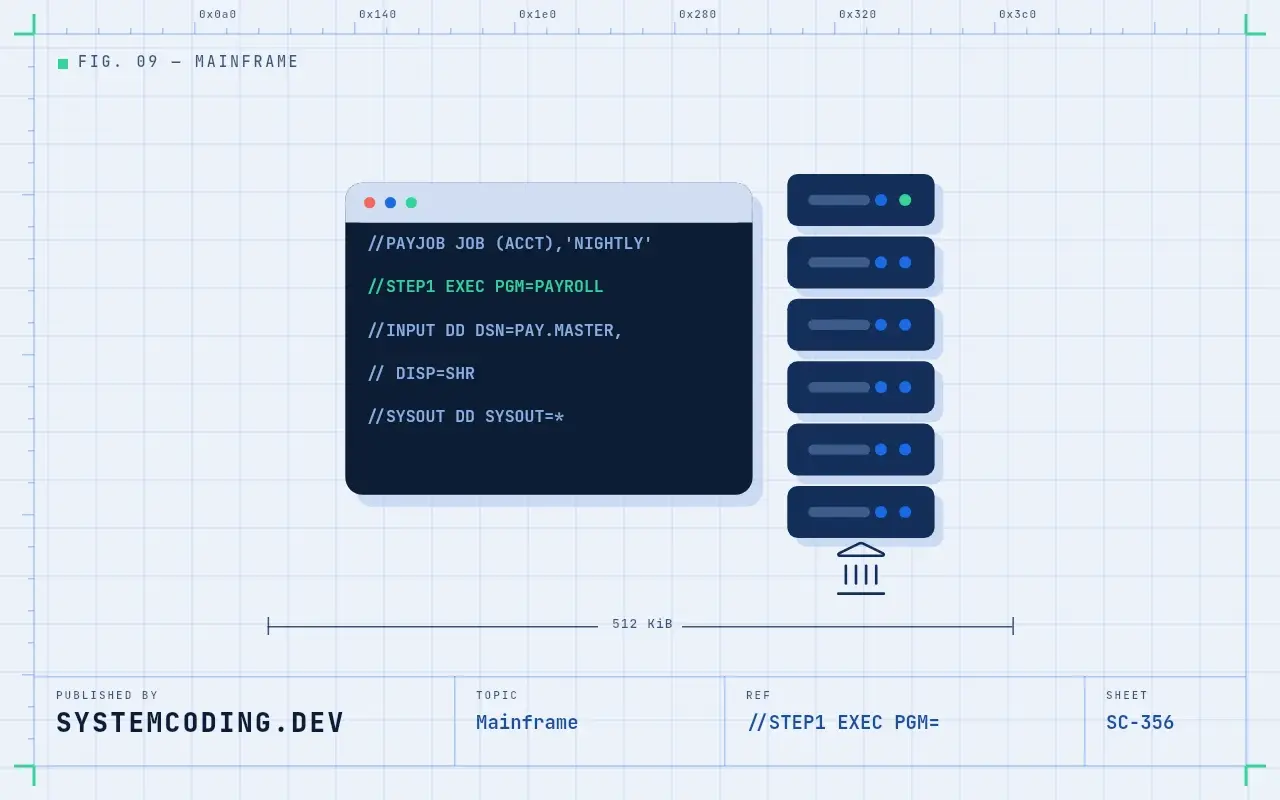
Every night, somewhere, a bank closes its books by running thousands of jobs that nobody types into a terminal. A scheduler starts a job, the job reads files, calls programs, writes other files and reports, and the scheduler starts the next one. The language those jobs are written in is Job Control Language, JCL, which has been the way to tell IBM mainframes what to run since the 1960s and is still how most batch work on z/OS is described. It looks hostile at first: fixed columns, two-slash prefixes, parameters with names like DISP and SPACE. It is also small. A beginner who understands three statements, a handful of parameters and the shape of a job's life can read and write most of the JCL in production. This guide builds that understanding on z/OS 3.1 with JES2, the job entry subsystem most sites run. It starts with what happens to a job from submission to purge, walks the statements and the rules that govern them, covers datasets, the utility programs that do the everyday work, procedures that remove repetition, conditions that choose which steps run, output handling, running your own COBOL programs, and a practical section on reading failures. Every example is JCL you can type, with the log lines it produces, and each section points to the shorter post that goes deeper on one topic. The short answer to "what is JCL" is that it is a set of statements that tell the system which programs to run and which datasets they use. The rest of this guide is what that sentence leaves out.
What a batch job is, and what happens to it
A batch job is a unit of work described in advance and run without a person at the keyboard. Contrast it with an online transaction, where a user enters data and waits for an answer. A batch job reads whatever it is told to read, runs to completion, and leaves its results in datasets and printed output. The system running the job does not guess anything: every program, every file, every amount of disk space has to be named in the JCL.
A job moves through a fixed life, and knowing it explains most of what you see in the tools.
| Phase | What happens | Where you see it |
|---|---|---|
| Submit | You send the JCL to JES2 from ISPF, a scheduler or a tool | JOB STUDENT1(JOB00247) SUBMITTED |
| Input | JES2 reads the text and stores it in the spool | SDSF status shows the job waiting |
| Conversion | JES2 checks the JCL and expands procedures and symbols | JCL errors appear here, before anything runs |
| Execution | An initiator, a system address space, picks the job by class and runs its steps in order | The step messages in the job log |
| Output | JES2 holds the job's printed output until it is printed or read | SDSF output display |
| Purge | JES2 removes the job and its output from the spool | The job disappears from SDSF |
Two phases do most of the work for a beginner. Conversion is where JCL syntax is judged. A mistake here produces a JCL error and the job never runs, which is different from a program that runs and fails. Execution is where programs run, and a failure there leaves a return code or an abend code and messages from the program.
The word initiator matters. Jobs run only when an initiator that serves their class is free, so a job can sit in the queue for seconds or hours without anything being wrong. The class on the JOB statement decides which initiators can take the job, and installations use classes to separate short jobs from long ones and production from test.
The first job, read line by line
The smallest useful job copies one dataset to another. Here it is, with line numbers in the discussion below standing for the order of the statements.
//COPYJOB  JOB (ACCT123),'COPY CUSTOMERS',CLASS=A,MSGCLASS=X,
//             NOTIFY=&SYSUID
//STEP1    EXEC PGM=IEBGENER
//SYSPRINT DD SYSOUT=*
//SYSIN    DD DUMMY
//SYSUT1   DD DSN=PROD.CUSTOMER.MASTER,DISP=SHR
//SYSUT2   DD DSN=TEST.CUSTOMER.COPY,DISP=(NEW,CATLG,DELETE),
//             UNIT=SYSDA,SPACE=(CYL,(5,5),RLSE),
//             DCB=(RECFM=FB,LRECL=80,BLKSIZE=0)
The first statement, JOB, gives the job a name and an identity. The name, COPYJOB, is how the system and you will refer to it. The accounting information in parentheses identifies who is charged for the work, the quoted text is a free description, CLASS=A chooses which queue the job waits in, and MSGCLASS=X chooses where the job's own messages are held. NOTIFY=&SYSUID asks the system to tell you when the job ends, and &SYSUID is replaced by your user id.
The second statement, EXEC, starts a step. A step runs one program, here IEBGENER, a utility that copies a sequential dataset to another. The step name STEP1 is how messages and later statements refer to it. A job has one or more steps, each started by an EXEC, and they run in order.
The statements that follow, DD, stand for data definition, and each ties a name the program uses to a real dataset or to output. A program never says "open the customer master". It says "open SYSUT1", and the JCL says which dataset that is today. The same program can therefore copy a test file now and a production file next week with no change. IEBGENER reads SYSUT1, writes SYSUT2, takes control statements from SYSIN and writes messages to SYSPRINT.
When the job runs, the log shows what the system did:
IEF142I COPYJOB STEP1 - STEP WAS EXECUTED - COND CODE 0000
IEF285I   PROD.CUSTOMER.MASTER                          KEPT
IEF285I   TEST.CUSTOMER.COPY                            CATALOGED
$HASP395 COPYJOB  ENDED - RC=0000
IEF142I reports the step and its condition code, the number the program returned, and 0000 means all went well. IEF285I reports what happened to each dataset when the step ended: the input was kept, the new dataset was cataloged. $HASP395 is JES2 reporting the end of the job with its return code. The post on the three statements goes through each field with a second example.
The syntax rules, in one page
JCL is a fixed-format language, and its rules are short. Every statement begins with // in columns 1 and 2. If the statement has a name, it starts in column 3 and is one to eight characters beginning with a letter or a national character (@, # or $). After at least one blank comes the operation, JOB, EXEC or DD, then at least one blank and the operands, then optionally a comment. Operands contain no blanks, because a blank ends the field. Only columns 1 to 71 are read.
A statement that does not fit on one line continues on the next. End the first line after a comma, start the next with // and a blank, and begin the continued operands somewhere between columns 4 and 16:
//SYSUT2   DD DSN=TEST.CUSTOMER.COPY,
//             DISP=(NEW,CATLG,DELETE),
//             UNIT=SYSDA,SPACE=(CYL,(5,2),RLSE)
A line with //* in columns 1 to 3 is a comment, and it is printed in the job's listing. In-stream data ends with /*, and a line with only // marks the end of the job. The most common syntax errors are a missing comma at the end of a continued line, a blank inside the operands, which turns the rest of the line into a comment without any message, and a continuation that begins after column 16. When the system rejects a statement, the message names it and begins with IEFC, for example:
IEFC605I UNIDENTIFIED OPERATION FIELDThat one means the operation field is not JOB, EXEC, DD or another valid statement, usually because of a typing error. The post on syntax rules covers continuation, comments and delimiters in detail.
Datasets: the part you cannot skip
Most of a job's lines are DD statements, and most DD statements are about datasets. A dataset is the z/OS word for a file. It has a name of up to 44 characters, made of qualifiers of up to eight characters each, separated by periods, such as PROD.CUSTOMER.MASTER. The first qualifier is conventionally a group or user id, and the rest describe the content.
The system keeps a catalog, a directory that maps dataset names to the disk volumes that hold them. Most datasets are cataloged, so you refer to them by name and the system finds them. When you create one, you tell the system what to do about the catalog.
DISP: the life of a dataset
The DISP parameter takes up to three values: the dataset's status when the step starts, what to do with it if the step ends normally, and what to do if it ends abnormally.
| Status | Meaning |
|---|---|
NEW | Create it now |
OLD | It exists; use it exclusively |
SHR | It exists; share it with other readers |
MOD | Append to it, creating it if needed |
| Disposition | Effect |
|---|---|
KEEP | Leave it as it is |
CATLG | Keep it and catalog it |
DELETE | Remove it |
UNCATLG | Keep it, remove the catalog entry |
PASS | Hold it for a later step in this job |
The combination you will write most often creates a file: DISP=(NEW,CATLG,DELETE), which means create it, catalog it on success and delete it on failure. The most important default to know is that a DD for a dataset with no DISP is treated as NEW with deletion at the end of the step, so an output file you forgot to disposition disappears. The dedicated post and the cheat sheet cover every combination and when each is wrong.
SPACE, UNIT and DCB: creating a dataset
A new dataset needs three more descriptions. UNIT=SYSDA names the kind of device, here the installation's disk group. SPACE=(CYL,(5,5),RLSE) asks for five cylinders to start, five more each time it fills, and the return of unused space when the dataset is closed. DCB=(RECFM=FB,LRECL=80,BLKSIZE=0) describes the records: fixed length, blocked, 80 bytes each, with the block size chosen by the system.
A cylinder on a 3390 disk is 15 tracks, so CYL requests move in bigger steps than TRK. When space runs out the job ends with an abend: B37 when the volume is full, D37 when the primary space fills and no secondary was requested, E37 when the dataset reaches its limit of extents. The fix is a better allocation, not a rerun. If the shop provides data classes, DATACLAS= can supply all these values from a name, and LIKE= copies the attributes of an existing dataset, so a long allocation shrinks to a line:
//NEWFILE  DD DSN=TEST.CUSTOMER.COPY2,DISP=(NEW,CATLG,DELETE),
//             LIKE=TEST.CUSTOMER.COPY
Creating and deleting with IEFBR14
IEFBR14 is a program that does nothing and returns at once. Because the system allocates every DD statement before the program starts, a step that runs it is a way to create or delete datasets from JCL, and the standard idiom for housekeeping:
//HOUSE    JOB (ACCT),'HOUSEKEEPING',CLASS=A,MSGCLASS=X
//DEL      EXEC PGM=IEFBR14
//OLDFILE  DD DSN=TEST.CUSTOMER.COPY,DISP=(MOD,DELETE,DELETE),
//             UNIT=SYSDA,SPACE=(TRK,(1,1))
//NEWFILE  DD DSN=TEST.CUSTOMER.COPY,DISP=(NEW,CATLG,DELETE),
//             UNIT=SYSDA,SPACE=(CYL,(5,5),RLSE),
//             DCB=(RECFM=FB,LRECL=80,BLKSIZE=0)
The first DD uses MOD with DELETE: if the dataset exists, it is deleted, and if it does not, MOD creates it only to be deleted, so the step does not fail either way. That makes a rerunnable job. The second DD then creates the dataset afresh.
Generations, temporary names and members
Three other kinds of name are everywhere in production JCL. A dataset whose name starts with &&, such as &&WORK, is temporary: the system gives it a unique name and deletes it at the end of the job, and a step can pass it to the next with DISP=(NEW,PASS). A name ending in a number in parentheses, such as PROD.SALES.DAILY(+1), refers to a generation of a generation data group, a family of related datasets where (0) is the newest, (-1) the one before and (+1) a new one, which keeps a rolling history without changing the job. And a name with a name in parentheses after a library, such as PROD.LOADLIB(CUSTRPT), is a member of a partitioned dataset, a library holding many members. Each kind has its own rules, and the later posts in this cluster cover them.
//NEWGEN   DD DSN=PROD.SALES.DAILY(+1),DISP=(NEW,CATLG,DELETE),
//             UNIT=SYSDA,SPACE=(CYL,(5,5),RLSE),
//             DCB=(RECFM=FB,LRECL=80,BLKSIZE=0)
//LASTGEN DD DSN=PROD.SALES.DAILY(0),DISP=SHRIEF285I PROD.SALES.DAILY.G0004V00 CATALOGEDThe group base must exist before generations can be created, and it is defined once with IDCAMS, as shown below. The generation name the system produces has the form G plus four digits and V plus two, and the digits depend on the history of the group.
Concatenation
Several datasets can be presented to a program under one name by leaving the name off the following DD statements:
//SYSUT1   DD DSN=STUDENT1.DAILY.MON,DISP=SHR
//         DD DSN=STUDENT1.DAILY.TUE,DISP=SHR
//         DD DSN=STUDENT1.DAILY.WED,DISP=SHR
The program reads the three as one file, in the order coded. The same technique builds library search paths such as STEPLIB, where the first library holding the program wins.
Utilities: the programs that do everyday work
Much of a batch job's work is done by utilities supplied with z/OS, which you drive with JCL and short control statements. Five are worth knowing on the first day.
| Utility | What it does |
|---|---|
IEFBR14 | Does nothing; used for allocation and deletion |
IEBGENER | Copies a sequential dataset, with optional reformatting |
IEBCOPY | Copies and compresses partitioned datasets and members |
IDCAMS | Defines and manages catalogs, VSAM datasets and generation groups |
SORT (DFSORT) | Sorts, merges, filters and reformats records |
Sorting and filtering with DFSORT
SORT takes its control statements from SYSIN, its input from SORTIN and writes SORTOUT. This job keeps only the records for the NE region and orders them by branch:
//SORTNE   JOB (ACCT),'SORT NE',CLASS=A,MSGCLASS=X
//SORT     EXEC PGM=SORT
//SYSOUT   DD SYSOUT=*
//SORTIN   DD *
SW 201 00400
NE 102 00300
NE 101 00100
/*
//SORTOUT  DD SYSOUT=*
//SYSIN    DD *
  INCLUDE COND=(1,2,CH,EQ,C'NE')
  SORT FIELDS=(4,3,CH,A)
/*NE 101 00100
NE 102 00300The INCLUDE statement keeps records whose two characters starting in column 1 are NE, and SORT FIELDS sorts the survivors on the three characters starting at column 4, as character data in ascending order. Control statements begin in column 2 or later. DFSORT can also sum, reformat, merge and split, and it is the tool that most jobs should use for these tasks before a program is written.
Defining VSAM and generation groups with IDCAMS
VSAM files are created with IDCAMS commands, not with DD space parameters. This defines a key-sequenced file and a generation group base:
//DEFINE   JOB (ACCT),'IDCAMS',CLASS=A,MSGCLASS=X
//STEP1    EXEC PGM=IDCAMS
//SYSPRINT DD SYSOUT=*
//SYSIN    DD *
  DEFINE CLUSTER (NAME(STUDENT1.CUST.KSDS) -
         INDEXED KEYS(6 0) RECORDSIZE(80 80) -
         TRACKS(5 5) FREESPACE(10 10) SHAREOPTIONS(2 3))
  DEFINE GDG (NAME(STUDENT1.SALES.DAILY) LIMIT(7) SCRATCH)
/*IDC0002I IDCAMS PROCESSING COMPLETE. MAXIMUM CONDITION CODE WAS 0A hyphen at the end of a line continues an IDCAMS command. The message at the end reports the highest condition code across the commands, and any value above zero means at least one command had a problem that is described earlier in SYSPRINT.
Libraries, members and where programs are found
A partitioned dataset is a library: one dataset name that holds many members, each addressed as LIBRARY(MEMBER). Source code, JCL, control statements and load modules are all kept this way. Two kinds exist. A PDS is the original, with a directory whose size is fixed when you allocate it and space that needs compressing after deletes. A PDSE manages its directory and space for you and can hold program objects, which the newer compilers produce, so it is the usual choice for new libraries. A PDSE is requested with DSNTYPE=LIBRARY, and a PDS with DSORG=PO and a directory quantity in SPACE.
//MAKELIB  EXEC PGM=IEFBR14
//NEWLIB   DD DSN=STUDENT1.NEW.LOADLIB,DISP=(NEW,CATLG,DELETE),
//             UNIT=SYSDA,SPACE=(CYL,(5,5,20)),
//             DCB=(RECFM=U,BLKSIZE=32760,DSORG=PO)
//NEWPDSE  DD DSN=STUDENT1.NEW.PDSE,DISP=(NEW,CATLG,DELETE),
//             UNIT=SYSDA,SPACE=(CYL,(5,5)),DSNTYPE=LIBRARY,
//             DCB=(RECFM=FB,LRECL=80,BLKSIZE=0)
The first allocation is a load library in the old form, with 20 directory blocks as the third number of SPACE, and record format U. The second is a PDSE for text, which needs no directory quantity. Use the form your shop standard names.
IEBCOPY copies whole libraries or chosen members, and compresses a PDS in place:
//COPYLIB  JOB (ACCT),'COPY MEMBERS',CLASS=A,MSGCLASS=X
//STEP1    EXEC PGM=IEBCOPY
//SYSPRINT DD SYSOUT=*
//INLIB    DD DSN=STUDENT1.JCL,DISP=SHR
//OUTLIB   DD DSN=STUDENT1.JCL.BACKUP,DISP=SHR
//SYSIN    DD *
  COPY OUTDD=OUTLIB,INDD=INLIB
  SELECT MEMBER=(HELLO,NIGHTLY)
/*
The SELECT statement limits the copy to two members. Leave it out to copy everything. The utility writes a count of the members it copied to SYSPRINT, and the step ends with return code 0 when all went well.
The program search order
When a step says PGM=CUSTRPT, the system must find a load module of that name, and it looks in a fixed order: first the libraries named by a STEPLIB DD in the step, if there is one, then a JOBLIB DD placed after the JOB statement and before the first EXEC, if there is one, and then the system libraries, the link list. A STEPLIB overrides JOBLIB for its step.
//SEARCH   JOB (ACCT),'SEARCH ORDER',CLASS=A,MSGCLASS=X
//JOBLIB   DD DISP=SHR,DSN=PROD.LOADLIB
//STEP1    EXEC PGM=CUSTRPT
//STEP2    EXEC PGM=CUSTEXT
//STEPLIB  DD DISP=SHR,DSN=STUDENT1.TEST.LOADLIB
//         DD DISP=SHR,DSN=PROD.LOADLIB
STEP1 finds CUSTRPT through the job library. STEP2 has its own step library, which lists the test library first, so a test copy of CUSTEXT is used and the production copy is the fallback. If neither is found anywhere, the step ends with the S806 abend from the diagnostic table. Because the first match wins, the order of a concatenated library list is part of the program's behavior, and a test module left at the front of a STEPLIB explains many a difference between two runs of the same job.
Reading SDSF efficiently
The tool you will use most after the editor is SDSF, and a few commands make it fast. In the status display (ST), PREFIX name* limits the list to jobs whose names start with a pattern, OWNER userid limits it to one user's jobs, and SORT reorders the columns. A line command typed in the NP column acts on a job: S opens its output, ? lists its output datasets, P purges it and C cancels a running one if you are allowed. Inside the output, FIND text searches, RFIND repeats the search, and typing M or MAX with F8 jumps to the bottom of a long log. To find a failure in a job log, search for ABEND, then for IEF272I, JCL ERROR and RC=; those four searches locate nearly every problem.
The same facts are available outside SDSF. Tools such as Zowe CLI and the Zowe Explorer extension for Visual Studio Code submit JCL and fetch spool output with commands, which is how modern pipelines run jobs, but the datasets and messages they show are the ones above.
Access, regions and limits you will meet
Three system limits shape what a job can do, and each has a JCL parameter. Security: z/OS runs under an external security manager, commonly RACF, that decides which datasets and programs your user id may read or update. A job runs with the authority of the user who submitted it, so a job that works for one person can fail for another with an S913 abend or a security message in JESYSMSG. The fix is access granted by your security administrator, never a change to the JCL. Storage: REGION= on the JOB or EXEC statement sets how much virtual storage the step may use, and a program that needs more than the installation default fails with S878; REGION=0M asks for the maximum the installation allows, and some sites restrict its use. Time: TIME= on the JOB or EXEC statement limits CPU time, and a runaway loop ends with S322 instead of consuming the machine.
//BIGJOB   JOB (ACCT),'BIG JOB',CLASS=B,MSGCLASS=X,
//             REGION=256M,TIME=(5,30)
//STEP1    EXEC PGM=CUSTRPT,REGION=0M
TIME=(5,30) allows five minutes and thirty seconds of CPU time. The class matters too: sites reserve classes for long jobs, with different limits, and a job placed in the wrong class is held or canceled. Read your installation's standards for classes, regions and time limits before coding them, since the right values are local, and treat a limit that stops your job as information about the job's size and not as an obstacle to override.
Procedures: JCL you write once
Many jobs repeat the same few statements. A procedure, called a proc, is a named block of JCL that you call with an EXEC statement, with values filled in by parameters. A proc can be stored in a library, cataloged, or placed in the job itself, in-stream, which is how to learn them.
//PROCJOB  JOB (ACCT),'PROC DEMO',CLASS=A,MSGCLASS=X
//COPYPROC PROC IN=,OUT=
//CP       EXEC PGM=IEBGENER
//SYSPRINT DD SYSOUT=*
//SYSIN    DD DUMMY
//SYSUT1   DD DSN=&IN,DISP=SHR
//SYSUT2   DD DSN=&OUT,DISP=(NEW,CATLG,DELETE),
//             UNIT=SYSDA,SPACE=(TRK,(5,5),RLSE),
//             DCB=(RECFM=FB,LRECL=80,BLKSIZE=0)
//         PEND
//RUN1     EXEC COPYPROC,IN=PROD.CUSTOMER.MASTER,OUT=TEST.COPY.ONE
//RUN2     EXEC COPYPROC,IN=PROD.ORDERS.MASTER,OUT=TEST.COPY.TWO
The proc starts at PROC and ends at PEND. The names IN and OUT are symbolic parameters, and the proc refers to their values as &IN and &OUT. Each EXEC COPYPROC supplies the values, and the system substitutes them. The same few lines now copy two datasets. When the log lists the expanded statements, lines that came from the proc are marked with XX at the left and the substituted text is shown:
IEFC653I SUBSTITUTION JCL - DSN=PROD.CUSTOMER.MASTER,DISP=SHR
IEFC653I SUBSTITUTION JCL - DSN=TEST.COPY.ONE,DISP=(NEW,CATLG,DELETE),
A proc can be changed for one call without changing the stored copy. You override a statement by naming the step and the DD, with a //stepname.ddname DD statement after the EXEC:
//RUN3     EXEC COPYPROC,IN=PROD.CUSTOMER.MASTER,OUT=TEST.COPY.THREE
//CP.SYSPRINT DD SYSOUT=A
The override replaces the proc's SYSPRINT for this call only. Overrides must follow the order of the steps and DD statements in the proc, and a DD that does not exist in the proc is added at the end of its step.
Cataloged procs live in libraries named by JCLLIB ORDER= in the job, or in the system procedure libraries, and most sites keep their standard compile, link and run sequences there. The convenience of a proc is also its risk: the job's text no longer shows everything that runs, so you open the proc to see it. The practical rules are to keep procs short, to document their parameters in a header, and to resist hiding logic in them.
Symbols without procedures
A SET statement defines a symbol for use in the rest of the job, and is the cheapest way to remove a repeated high-level qualifier:
//         SET  HLQ=TEST
//STEP1    EXEC PGM=IEBGENER
//SYSUT1   DD DSN=&HLQ..CUSTOMER.COPY,DISP=SHR
The double period is deliberate: the first ends the symbol's name and the second is the period in the dataset name. Changing HLQ points the whole job at another environment, which is also a guard against running test work against production data.
Conditions: choosing which steps run
A job of several steps usually has dependencies. The load should not run if validation failed, and a cleanup should run either way. The decision is made by the IF statement, which tests the result of earlier steps:
//CHECK    EXEC PGM=IDCAMS
//SYSPRINT DD SYSOUT=*
//SYSIN    DD *
  LISTCAT ENTRIES(STUDENT1.NO.SUCH.DATASET)
/*
//         IF (CHECK.RC <= 4) THEN
//LOAD     EXEC PGM=IEFBR14
//         ELSE
//ALERT    EXEC PGM=IEFBR14
//         ENDIF
IDCAMS reports the missing entry and ends with a return code of 4, so CHECK.RC <= 4 is true, LOAD runs, and ALERT is skipped. The log distinguishes the two:
IEF142I IFDEMO CHECK - STEP WAS EXECUTED - COND CODE 0004
IEF142I IFDEMO LOAD - STEP WAS EXECUTED - COND CODE 0000
IEF272I IFDEMO ALERT - STEP WAS NOT EXECUTED.
The tests available are stepname.RC for a return code, stepname.ABEND for whether a step abended, stepname.ABENDCC for a particular abend code, and stepname.RUN for whether it started. Conditions combine with AND, OR and NOT. A cleanup step that must run after a failure should test ABEND as well as the return code, since an abended step has no return code to compare.
The older mechanism is the COND parameter on EXEC, and you will see it in jobs written before IF existed. It reads in reverse: COND=(4,LT,CHECK) means skip this step if 4 is less than the return code of CHECK. For new jobs, use IF, and read the post on step execution for the translation of old COND lines.
By convention, return codes mean 0 for success, 4 for a warning, 8 for an error, 12 for a severe error and 16 for a terminal one. A program sets its own return code, as the COBOL posts on this site show with the RETURN-CODE register, and utilities follow the same scale, so an IF written against it works across steps from different sources.
Passing information in: PARM and in-stream data
A step can receive information in three ways other than datasets. PARM on the EXEC statement passes a string of up to 100 characters. The program receives it as a length and the text:
//STEP1 EXEC PGM=SHOWPARM,PARM='NIGHTLY,2026-11-23'Characters that JCL treats specially, such as commas and blanks, need the string to be enclosed in apostrophes. For a longer value, PARMDD=ddname reads the parameter from a DD. A slash in a PARM separates the program's own string from Language Environment runtime options in COBOL programs, so a value that contains a slash needs another route.
In-stream data is placed in the job after a DD * statement and ends at /*. It carries utility control statements and small test inputs. Data that itself contains lines starting with // needs DD DATA with a delimiter of your choice:
//SYSIN    DD *
  SORT FIELDS=(1,10,CH,A)
/*
//SYSUT1   DD DATA,DLM=@@
//NEXTJOB  JOB (ACCT),'GENERATED'
@@
Keep variable or large data out of the stream. A date that changes every night belongs in PARM or a small parameter dataset that a scheduler writes, so that nobody edits the production job.
Output: where the results go
A job has no screen, so everything it says goes to the spool. A DD with SYSOUT=* sends a program's output to the spool in the same class as the job's messages, and MSGCLASS on the JOB statement sets that class. In SDSF, a finished job's output includes three datasets the system always writes: JESMSGLG, the job log with the step return codes; JESJCL, the JCL as the system read it, with substitutions and errors; and JESYSMSG, the allocation and termination messages, including the IEF285I lines for every dataset. The program's own SYSOUT datasets follow.
Read them in that order when a job misbehaves: log, JCL, system messages, then the program. MSGLEVEL=(1,1) on the JOB statement makes the listing complete. The spool is purged on a schedule, so a report worth keeping goes to a dataset, or is copied out of SDSF with the XDC command.
Running your own COBOL program
JCL exists to run programs, and the programs you write are compiled and bound before they run. The compile step, covered in its own post, runs the compiler IGYCRCTL with the source on SYSIN, copybook libraries on SYSLIB, the listing on SYSPRINT and the object on SYSLIN. The bind step runs IEWL to produce a load module in a library. Running the result is an ordinary step:
//RUNPGM   EXEC PGM=CUSTRPT
//STEPLIB  DD DISP=SHR,DSN=STUDENT1.LOADLIB
//CUSTIN   DD DISP=SHR,DSN=PROD.CUSTOMER.MASTER
//CUSTOUT  DD DSN=TEST.CUSTOMER.REPORT,DISP=(NEW,CATLG,DELETE),
//             UNIT=SYSDA,SPACE=(CYL,(5,5),RLSE),
//             DCB=(RECFM=FB,LRECL=133,BLKSIZE=0)
//SYSOUT   DD SYSOUT=*
PGM=CUSTRPT names the load module, and STEPLIB names the library to search for it before the system libraries. The DD names CUSTIN and CUSTOUT are the names the program's SELECT ... ASSIGN TO clauses use, which is the whole mechanism by which a COBOL program reaches a dataset. A mismatch between the two is a very common first failure, and the log reports it as a missing DD statement for the file. The record length on CUSTOUT must agree with the program's record description, as the COBOL post on matching layouts explains. The step's condition code is whatever the program placed in RETURN-CODE, which is how a COBOL program tells the next IF how it went.
Restart and rerun
Jobs fail, and the question after a failure is where to start again. Two facts shape the answer. Datasets created by an earlier step are normally cataloged and survive. And a job can be restarted at a step with the RESTART parameter on the JOB statement:
//NIGHTLY  JOB (ACCT),'NIGHTLY LOAD',CLASS=A,MSGCLASS=X,
//             RESTART=LOAD
The system skips the steps before LOAD and runs from there. It does not recreate datasets that the skipped steps made, so the job must be written so that restart is safe: each step's output is cataloged and cleaned up on failure, no later step depends on temporary datasets from an earlier one, and the first action of a step that creates a dataset is to delete a leftover. The job header should say where a restart is allowed and where it is not.
A related habit keeps reruns clean. Delete-then-create at the top of each step that makes a dataset, using the MOD,DELETE idiom above, turns a rerun into a repeat of the same work, which is the property operators want at three in the morning.
When jobs fail: a diagnostic table
Failures come in two kinds. A JCL error stops the job at conversion, before any step runs, and shows a message beginning IEFC or the line JOB NOT RUN - JCL ERROR. An execution failure happens in a step and is reported as a nonzero return code or an abend, a system or user termination code.
| Symptom | Likely cause | First move |
|---|---|---|
IEFC605I UNIDENTIFIED OPERATION FIELD | Typing error in JOB, EXEC or DD, or a shifted column | Check the operation field of the named statement |
IEF212I ... DATA SET NOT FOUND | OLD or SHR on a name not in the catalog | Check spelling and the catalog |
S806 | The program in PGM= is not in the libraries searched | Check STEPLIB and the program name |
S0C7 | Invalid decimal data in the program | The COBOL posts on NUMCHECK and listings |
S0C4 | The program touched storage it should not | Check pointers and subscripts |
B37, D37, E37 | Out of space or extents | Enlarge the allocation |
S013 | An open failed, often a record format or length mismatch | Compare DCB and the program's file description |
S222 | The job was canceled | Ask the operator, or check for a hung job |
S322 | The job exceeded its CPU time limit | Check for a loop, or request a larger class |
S913 | A security product refused access to a dataset | Request access |
S878 | Not enough virtual storage in the region | Raise REGION= on JOB or EXEC |
| Job waits and never starts | No free initiator for the class, or a dataset held by another job | Check class and enqueues in SDSF |
The first question for any failure is whether the job reached execution. If not, read JESJCL and JESYSMSG. If it did, read the step's return code and messages, then the program's own output. The post on the first job shows the SDSF route from submission to the failing message.
Two habits shorten diagnosis. Scan before submitting, with TYPRUN=SCAN on the JOB statement, to find syntax errors in one pass without running anything, remembering that the scan does not check that datasets or programs exist. And always read the whole job log, even when the return code is zero, since warnings that did not change the return code are in it.
A complete small job
The pieces fit together in a short nightly job that deletes yesterday's work file, sorts the day's records, copies the result and reports on the outcome.
//*---------------------------------------------------------------
//* JOB:     NIGHTLY  SORT AND COPY THE DAILY FEED
//* RESTART: SAFE FROM ANY STEP; EACH STEP CLEANS ITS OWN OUTPUT
//*---------------------------------------------------------------
//NIGHTLY  JOB (ACCT),'NIGHTLY',CLASS=A,MSGCLASS=X,
//             MSGLEVEL=(1,1),NOTIFY=&SYSUID
//         SET  HLQ=STUDENT1
//CLEAN    EXEC PGM=IEFBR14
//WORK     DD DSN=&HLQ..DAILY.SORTED,DISP=(MOD,DELETE,DELETE),
//             UNIT=SYSDA,SPACE=(TRK,(1,1))
//SORT     EXEC PGM=SORT
//SYSOUT   DD SYSOUT=*
//SORTIN   DD DSN=&HLQ..DAILY.FEED,DISP=SHR
//SORTOUT  DD DSN=&HLQ..DAILY.SORTED,DISP=(NEW,CATLG,DELETE),
//             UNIT=SYSDA,SPACE=(CYL,(5,5),RLSE),
//             DCB=(RECFM=FB,LRECL=80,BLKSIZE=0)
//SYSIN    DD *
  SORT FIELDS=(1,10,CH,A)
/*
//         IF (SORT.RC <= 4) THEN
//COPY     EXEC PGM=IEBGENER
//SYSPRINT DD SYSOUT=*
//SYSIN    DD DUMMY
//SYSUT1   DD DSN=&HLQ..DAILY.SORTED,DISP=SHR
//SYSUT2   DD SYSOUT=*
//         ELSE
//ALERT    EXEC PGM=IEFBR14
// ENDIFIEF142I NIGHTLY CLEAN - STEP WAS EXECUTED - COND CODE 0000
IEF142I NIGHTLY SORT - STEP WAS EXECUTED - COND CODE 0000
IEF142I NIGHTLY COPY - STEP WAS EXECUTED - COND CODE 0000
IEF272I NIGHTLY ALERT - STEP WAS NOT EXECUTED.
$HASP395 NIGHTLY ENDED - RC=0000Walk it as a reader would. The header says what it does and how to restart it. A symbol holds the environment. The first step makes the rest repeatable. The sort writes a dataset that it creates and catalogs, and deletes if it fails. The condition decides between copying and alerting, and the log shows which branch ran. Nothing in it is advanced, and everything in it is what production jobs are made of.
Habits that pay off
Name steps for what they do, since the names appear in every log line. Put a header comment on each job with its purpose, owner and restart note. Code the abnormal disposition for every dataset you create. Use SHR to read and OLD to write. Keep environment names in symbols. Scan changes before submitting them. Read the job log in full. And when a job is more than a screen long, split it by function, so each part can fail and restart on its own.
Where JCL stops
JCL describes a sequence and nothing more: it has no loops, no variables beyond symbols and no real error handling. Logic belongs in programs, and dependencies between jobs belong to a scheduler, which starts a job when its predecessors have ended. The more your JCL tries to be a program, the harder it becomes to read, and the right move is usually a REXX or COBOL driver or a scheduler dependency. Online systems such as CICS and IMS do not start a job per transaction, though the regions that run them were started by jobs, and modern work through Zowe, z/OS Connect and APIs often submits JCL on your behalf while leaving the language unchanged.
Where to go next
Take the statements one at a time in the posts on JOB, EXEC and DD, then on syntax rules, DISP, SPACE and DCB, SYSOUT, in-stream data, PARM, IF, concatenation and TYPRUN=SCAN. Then learn the utilities, IDCAMS and DFSORT first, and the procedures and symbols that make a library of jobs maintainable. The COBOL posts in this cluster show the other side of every DD name: the SELECT statement, the file description and the return code a program sets.